Day to night

Day to night photo editing for real estate

Upload a daytime exterior and get it back at night, with the porch and wall lights on and a glow in the windows that show a room. You also get your original photo and the disclosure wording for where you post it.

See it on a sample$29per listing

Drop one photo or the whole shoot anywhere on this page. Free to try: 2 renders without an account, 1 more when you sign in.

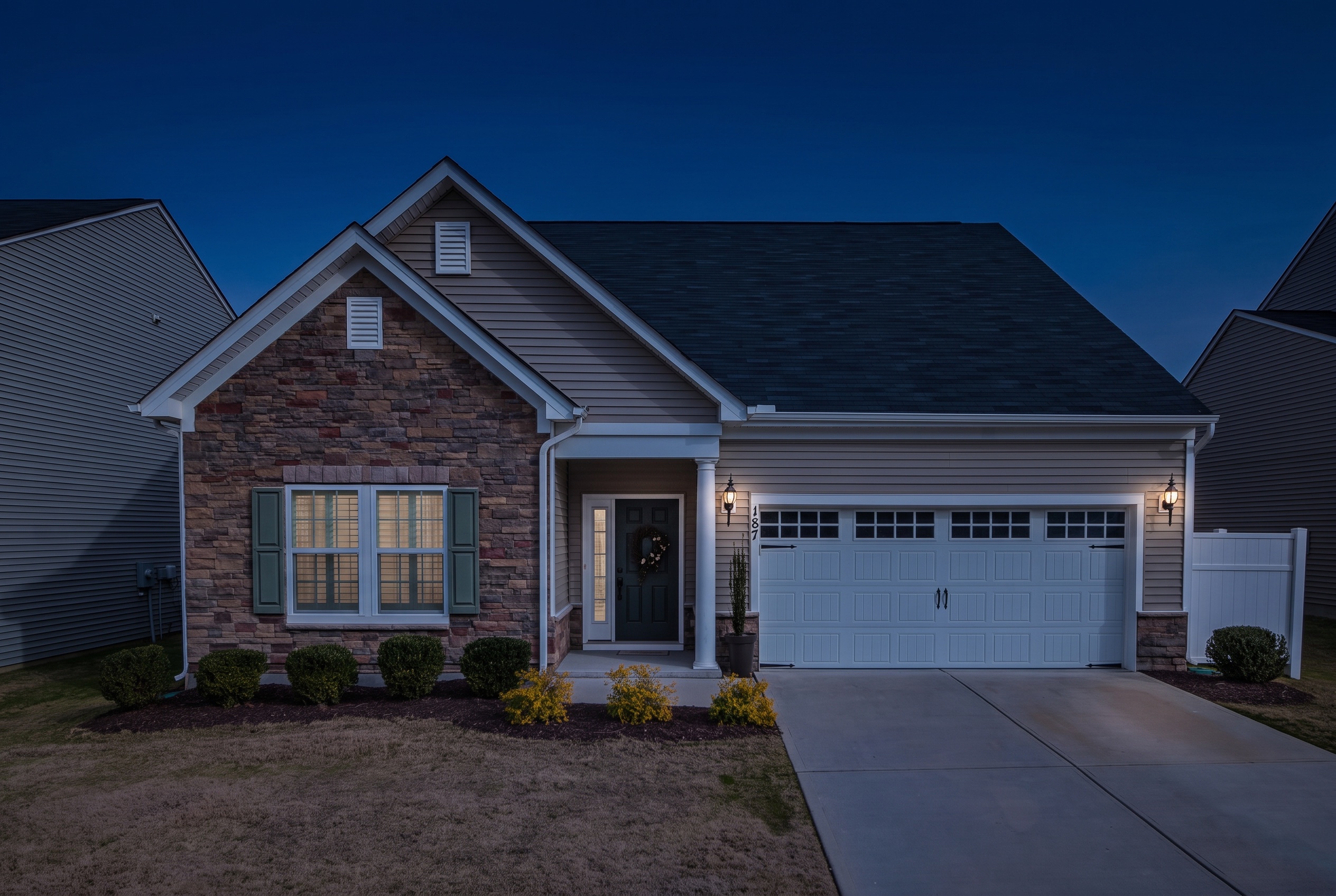
The altered version: night
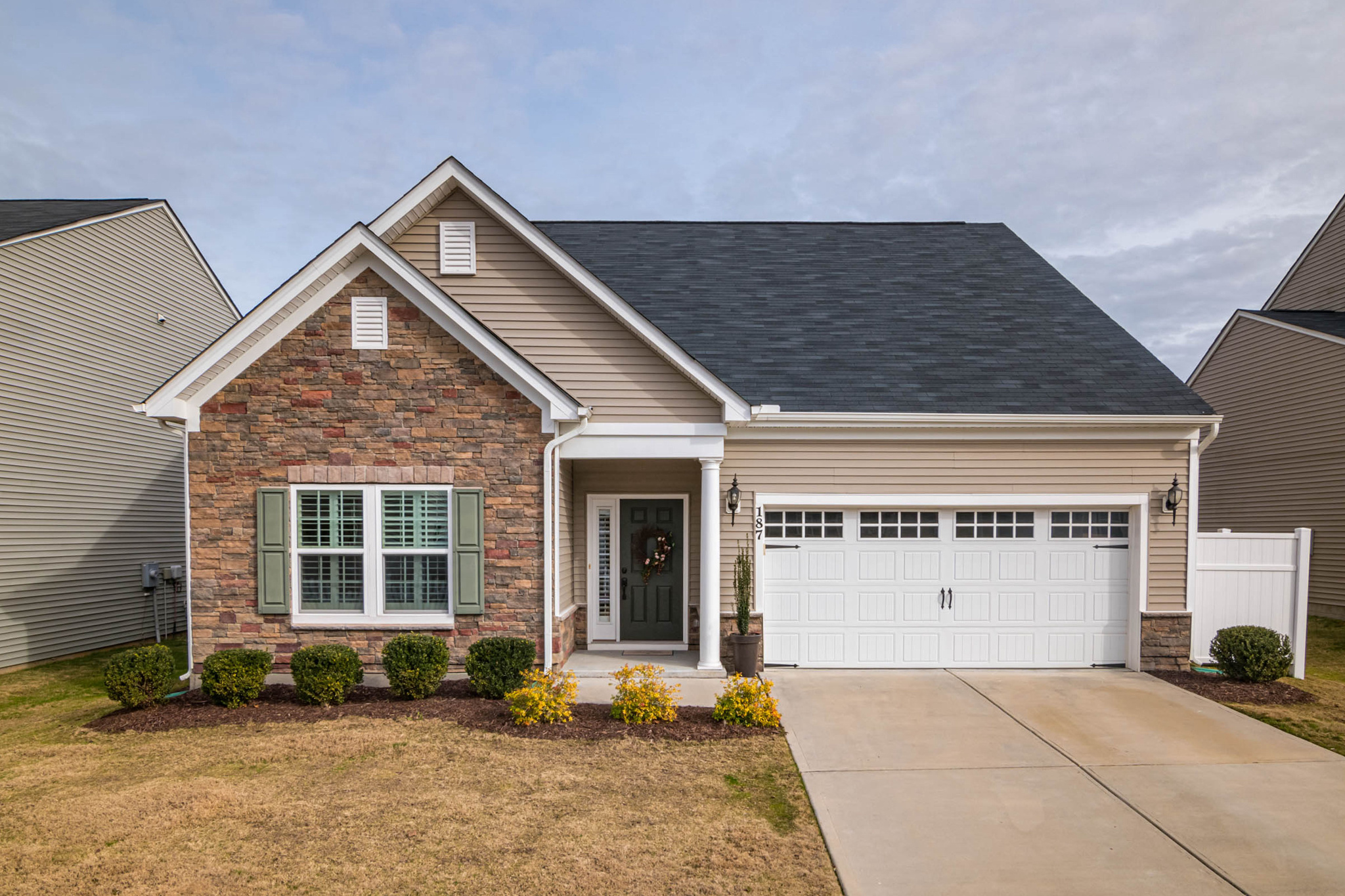
The unaltered original photograph
OriginalNight

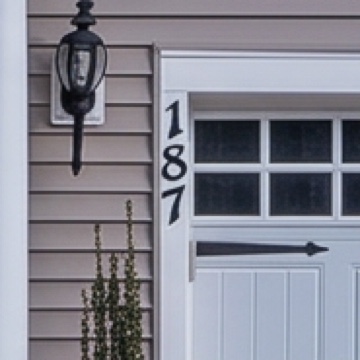
A real render. Drag to compare. The two lanterns by the garage are on, light shows through the closed shutters, and the house number still reads 187. The roof, the garage door and the shrubs did not move.

Features

What you get back

Not just an altered JPEG.

The lights your house has, switched on

We find the porch lanterns, wall lights and garage lights mounted on your house before the render, and ask for only those to be switched on, with no landscape lights, string lights or lamps your house does not have.

Windows that show a room, lit

We ask for a warm glow only in windows that show a room, and none in windows that show nothing or in garage door windows. You can also keep every window dark.

Your house number, checked

A night edit redraws the whole photo, small text included. We read the house number on your photo and on the render, and a render that changed it is run again.

Same framing, same house

Every render is compared with your photo. One that moved the building or reframed the shot is thrown out and redone before you see it.

Your original and the disclosure wording

You get the daytime original to show beside the night photo, and the disclosure wording for the MLS photo description, the public remarks and print.

About a minute

Upload, pick Night, and the render usually comes back in about a minute. Renders our checks throw away are run again automatically.

How it works

Three steps

  1. Step 1

    Upload a daytime exterior

    JPEG or PNG. Free to try: 2 renders without an account, 1 more when you sign in. Your original is never used for training.

  2. Step 2

    We render, then check our own work

    Renders that move your framing or blow out the windows are discarded before you see them.

  3. Step 3

    Download the pair

    The edit and your original, in MLS order, with disclosure wording for each place you post it and a record of what changed.

Why our night photos hold up

Night on the house you photographed

A night edit redraws the whole photo and switches lights on. We check the house kept its shape, and ask for only the lights it has.

Daytime exterior of a stone and siding house with a double garage, before day to night editingYour photo
The same house at night with the two lanterns by its garage onNight

Same house

Lights on, same house

We find the lights mounted on your house before the render and ask for only those to be switched on. Every night render is compared with your photo, and one that moved the building or reframed the shot is redone before you see it.

  • Only the fixtures your house has
  • Each fixture kept as photographed
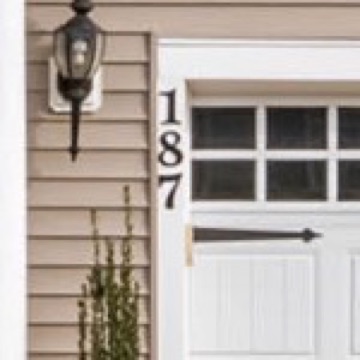
House number 187 in the original daytime photo
Your photo: 187
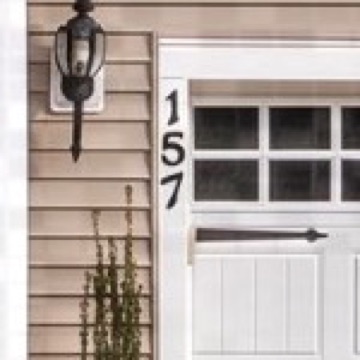
An unchecked AI edit that changed 187 to 157
Unchecked AI edit: 157
Duskly's twilight render keeping 187
Duskly: 187

Real edits of the same photo. The middle one is a sky replacement from the same AI model, made before we checked numbers; the right one is our dusk render.

House numbers

We check your house number at night

A night edit redraws small text along with everything else. We read the house number and any signs on your photo and on every render, and run it again if they differ.

  • Read on your photo and on the render
  • Redone automatically when they differ
Night listing photo carrying a Digitally Altered label and a link to the originalDigitally AlteredOriginal photo: duskly.ai/o/…

Disclosure

Night photos with their disclosure ready

A night photo shows the house at a time it was not photographed, so we treat it as digitally altered and disclose it by default. You get a label you can put on the photo, the remarks wording for where you post it, and, once the listing is paid, a page with your daytime original to link to.

  • A label for the photo, in the style you choose
  • Your original, one link away
Is day to dusk allowed on the MLS?

Primary sources

The rules, quoted

Rule number, quoted text, and the date we last checked it. Where a rulebook is members-only, the row says so instead of guessing.

Stellar MLSArticle 04.04, Permitted Uses of Virtual Staging, CVerified 25 Oct 2026
“Twilight photos are acceptable as long as lighting is not added where it does not exist and sunset/sunrise is a true reflection of where the sun rises and sets”
Quoted verbatim.Source
CaliforniaBus. & Prof. Code §10140.8(a)(1)Verified 24 Sep 2026
A licensee publishing a digitally altered listing image must include a conspicuous statement on or adjacent to the image, and a link, URL or QR code to a publicly accessible page showing the original, unaltered image.
Summarised from the source, not quoted.Source
Other MLSsNot yet reviewed

We have not read the rules of most other MLSs. Some are behind a member login and some we have not reviewed yet, so we quote nothing here and will not paraphrase them from secondary sources. If you belong to one, check your MLS’s own rulebook before publishing.

Unverified. We have not read this rulebook.

What a day to night edit changes

A day to night edit moves the photo to full night, well after dark. The sky turns a deep midnight blue, the house falls into night shadow, the lights mounted on the house come on, and the windows that show a room get a warm glow. The house itself does not change: same roofline, same siding, same driveway, same plants.

That last part is the point. A night photo that adds a lantern, lights a window onto an empty wall or quietly tidies the garden shows a house that is not the one for sale. So the light is the only thing that should be different, and the original goes next to it.

Why night is harder than dusk

At dusk most of the house is still lit by the sky. At night the light comes from the house itself, so every fixture and every window has to be right. An image model left to itself will happily hang a second lantern by the door, light a porch ceiling that has no light, or make every pane of a garage door glow. We look for the fixtures your house has before the render and ask for only those to be switched on.

Small text suffers too. The whole photo is redrawn, so a house number can come back with a digit changed. We read the number on your photo and on every render, and run it again when they differ.

Lights that are there, and nothing more

The rule we could find that names twilight photos is Stellar MLS’s, and its condition is the same one we work to: lighting is not added where it does not exist, and the sunset is where the sun really sets. We read switching on a porch lantern your house has as lighting a fixture that exists, not adding lighting; Stellar does not say. It still shows the house at a time it was not photographed, so treat it as a digitally altered photo: disclose it and show the daytime original alongside it.
FAQ

Questions worth asking

Upload the daytime exterior and pick Night. You get the house at full night, well after dark, with the lights mounted on the house switched on and a glow in the windows that show a room, or you can keep every window dark. Then check the result before you publish: only lights your house really has should be on, and the house number should match your photo. Start from a photo shot in soft light, because hard midday shadows survive the edit. It is a digitally altered photo, so disclose it and show the daytime original alongside it.
Yes, to try. You get 2 renders without an account and 1 more when you sign in. After that, $5 for one photo or $29 for the whole listing keeps you rendering and lets you download.

Timing and lights. Day to dusk is the time just after sunset, up to about twenty minutes after, with colour left in the sky and the windows dark unless you ask for a glow. Day to night is full night, well after dark: a deep midnight-blue sky with no sunset colour, the house in night shadow, the lights mounted on the house switched on and the windows that show a room lit. Both are the same tool in Duskly; Night is one of its settings.

It should not, and we work to stop it. We find the fixtures mounted on your house before the render and ask for only those to be switched on, never landscape lights, string lights or a lantern on a wall that has none. Image models sometimes add one anyway, so look before you publish. Stellar MLS allows twilight photos only if lighting is not added where it does not exist.

Only one public MLS rule we could read names twilight photos: Stellar MLS accepts them as long as no lighting is added where none exists and the sunset is where the sun really sets, under a rule that requires disclosure. The other rulebooks we read do not mention night or twilight, so treat a night photo as digitally altered: we disclose by default and give you the original to show next to it.

No. Duskly edits photos. You get the daytime original and the night photo as a matching pair, which is what a before and after slider or a cross-fade in your own video editor needs, but we do not render video.

You will usually not see it. Renders that moved the building, reframed the shot or came out too dark to read are thrown away and run again. If nothing passes, we tell you why and you are not charged.

Turn a photo to night

One photo or the whole shoot. Free to try: 2 renders without an account, 1 more when you sign in.