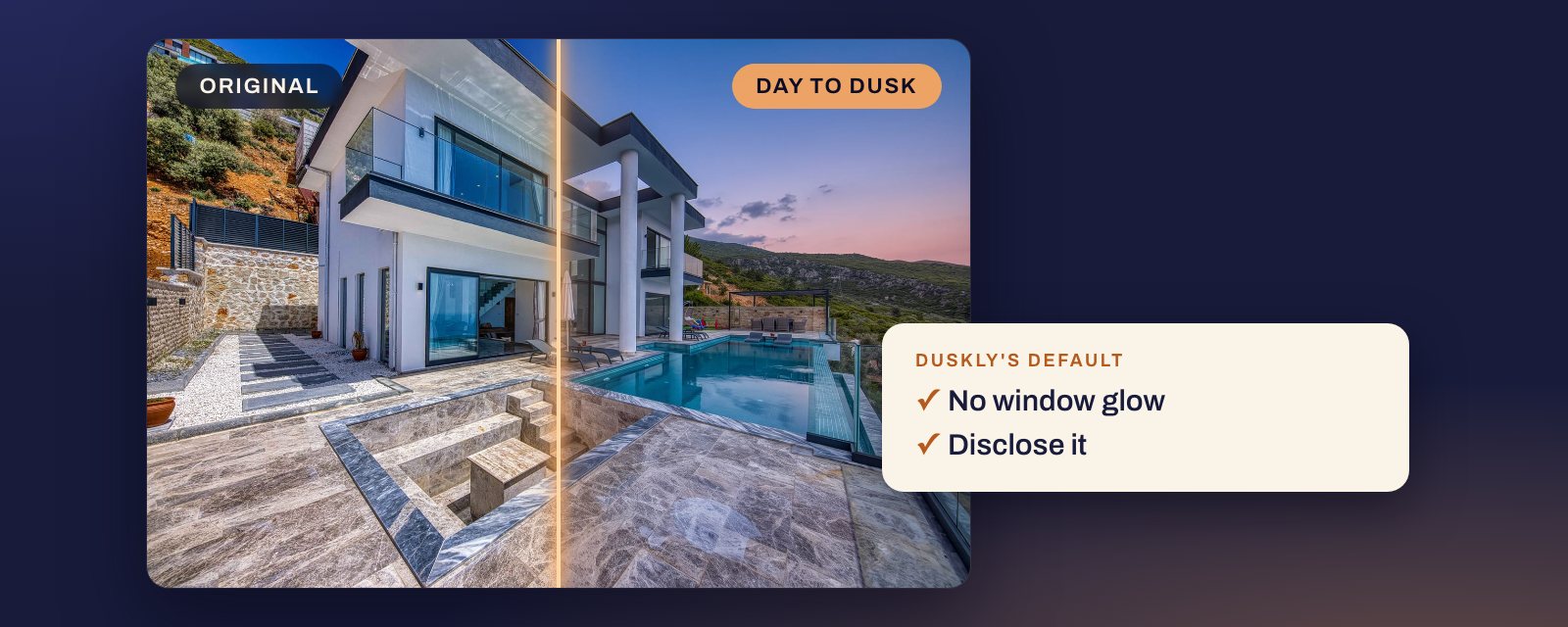
Short answer: start from a daytime photo in soft light, put the sunset on the side where the sun really sets, darken the scene to dusk rather than night, and light only the rooms that would be lit. Leave everything else alone: the house, the shadows, the lawn, the pool, the number on the door. A fake twilight gives itself away less through its sky than through every window glowing, light where no room is, noon shadows under an evening sky, and details that changed. Then label it and keep the daytime original next to it.
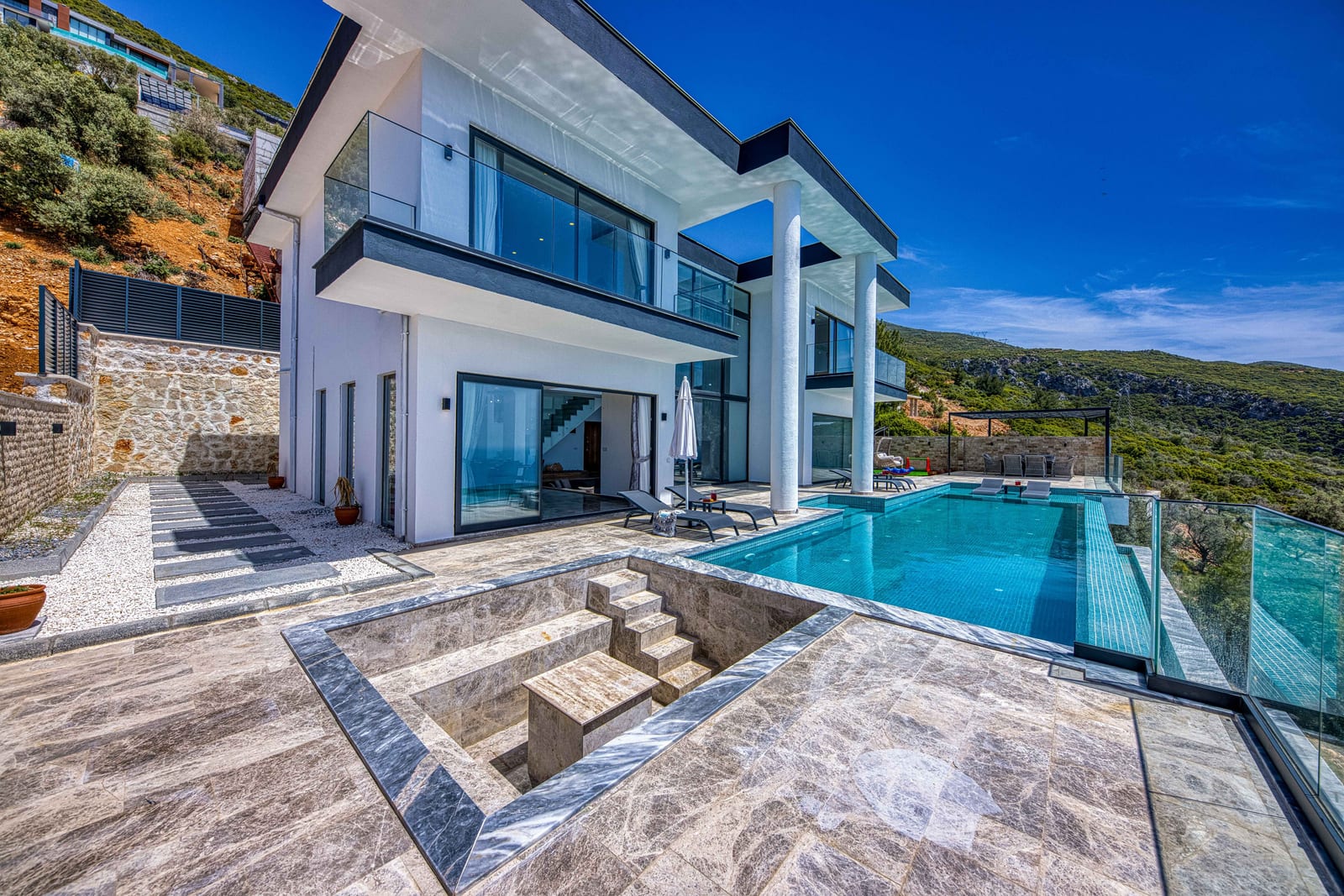
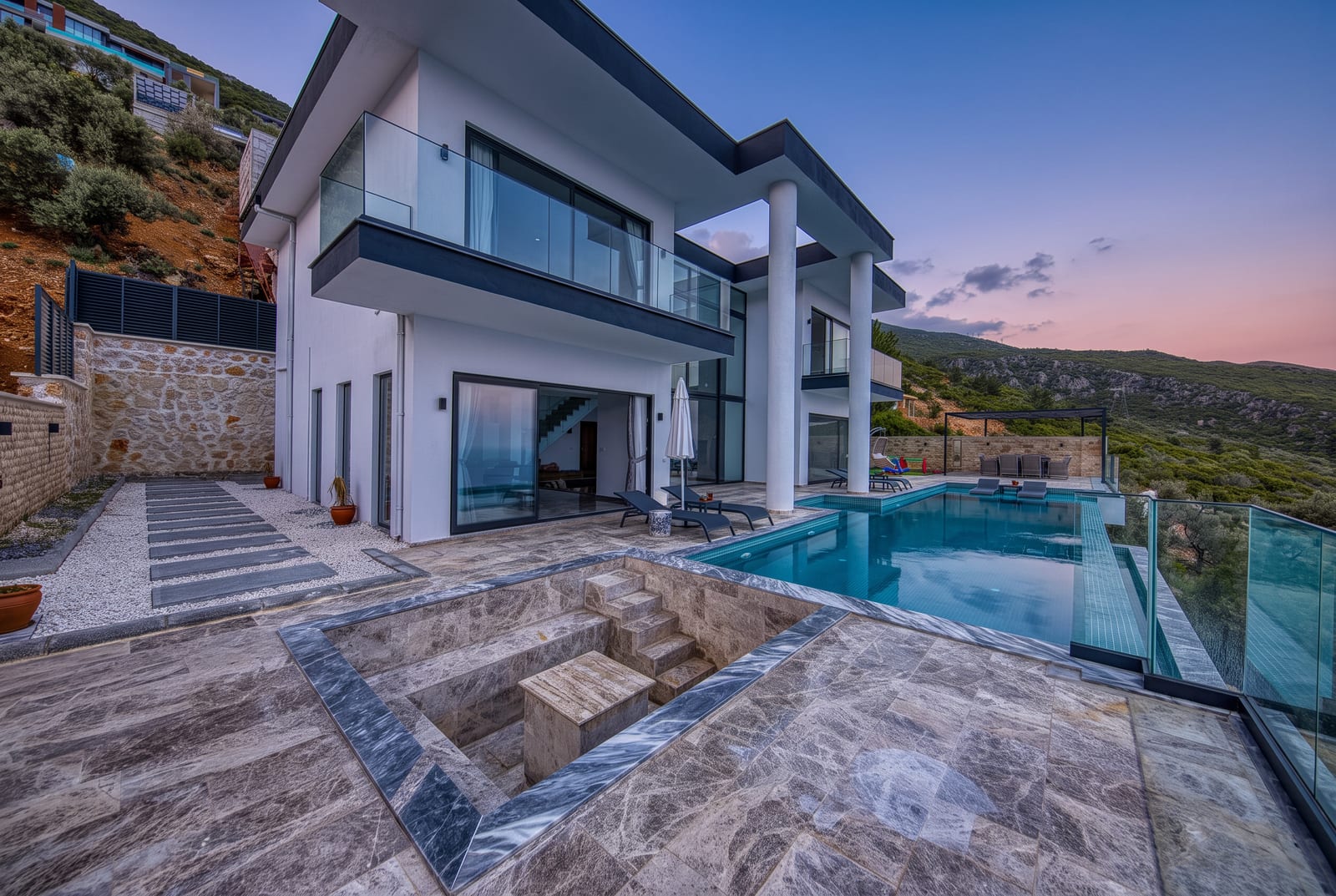
Every render below is a real day-to-dusk render from our lab, made from a stock photo and shown next to it. Most came from Duskly’s own pipeline; one came from another image model we tested, and its caption says so. Each caption says whether Duskly’s automatic checks caught the problem. Several of them did not.
What a real twilight shoot does
A real twilight photo is taken at the house at dusk. NWMLS’s photography tips for listing photos put it plainly: “Exterior shots are best at dusk, also known as the Golden Hour.” It also says “it can be well worth the effort to take photos throughout the day to show the home at its best” (NWMLS, Real Estate Photography 101).
Dusk is not night. The US National Weather Service defines evening civil twilight as the time that “begins at sunset, and ends when the geometric center of the sun is 6 degrees below the horizon”. In it, “the horizon and terrestrial objects can be discerned, and in many cases, artificial lighting is not needed” (National Weather Service, Definitions of Twilight). So in a real twilight photo you can still read the house: the siding, the roof, the plants. The sky is brightest where the sun went down. The lights that glow are the ones somebody switched on.
A day-to-dusk edit has to fake all of that from a photo taken hours earlier. Our reading of what makes it believable: the same house, the same camera, a sky that matches where the sun sets, a light level that still shows detail, and lights only where lights exist. Each giveaway below breaks one of those.
When is twilight?
Evening twilight starts at sunset. The part a listing photo wants is civil twilight, which, as defined above, lasts until the sun is 6° below the horizon. How long that takes depends on where the house is and the time of year: in the examples below, from about 20 minutes to about 50 minutes after sunset. It is the same window an edit should imitate.
How long does twilight last after sunset?
Civil twilight lasts from about 21 minutes in the tropics to about 48 minutes at London’s latitude, and it is longer the further you are from the equator. Near the equator the sun drops almost straight down; further north or south it sets at a shallower angle, so it takes longer to reach 6° below the horizon. Wikipedia puts it this way: “The duration of twilight depends on the latitude and the time of the year” (Wikipedia, Twilight). Some examples for 21 June 2026, from timeanddate’s sunrise and sunset tables:
- Miami: sunset 20:15, civil twilight over at 20:41, 26 minutes (timeanddate).
- Los Angeles: sunset 20:07, over at 20:36, 29 minutes (timeanddate).
- Seattle: sunset 21:10, over at 21:51, 41 minutes (timeanddate).
- At the equinoxes, timeanddate gives about 21 minutes in Quito and about 28 minutes in New York (timeanddate, Civil twilight).
- Greenwich, England, 51.5° north: “the duration of civil twilight will vary from 33 minutes to 48 minutes, depending on the time of year” (Wikipedia, Twilight).
Above about 60.5° north or south, civil twilight can last through the night in midsummer (Wikipedia, Twilight). After civil twilight comes nautical twilight, when, in the weather service’s words, “outlines of terrestrial objects may still be discernible, but detailed outdoor activities are likely curtailed without artificial illumination.” For a photo of a house, that is too late: the walls and the garden go dark. For your own house and date, look up the end of civil twilight in a sunrise and sunset table for that town.
What is the difference between twilight, dusk and golden hour?
Golden hour is mostly before sunset and twilight is after it. In everyday use, and in listings, dusk means twilight; strictly, it is the moment a stage of twilight ends. Golden hour has no official definition: timeanddate notes that civil twilight “is commonly included in the definition of the golden hour” (timeanddate, Golden hour), while Wikipedia’s photography definition ends it at sunset. Either way, 30 minutes before sunset is golden hour, not twilight.
- Golden hour is, in Wikipedia’s words, “the period of daytime shortly after sunrise or before sunset, during which daylight is redder and softer than when the sun is higher in the sky.” The sun is still up, so there are shadows, and “the sun’s low angle above the horizon produces longer shadows.” The “hour” is not a fixed hour: “the effect has no clearly defined duration and varies according to season and latitude.” Source: Wikipedia, Golden hour (photography).
- Twilight starts at sunset. The sun is below the horizon, so nothing casts a hard shadow from it. The deep blue part of it is what photographers call the blue hour, when, as the same Wikipedia page puts it, “there are no sharp shadows because the sun either has not risen, or has already set.”
- Dusk, in a listing, means twilight. SkyEye calls the period after sunset “commonly known as twilight or dusk” (SkyEye). Strictly, dusk is a moment, not a span: “civil dusk is the instant when the geometric center of the Sun is 6 degrees below the horizon in the evening” (timeanddate).
The names get mixed up in practice too. NWMLS’s tips, quoted above, call dusk “the Golden Hour”. For a twilight exterior, you want the time after sunset.
How do you take good pictures at dusk?
Be set up before sunset and shoot through civil twilight, from sunset until the sun is 6° down. Our reading of how a real shoot uses that window:
- Before sunset, frame the shot, put the camera on a tripod, and switch on the lights in the rooms you want lit. Leave the rest off.
- From sunset, take a frame every few minutes. The sky goes from warm near the horizon to deep blue, and the house gets darker against it. Pick the frame where the sky and the house balance.
- Stop when nautical twilight starts. Past that, the garden, the roof and the dark side of the house lose their detail.
- Point the camera toward where the sun set if you want colour in the sky behind the house. That means shooting the side of the house that faces away from the sunset. Check 5 below shows how to find the direction.
That is the scene a day-to-dusk edit has to match: a house you can still read, a sky that is brightest where the sun went down, and only the lights someone switched on.
1. Every window is lit
A real house at dusk has a few lit rooms. A fake one glows from every window, upstairs and down, including rooms nobody would be in. It is the most obvious giveaway, and Duskly’s own prompt rules say so: “Never ‘warm light in every window’. It lights rooms that were dark in the original, which is the most obvious tell in the category.”
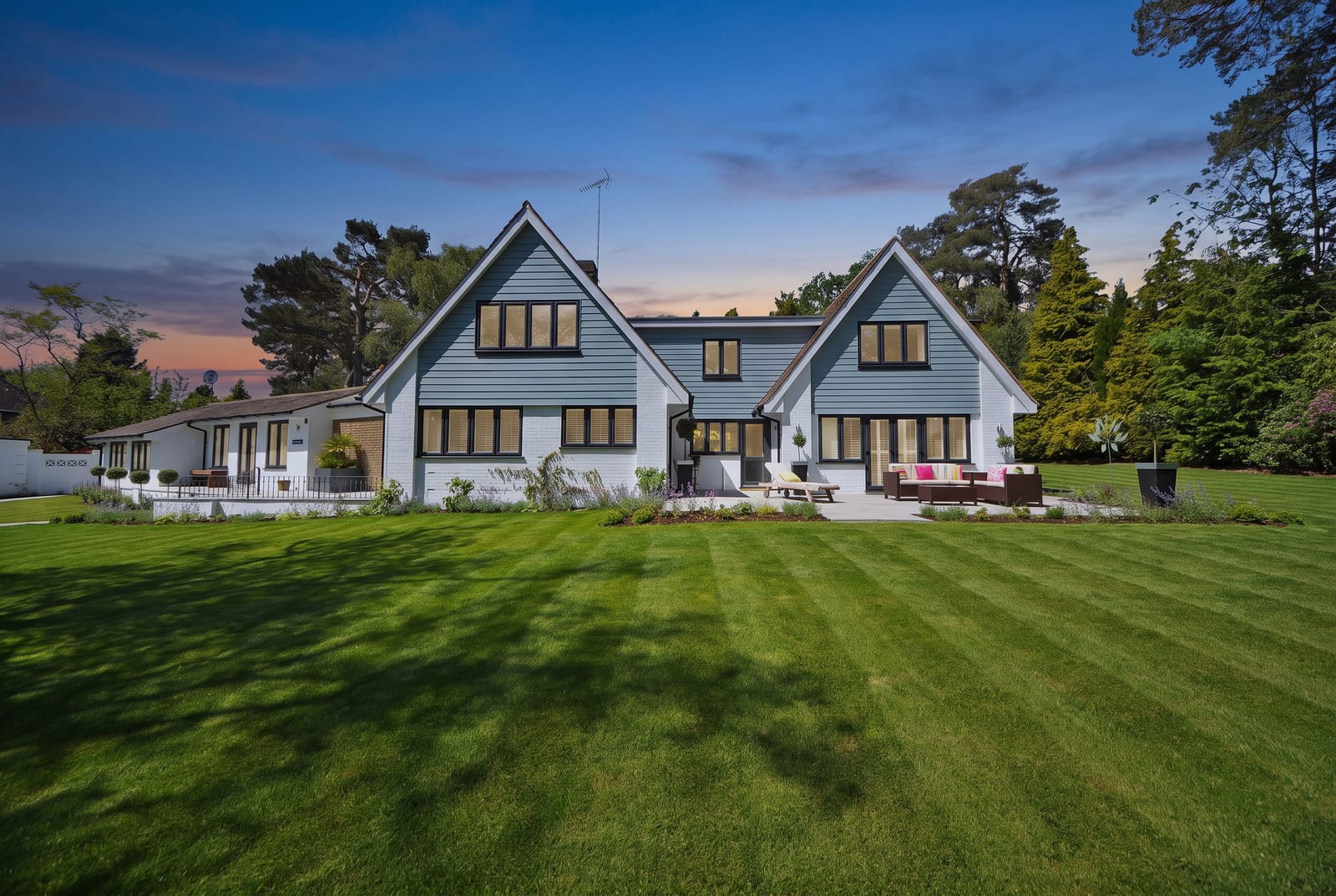
Stellar MLS, the one MLS rule we found that names twilight photos, allows them only on two conditions. Article 04.04:
C. Twilight photos are acceptable as long as lighting is not added where it does not exist and sunset/sunrise is a true reflection of where the sun rises and sets
Source: Stellar MLS Rules, Article 04.04, last updated 27 September 2026. A house with every window lit shows lights that, on the evening of a real shoot, would not have been on. Light two or three rooms that would plausibly be in use, or none.
2. Light where there is no room or no fixture
The worse version lights something that cannot light up: a solid garage door, a wall, a porch recess, a neighbour’s house. Look at every lit patch and ask what is behind it.
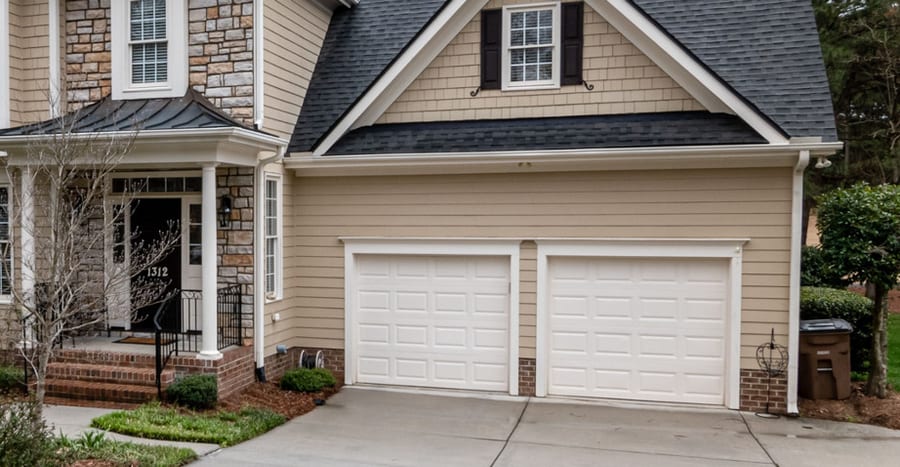
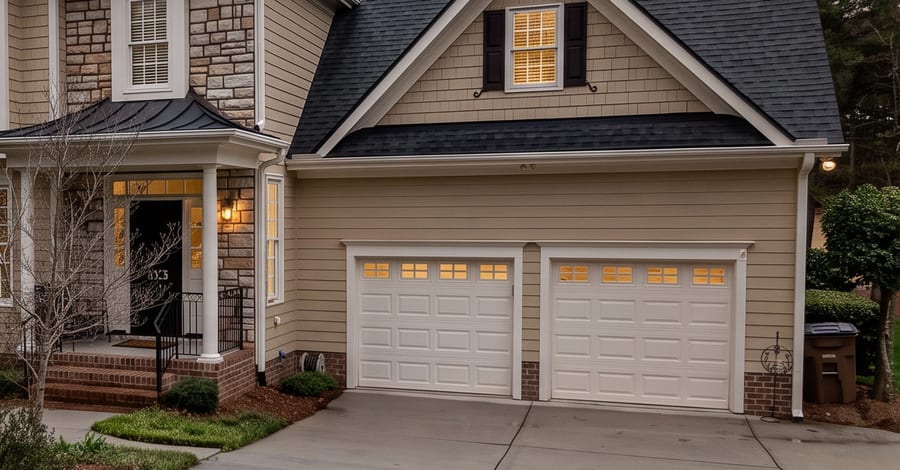
The garage door is the clearer problem. Those windows do not exist, so this is a changed house as well as added light. In another lab run the same month, the model Duskly runs invented a porch spotlight. Stellar’s Article 04.04 also prohibits “visual elements not within a property owner’s control”, with “lighting” among its examples of what is “not physically possible from the specified location in the real world”. Duskly’s instruction asks the model not to “invent curtains, window contents or light sources”, and never to add glow to “neighbouring properties, open porch recesses or reflections”. As the render in check 1 shows, an instruction is not a guarantee.
3. Shadows still pointing like noon
At dusk the sun is below the horizon, so nothing casts a hard shadow from it. A daytime photo shot in sun has crisp shadows, and an AI relight usually keeps them. Duskly’s instruction asks it to: “keep shadow direction consistent with the original light”. That is meant to stop a model inventing new shadows, but it means hard noon shadows survive into the evening.
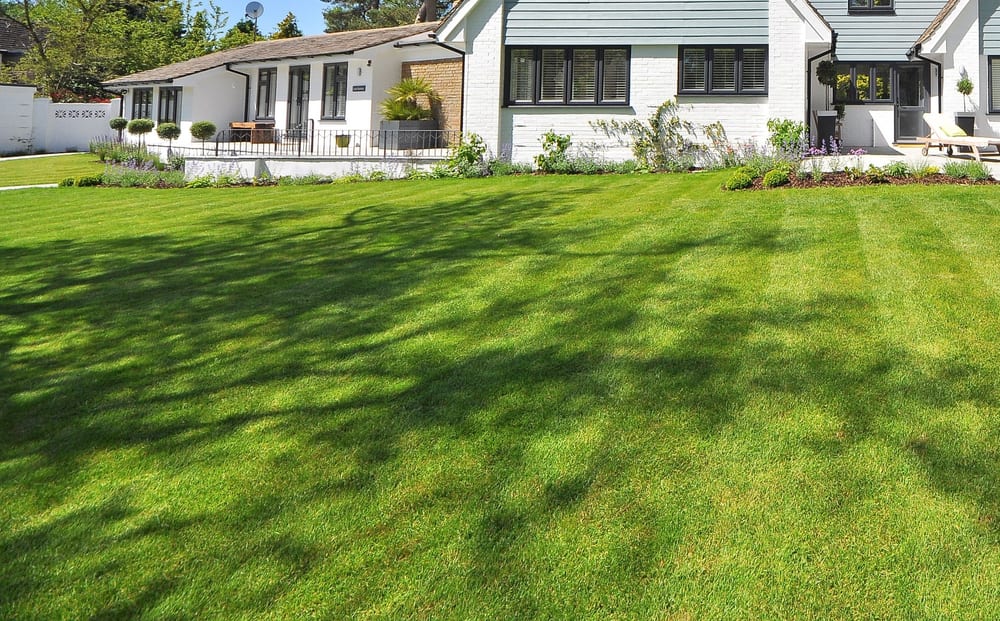
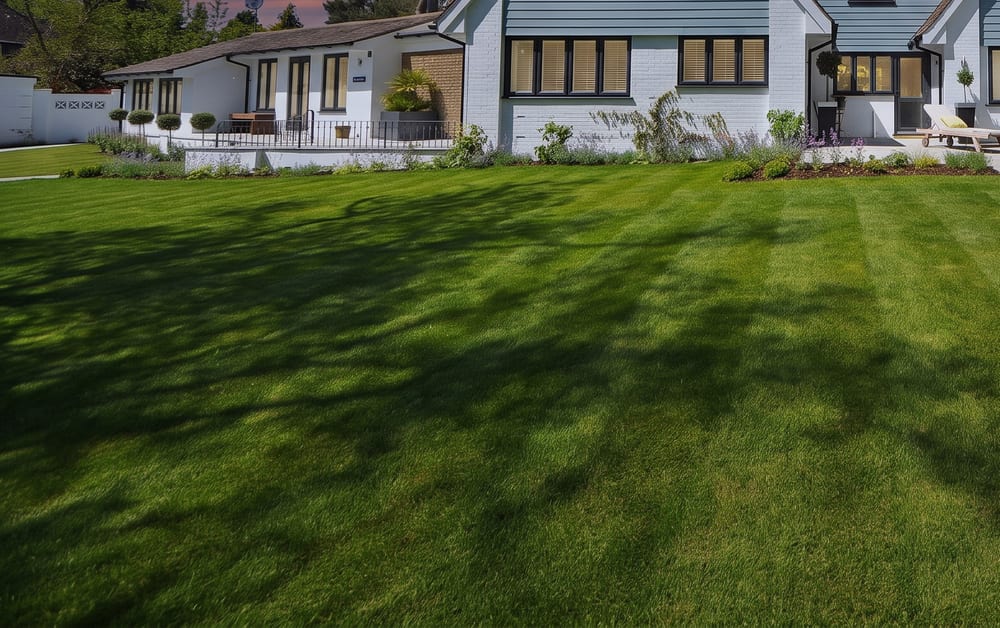
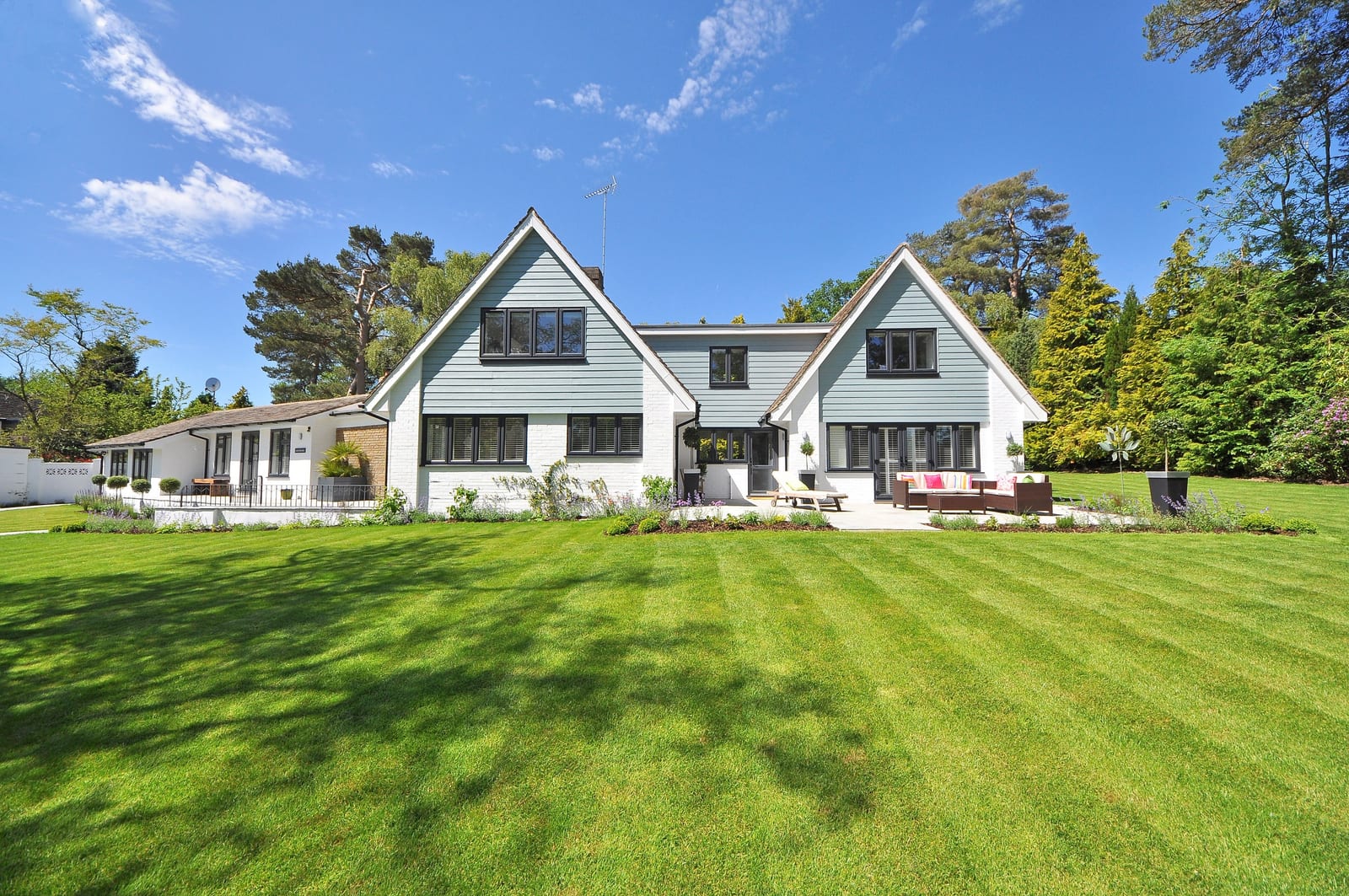
The fix is at the start, not in the edit: pick a daytime photo shot in soft light. An overcast day or a house in open shade has no hard shadows to explain. When we chose a house for our own day-to-dusk samples, our note on the photo we picked was “overcast starting sky, believable twilight potential.”
4. A glowing lawn or driveway
The same render shows the next giveaway. At dusk the brightest thing in the frame is the sky or a lit window. When the lawn, the driveway or a white wall is brighter than the sky, the photo still reads as daytime with a new sky. Look at the ground: it should be darker and less saturated than in the daytime original, not greener. Darken the ground with the rest of the scene. Do not leave it at daylight.
5. A sunset on the wrong side
The sky’s glow has to sit where the sun really sets from that house. Stellar asks that “sunset/sunrise is a true reflection of where the sun rises and sets”. A model has no idea which way the house faces, and neither did we: our test photos are stock photos with no compass bearing, which is why we have no honest example to show here. In every render above, the model picked the side of the glow on its own.
You can check it in two minutes. Find the house on a map and note which way the camera faced. Then open the free NOAA Solar Calculator, which will “Find Sunrise, Sunset, Solar Noon and Solar Position for Any Place on Earth” and can draw the sunset direction on its map. If the camera faced east, the sunset was behind the photographer. Then the sky over the house should be a deepening blue, with no orange glow behind the roof.
6. A sky that is too vivid
Real twilight is mostly deep blue, with warm colour low on the horizon on the sunset side. Magenta and purple across the whole sky look like a filter. Duskly’s instruction ends its sky directions with “Keep the sky restrained rather than oversaturated.” Its Dramatic setting asks for more: “a rich dusk sky with saturated magenta and deep indigo”.
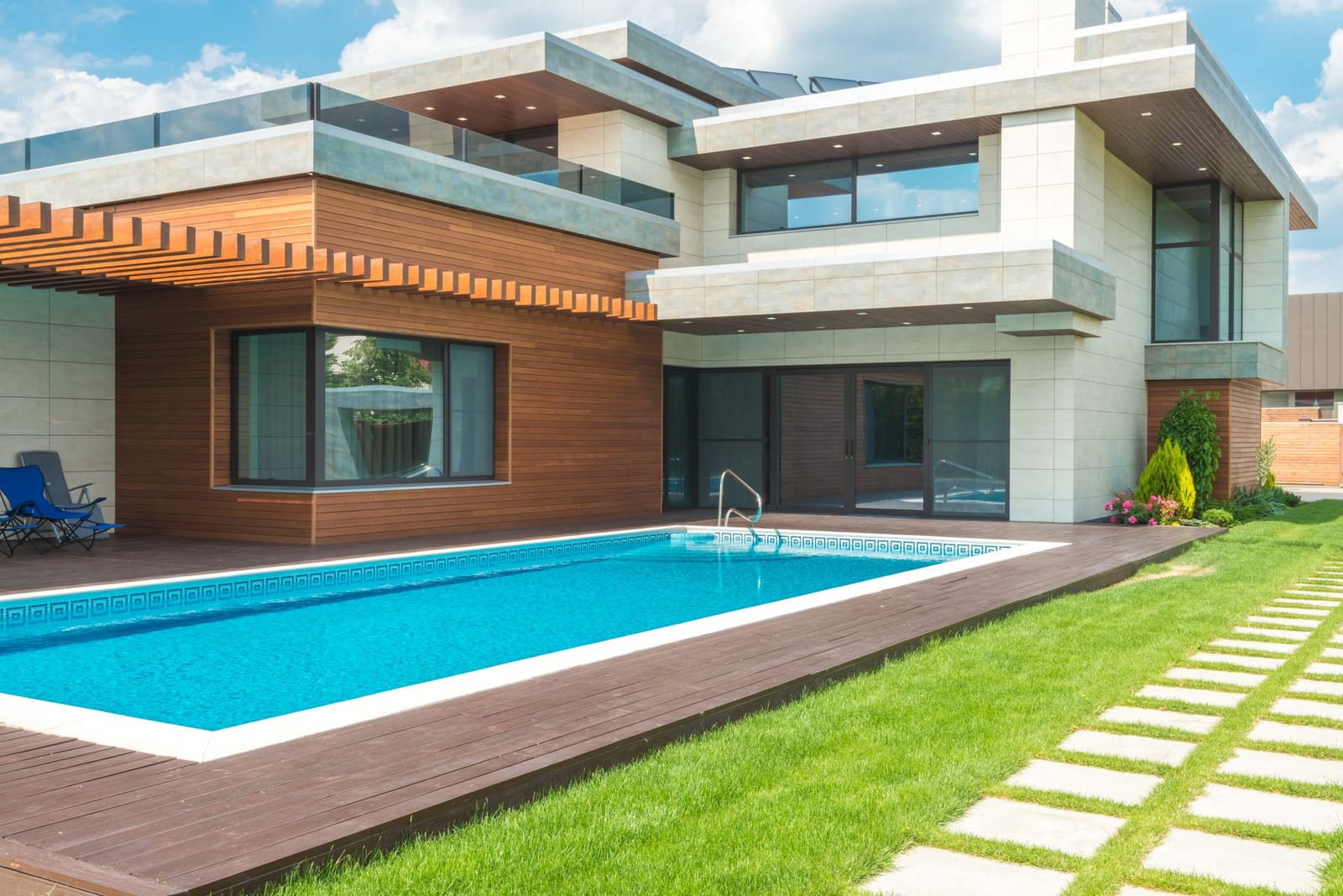
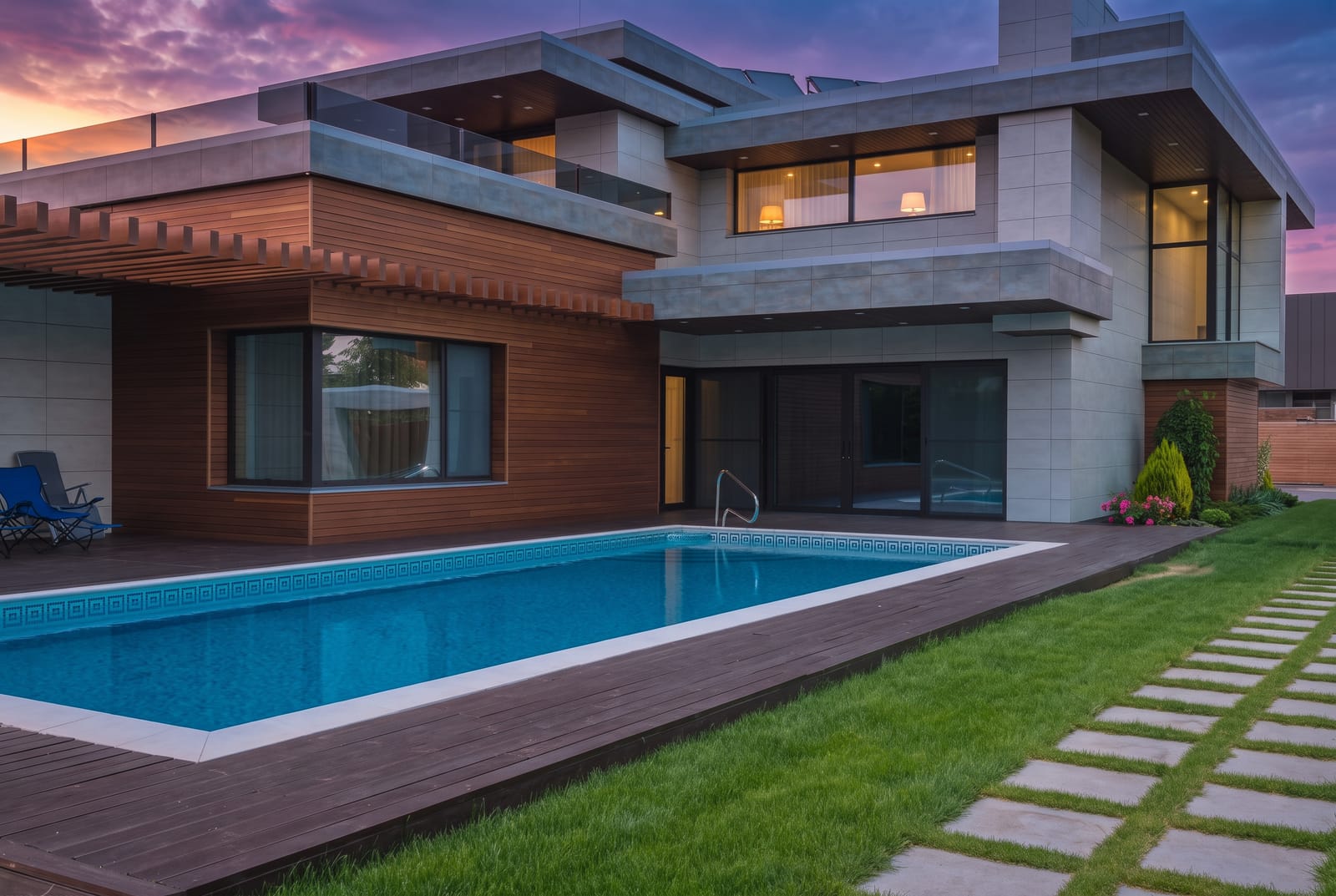
Duskly’s colour check looks at the whole frame, so a vivid sky over a dark house passes. Judge the sky yourself. If it would look odd as the sky in a photo you took, it is too much.
7. Dark areas go to black, or change colour
Twilight is darker, not black. Shrubs, trees, a dark roof and the shady side of the house should still show texture. A heavy-handed darkening turns them into flat black shapes, and some renders also tint the whole scene violet.
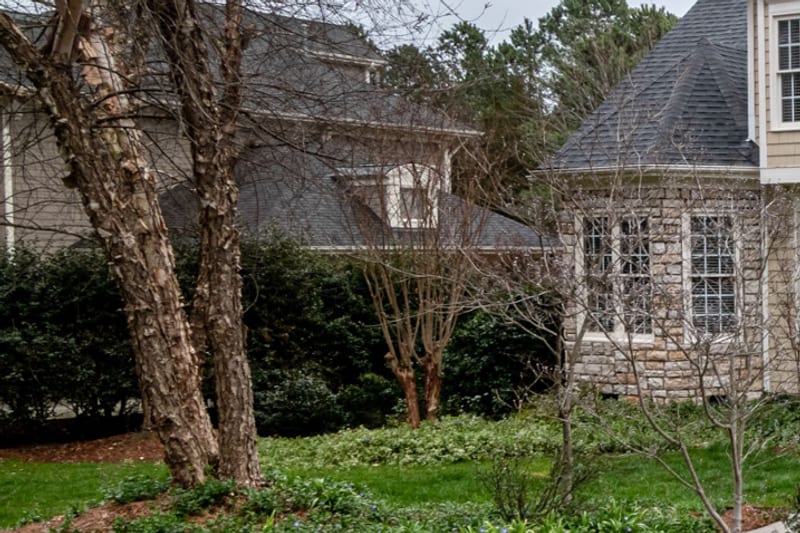
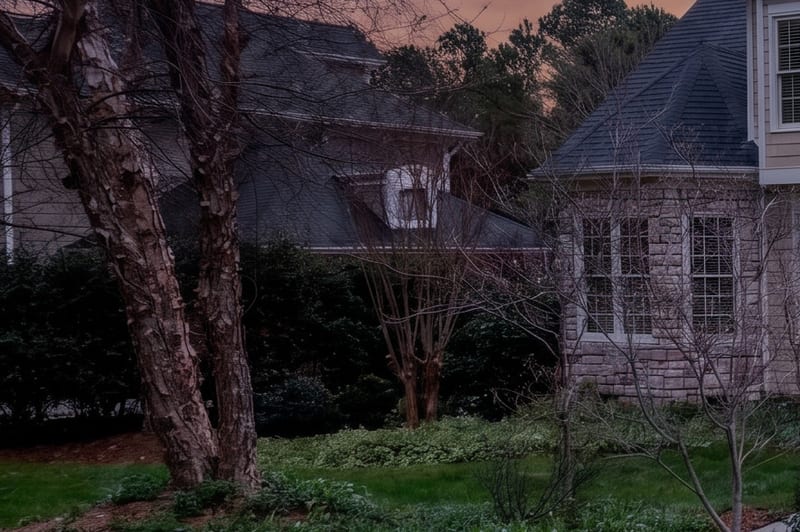
Compare a dark area in both photos. If you could count the leaves in the original and cannot in the render, it went too far.
8. Small details changed
AI relighting usually redraws the whole frame, including the parts it was told to keep. Zoom in to 100% on the house number, window bars, gutters, railings and plants. Stellar’s Article 04.04 also says “All photos must represent a true and accurate picture of all property features and surroundings.”
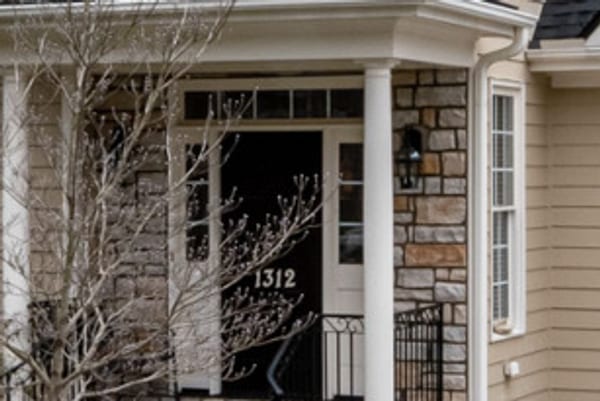
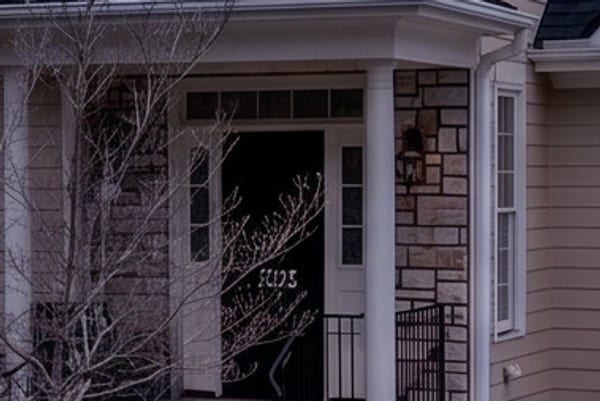
The curtains and lamps in check 6 are the same kind of problem on a bigger scale: things in the render that were never in the photo.
The recipe for a believable one
- Start from the right daytime photo. Soft light, no hard shadows, the whole roofline against open sky, camera level. An overcast day is better than a sunny one (check 3).
- Find where the sun sets with the NOAA Solar Calculator and put the warm part of the sky on that side, or nowhere if the camera faced away from it (check 5).
- Go to dusk, not night. Lower the whole scene evenly, keep detail in the shadows, and cool the shade slightly rather than crushing it (check 7). Duskly’s Subtle setting asks for “a clear early-evening sky just after sunset” and Balanced for “a twilight sky about twenty minutes after sunset”. In our renders, both read more like a real shoot than Dramatic.
- Choose the lit windows yourself. Two or three rooms that would be in use, on the ground floor, or none. Never the garage, never a neighbour, never a window you cannot see into. Duskly’s prompt rules put it this way: “We enumerate only the windows a viewer would plausibly accept as occupied, or none.” (Checks 1 and 2.)
- Add no lights. A lamp, uplighter or spotlight the house does not have is a fixture you invented. Duskly’s instruction asks for no new light sources at all.
- Keep the colour of the sky restrained and the ground darker than the sky (checks 4 and 6).
- Compare at full size. Flick between the original and the edit, in two browser tabs or two layers. Check the frame edges, the house number, the window bars, the plants and any water (check 8).
In a photo editor. The classic manual method, as we read it, follows the same steps. Select the sky and replace it with a twilight sky that is brightest on the sunset side. Darken the rest of the photo with a curve. Then paint warm light into the panes of the chosen windows only. It is slower, but nothing in the house is redrawn, so the house number and window bars stay as photographed.
With an AI image tool. Say what to keep before what to change. Duskly’s instruction opens with the house, not the sky: “Keep the building architecture, roofline, window frames and mullions, doors, wall colour, siding material, driveway, paving, fencing and all landscaping exactly as they are.” Name which windows may glow, or say none. Then check the result against the list above, because the farmhouse in check 1 lit every window despite an instruction to light none.
If a render fails a check, run it again or start from a better photo. Do not paint fixes into the render: that makes a third picture that is neither the photo nor the edit.
Disclose it, and keep the original
A twilight edit changes the sky, the time of day and usually the lights, so treat it as digitally altered. Duskly classes day-to-dusk as “ambiguous, disclose by default”. Most rules we read do not name it, and Stellar’s, which does, sits inside a rule that requires disclosure. Our guide is day-to-dusk allowed on the MLS? quotes each MLS’s rule. Our label guide covers where the words go at each MLS.
Keep the untouched daytime file for every photo you convert, and put it next to the twilight version in the listing. The free disclosure generator writes the wording.
How Duskly helps
Upload a daytime exterior and pick an intensity: Subtle (just after sunset), Balanced (about twenty minutes after) or Dramatic. Then pick the window glow: None, the default, where windows stay dark as shot; Occupied rooms, only windows that already show an interior; or Ground floor. Duskly’s instruction puts the house first, asks the model to keep shadow direction and the white balance on the building, and never asks for every window or for new lights.
Before you see a render, Duskly checks it against your photo and throws it out if it fails:
- Framing: the shape of the photo changed by more than 1%, or the view zoomed in or out by more than 2%.
- Structure: the lines of the house match the original at less than 0.55. It compares edges, not colour, so the change of light itself does not fail it.
- Exposure: the edit blew more than 6% of the frame out to white, turned more than 35% of it pure black, or left more than 20% of it at extreme saturation.
If a render fails, Duskly tries again, up to three attempts in all.
Since 24 October 2026, in day to dusk and sky replacement, Duskly also reads house numbers and signs. It looks for any number or sign text it can read with certainty in your photo, then compares the same spots in each render with your photo. When it is sure of a number in time, it also names it in the instruction. A render that changed or lost the number is tried again, within the same three attempts. This check never withholds your render: if every attempt changes the number, you get the first one that passed the other checks, and if the check cannot run, the render goes out unchecked.
What these checks do not cover, as the examples above show: which windows are lit, invented lights, noon shadows, which side the sunset is on, and a vivid sky over a dark house. So look at every render next to its original before it goes on the MLS, whatever made it. Every paid render comes with the untouched original and disclosure wording, and day-to-dusk is disclosed by default. Try day to dusk.
How we made this: the renders come from our lab runs of 17 September 2026 and from Duskly’s pipeline on 28 September and 2 November 2026, all on stock photos. One render (check 2) comes from another image model we tested, which Duskly does not run. They are shown as the models returned them, apart from resizing and cropping. Duskly’s framing, structure and exposure checks were re-run on the other pairs on 24 October 2026. Photos by Ahmet ÇÖTÜR (villa with infinity pool), Pixabay (house with a lawn), Curtis Adams (house with a double garage) and Max Vakhtbovych (house with a pool) via Pexels. Every source quoted was re-read on 24 October 2026. Rules change; if one of these has, tell us and we will correct the page. This is a reading of published rules, not legal advice.