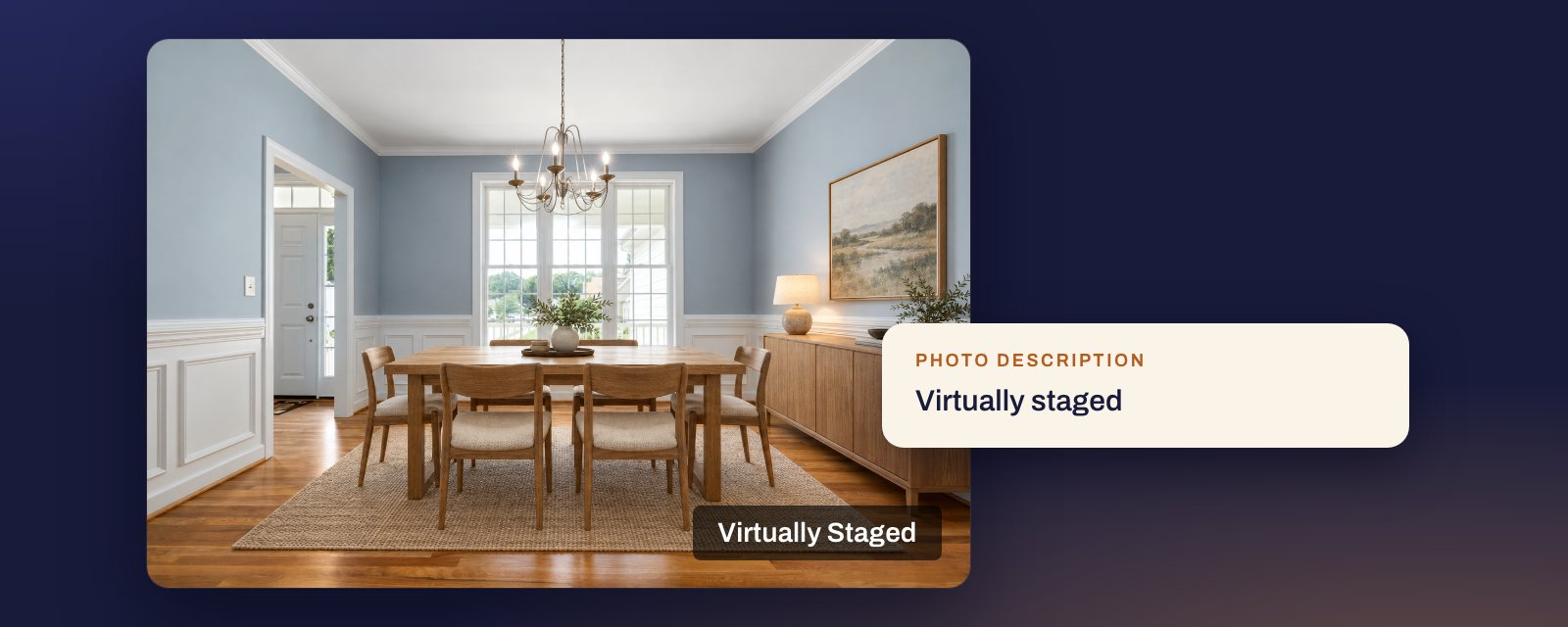
Short answer: it depends on the MLS, and they point in opposite directions. Canopy, SmartMLS and MLS Now want the label on the photo itself. Stellar and San Diego MLS do not allow words on the photo and want it in the photo’s description or label field instead. CRMLS says a watermark is not needed. There is no single label that works everywhere, so check your MLS before you export.
Every rule below is quoted from the MLS’s own page. Whether staging is allowed at all, and what it may not change, is in our guide Is virtual staging legal?
The 11 MLSs at a glance
| MLS | Label on the photo | Label in a field or description |
|---|---|---|
| Canopy MLS | Required | Not enough on its own |
| SmartMLS | Required for staging | Not to be used for altered photos |
| MLS Now | Required | Required as well |
| ARMLS | Flexmls “Digitally Altered” disclosure | For videos and tours |
| Stellar MLS | Not allowed | Required |
| San Diego MLS | Not allowed | Required |
| CRMLS | Not needed | Required |
| Bay East | Not stated | The MLS’s photo “Label” |
| MRED | Not stated | Required, “in the specified field” |
| REcolorado | Not stated | Not stated for staging |
| NWMLS | Superimposed text not accepted | Not stated |
“Not stated” means the rule we read does not say either way.
MLSs that want it on the photo
Canopy MLS does not accept a caption alone:
Virtually staged and AI-enhanced images must have a label or “watermark” on the image itself disclosing this, adding it only in the captions is not allowed.
Source: Canopy MLS listing images help.
SmartMLS requires a watermark on staged photos and will add one for you. Its virtually staged photos page says they:
Must have a stamp/watermark that notes that they are virtually staged. If you do not watermark the photo yourself prior to uploading it, you can ask connectMLS to apply its own watermark to the photo.
For photos altered to add or remove parts of the property, both the altered photo and its “as is” original carry a stamp, and SmartMLS adds: “Please do not enter this information in the photo description/caption field.” Its 2023 help article for the older Matrix system gave the reason: “the text in that field is not included in data feeds to 3rd party/IDX sites.” Sources: SmartMLS virtually staged photos and digitally altered photos, both updated 2 September 2026; Matrix article, updated 24 February 2023.
MLS Now wants both, in the same words. Rule 3.3.4:
every altered/staged/rendered image must include an on-image label in a readable font (minimum comparable prominence) stating “Virtually Staged,” “Digitally Altered,” or “Rendering/AI-Generated,” as applicable. Captions/descriptions must repeat the disclosure. Do not place branding in the disclosure.
Rule 3.1 also bans “visible branding, watermarks” and “marketing overlays”. Read together, a disclosure label belongs on the photo even though watermarks and overlays do not. Source: MLS Now Rules, Section 3, effective 3 August 2026.
ARMLS asks for its system’s own disclosure, not your file:
Any Digitally Altered photos uploaded to Flexmls must use the required Flexmls Digitally Altered disclosure. In addition to the Flexmls Digitally Altered disclosure, you can add the ARMLS-approved watermark if you desire, but this is optional.
Its how-to adds that once the Flexmls watermark is added, “it cannot be removed.” ARMLS uses “Digitally Altered” for staging too, not “Virtually Staged”. Sources: ARMLS digitally altered media, How to add a digitally altered watermark.
MLSs that do not allow words on the photo
Stellar MLS wants three things, none of them on the image. Article 04.04:
Disclosure of virtually-staged photo(s) is required in the specified field, namely the photo description entry field by adding the words “Virtually staged” and by checking the virtually staged field. Additionally, the first words of the public remarks must read “One or more photo(s) was virtually staged.”.
The same article prohibits “words on any property photograph submitted to the Service”, so a burned-in label breaks a different part of the rule. Source: Stellar MLS Rules, Article 04.04, updated 27 September 2026.
San Diego MLS, Rule 7.4.3(a):
Include the label “Digitally Altered” on the digitally altered image. The listing broker is not permitted to watermark or embed the disclosure directly onto the photo itself.
Read with the sentence after it, “on the digitally altered image” means the photo’s label in the MLS, not the pixels. Rule 7.4.4 adds that altered images “must not include text, watermarks, contact information, or promotional material.” Source: SDMLS Rules and Regulations, July 2026.
MLSs that use the description or a label field
CRMLS answers the question directly:
Does my photographer need to add a digitally altered watermark? No. The image needs to have the term “digitally altered” or one similar in the image description.
CRMLS also notes that REimagineHome adds a watermark to every image it makes, and still asks you to say so in the description. Source: CRMLS digitally altered image guidance, Rule 11.5.2.
Bay East uses a label attached to each photo in the MLS: “Labels are added directly to each photo within the MLS by clicking the ‘Label’ option beneath the image and saving it.” Its rule asks for “altered,” “digitally altered,” or “AI altered.” Source: Bay East digitally altered MLS photo rule.
MRED, Rule 6.2.3: “Disclosure of virtually staged photo(s)/rendering(s) is required in the specified field.” Source: MRED Rules and Regulations.
MLSs that do not say
REcolorado allows staging and asks for disclosure of renderings “in the Private or Public Remarks field or through the ‘Enter description’ section by clicking on each photo.” Its FAQ does not say how to label staging. Source: REcolorado photo FAQs.
NWMLS’s public photo guide does not mention virtual staging, but it does say: “NWMLS will not accept photos with superimposed graphics or text.” If you list there, ask NWMLS before putting a label on the image. Source: NWMLS photography guide.
If your photos go to more than one place
The same staged photo often ends up in two MLSs, on Zillow, on your website and on a flyer. The rules above cannot all be met with one file.
- Keep two copies. A clean one for MLSs that ban words on the photo, and a labelled one for those that require it. Make the labelled copy from the clean one, not the other way round.
- Use the wording your MLS names. CRMLS, SmartMLS, MLS Now and Stellar name “Virtually Staged”. ARMLS and San Diego MLS use “Digitally Altered”. Bay East’s rule names “altered,” “digitally altered,” or “AI altered.” Stellar also wants its exact sentence at the start of the remarks.
- Do not rely on the caption alone outside the MLS. SmartMLS’s point applies widely: a caption does not always travel with the photo.
- In California, label every ad, not just the MLS. AB 723 asks for a statement on or next to the photo in every advertisement, with a link to the original. See our AB 723 guide.
How Duskly helps
Duskly keeps the clean file of each render. If your MLS wants the label on the photo, you can burn a watermark into a copy, choosing its size, position and backing, and the clean file stays as it was for the MLSs that ban it. You also get disclosure wording for the photo description, the public remarks and print. The disclosure generator writes that wording for free, for staging done anywhere. Try virtual staging.
Every quote on this page was re-read at its source on 23 October 2026. Rules change; if one of these has, tell us and we will correct the page. This is a reading of published rules, not legal advice: for a specific listing, your MLS, your broker or a lawyer is the authority.