Short answer: tidy what you can before the shoot, then remove the rest in the photo. Declutter when the furniture works and only loose things are in the way. Empty the room when the furniture is leaving or hides the room, and stage it afterwards if it looks bare. Remove only things that move: never fixtures, defects or anything outside the home. Then compare the result with the original before you publish. AI removal fills each gap with a guess, and the guess can be a floor, a radiator or a window that is not there. Disclose the edit and put the original next to it.
Every render on this page is real. They were made in our lab in September 2026 from stock photos, some by the models Duskly runs and some by models we tested and do not use. Each caption says which. Most of them failed at something, which is why they are here: these are the mistakes to look for.
Should you empty a room, declutter it or stage it?
Declutter when the furniture helps the room and only loose things get in the way. Empty it when the furniture is the problem or is leaving with the seller. Stage it once it is empty.
Declutter takes out small, loose things: dishes, bottles, papers, cables, towels, plants and personal items. The sofa, the table and the rug stay. It is the smallest edit, so the model has the least to invent. Use it when the furniture is decent and will probably still be there at viewings.
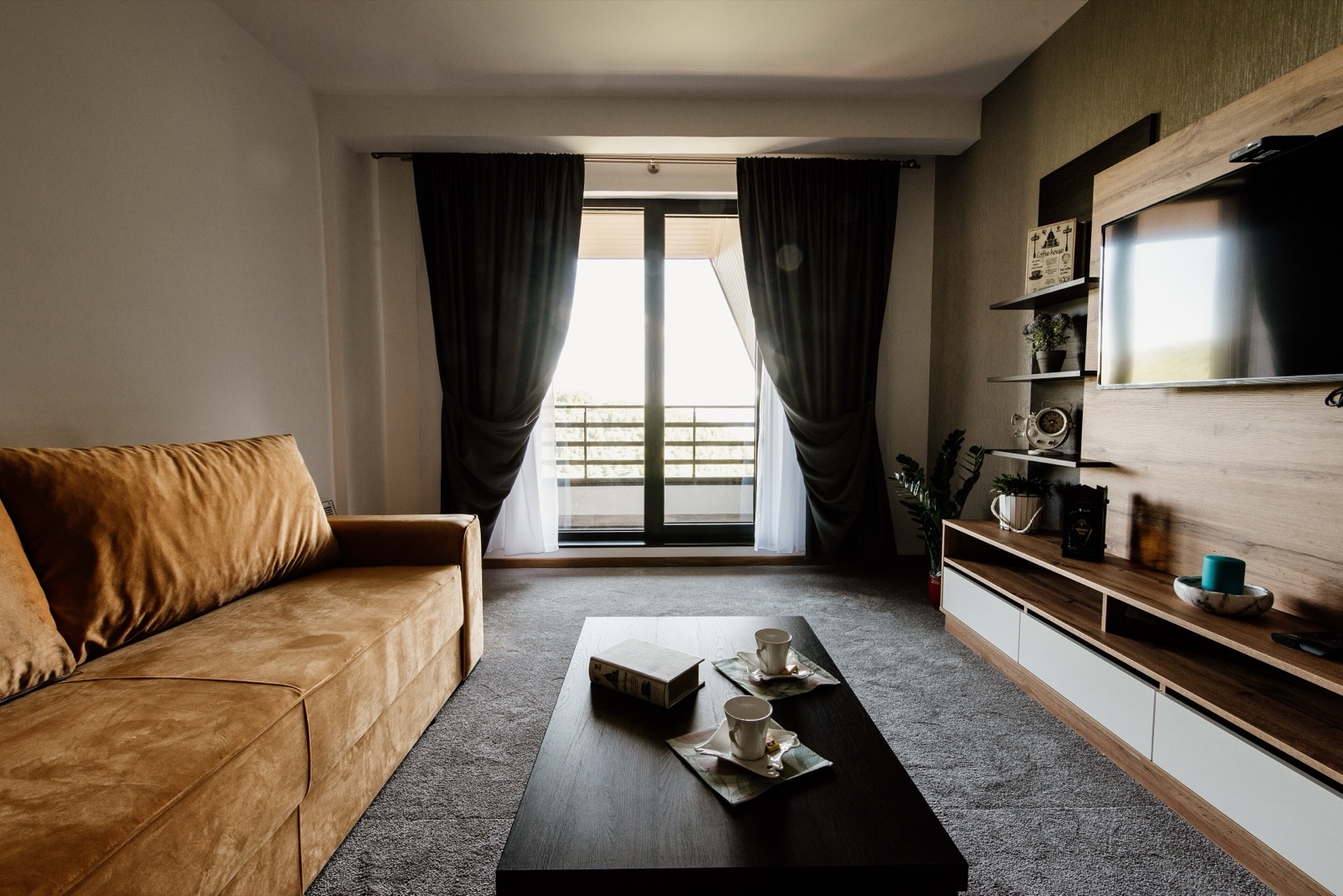
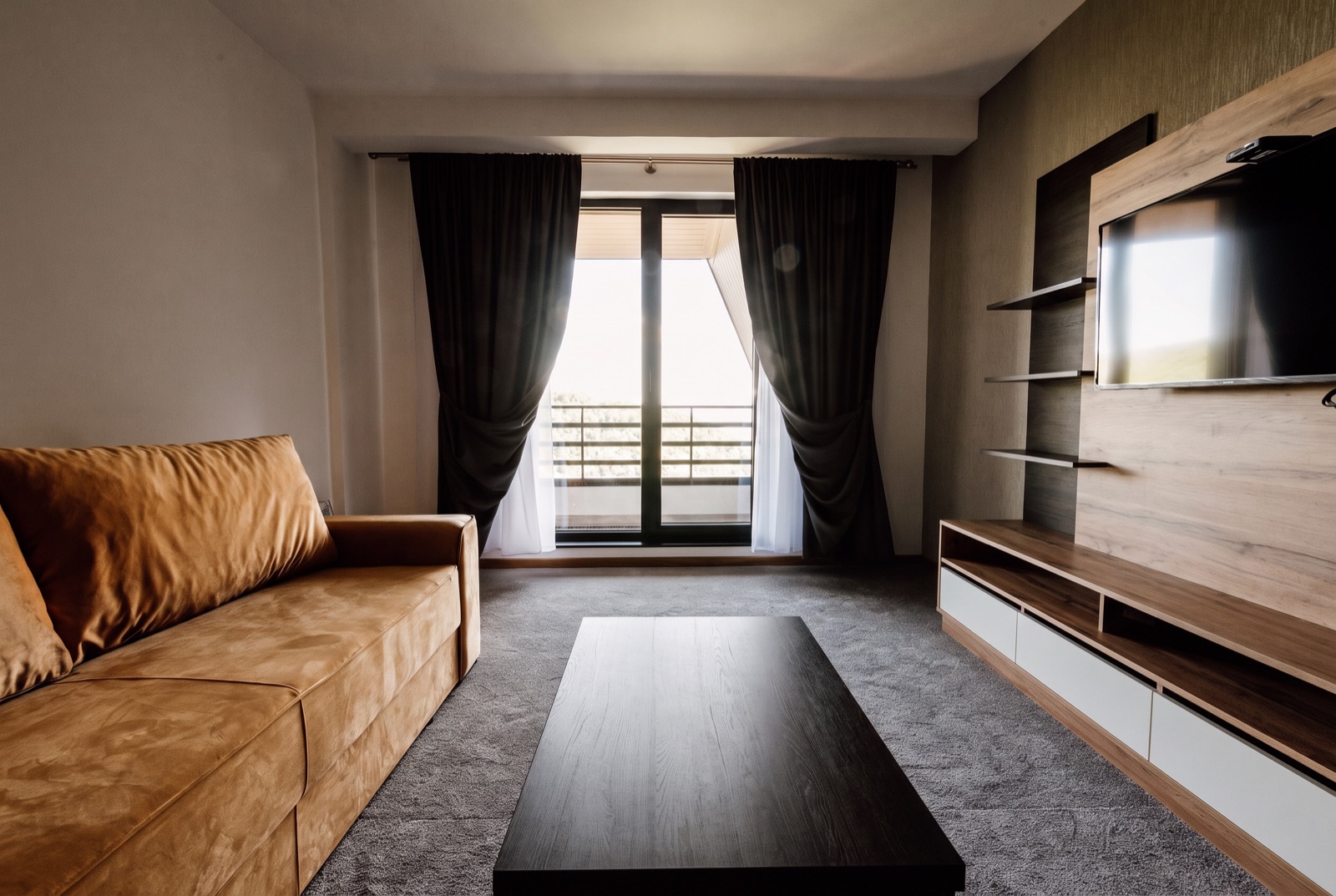
Empty the room when the furniture is dated, too big, the tenant’s, or covers the floor the buyer wants to see. It is also the first step before virtual staging, which works on empty rooms. Either way the photo is altered. CRMLS Rule 11.5.2 defines a digitally altered image as one changed “to add, remove, or change elements in the image related to furniture or appliances”, and its guidance adds: “Virtually clearing a room of furniture that will not be included at closing as part of the listed price is also considered digitally altered.” Sources: CRMLS Rules and Policy Changes, effective 1 January 2026, Rule 11.5.2; CRMLS digitally altered image guidance, page updated 20 October 2026.
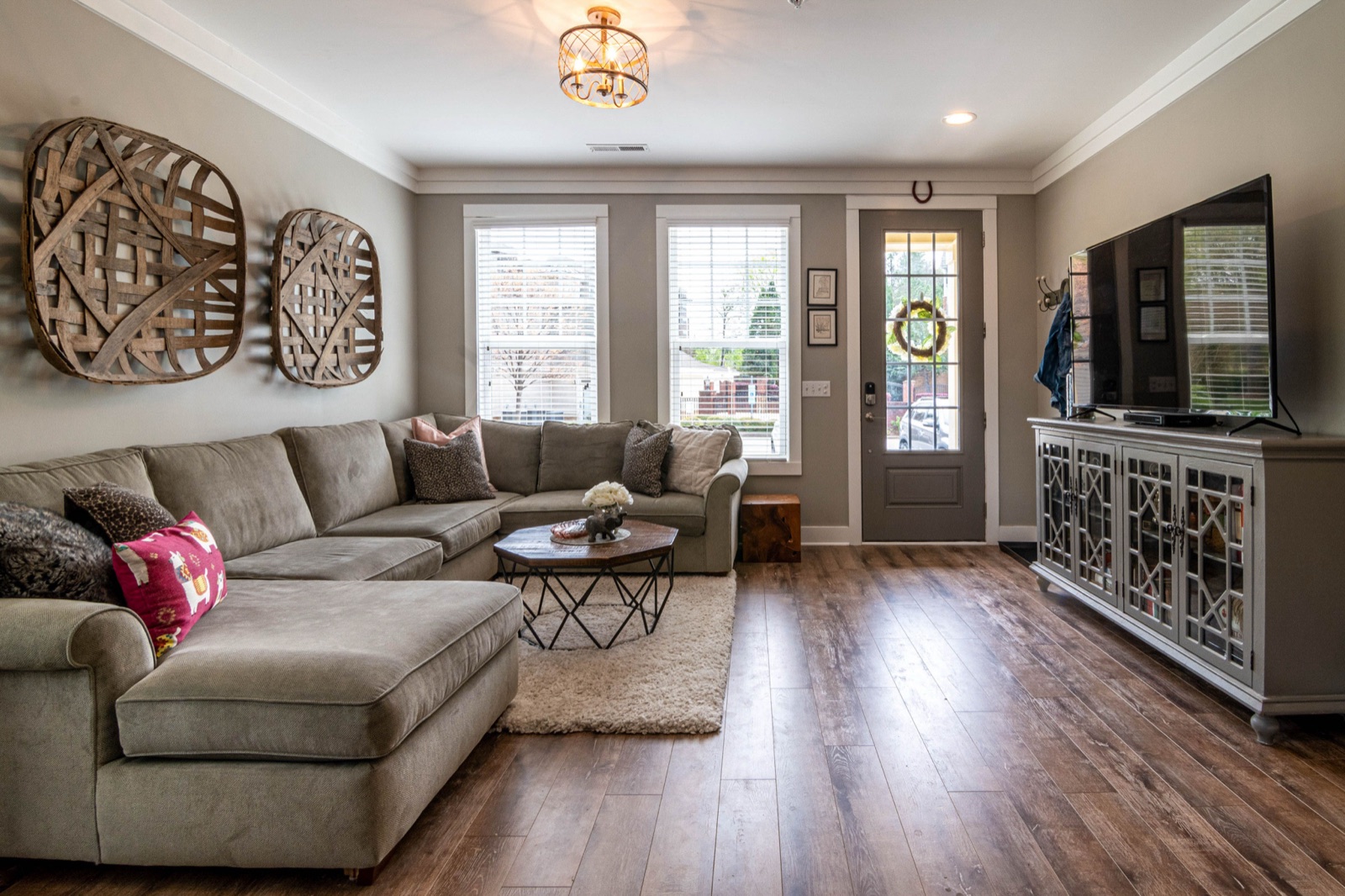
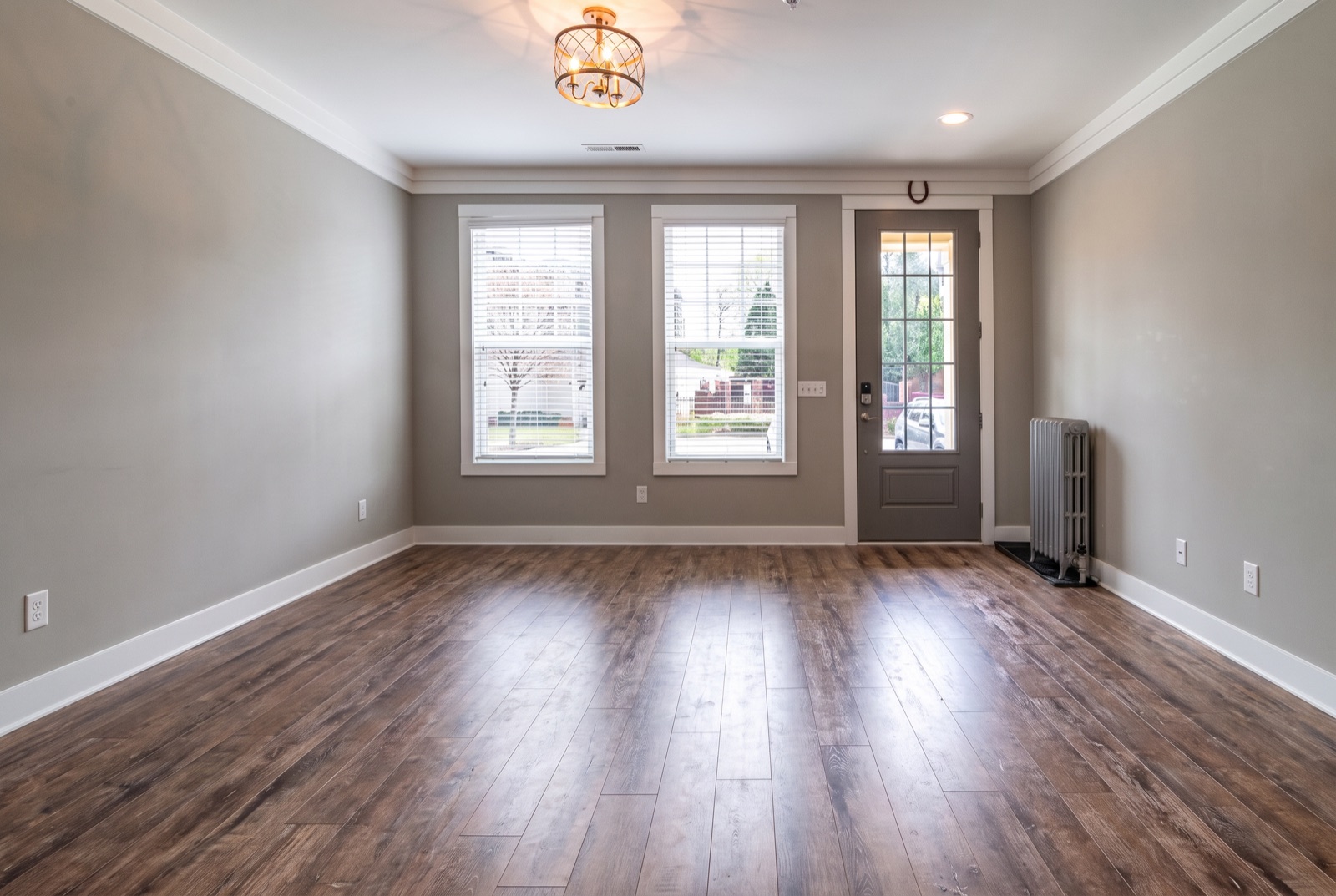
Stage a room that is empty, or one you emptied first. Canopy MLS lists among its permitted uses “Removing existing furniture from a photo and replacing it with digital images of furniture, mirrors, artwork, plants, etc.” Source: Canopy MLS support article, updated 27 February 2026. Our guide to virtual staging covers that step.
Reshoot instead when furniture fills most of the frame. A removal model rebuilds what is behind an object from what it can see around it. When most of the photo is furniture, there is too little room left to copy from, and it invents a new room. In our lab, a living room whose sofa, rug and curtains made up 65% of the photo came back as a different scene: a bed against a window. Duskly now refuses any selection over 45% of the photo for that reason.
What should you remove before taking listing photos?
Loose things: counter clutter, cords, toiletries, personal belongings, family photos and anything printed with a family name. Do it in the room, not in the photo. Every object you take out on the day is one less guess a model has to make.
NWMLS’s photo guide asks sellers to “clear counters of appliances and toiletries” and to “stash wires and cords, and remove personal belongings”, and adds: “It's also a good idea to remove family photos and items printed with family names.” On furniture: “Minimal furnishings give a room sense of scale and makes it easier for people to envision their own belongings in a space.” Source: NWMLS, Real Estate Photography 101.
Then shoot with the edit in mind:
- Show more floor and wall than furniture. The model copies the floor and wall it can see around an object into the gap. Shoot from a doorway or corner so the floor runs under and past the pieces you will remove. If the furniture still covers most of the frame, see the 45% limit above.
- Photograph what the big pieces hide. Pull the TV cabinet or sofa out and take a phone photo of the wall behind it. When the render shows an outlet, a vent or a radiator there, you can check whether it is real. Nothing else can tell you.
- Turn the lights on and open the blinds the way you want them sold. The edit should change the furniture, not the light. Duskly’s removal instruction tells the model not to “brighten or warm the room”, and a render that visibly changes the room outside the selection is rejected, so start from the light you want.
- Leave the photo’s geometry alone. Straighten and crop first if you need to, then remove. Duskly’s instruction also tells the model not to “straighten perspective”.
- If the room will be empty before you list, wait and shoot it empty. A real empty room needs no disclosure and has nothing invented in it.
Can AI help me declutter a room in a photo?
Yes, for loose things on counters, tables, shelves and floors, and it is the easier of the two removals. Expect it to miss some things and to change a few you did not ask it to, so check every result against the original.
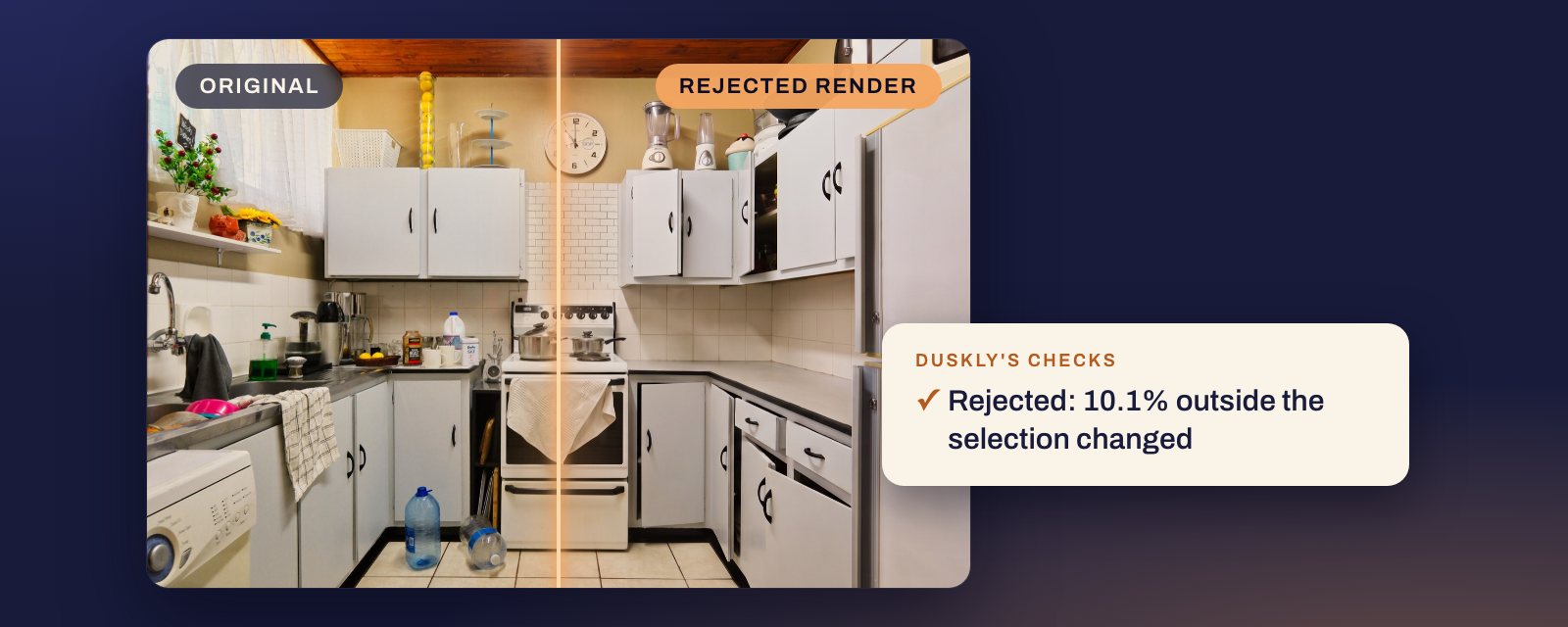
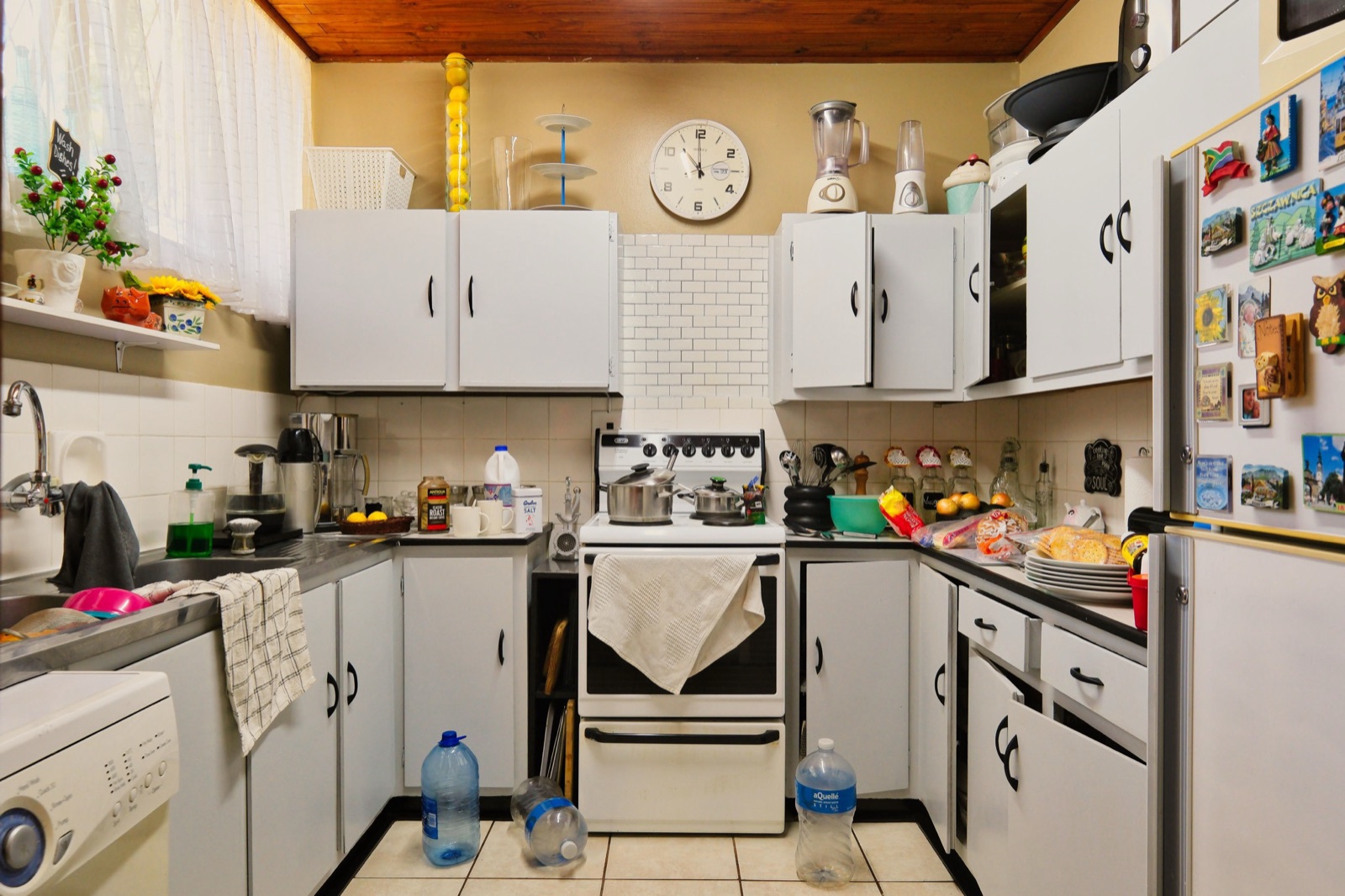
Here is a cluttered kitchen through one of the models Duskly runs, with a selection a person had corrected by hand. It cleared the food, the bottles on the floor and the fridge magnets. It left the pans on the stove and the towel on the oven. The magnets were not in the selection, so they should have stayed.
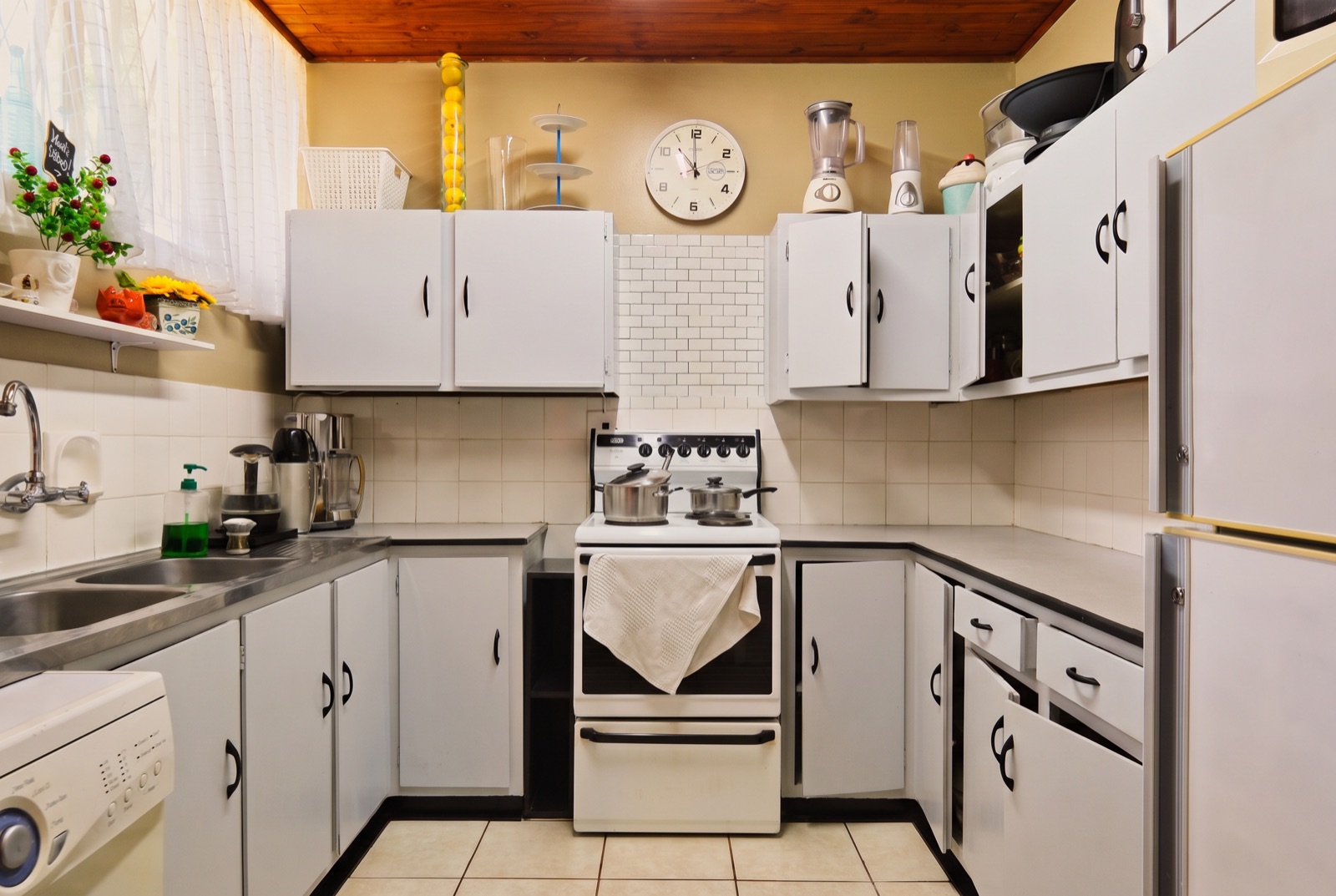
The living room at the top is the best decluttered render we have. Look closely, though, at the shelf wall next to the TV:
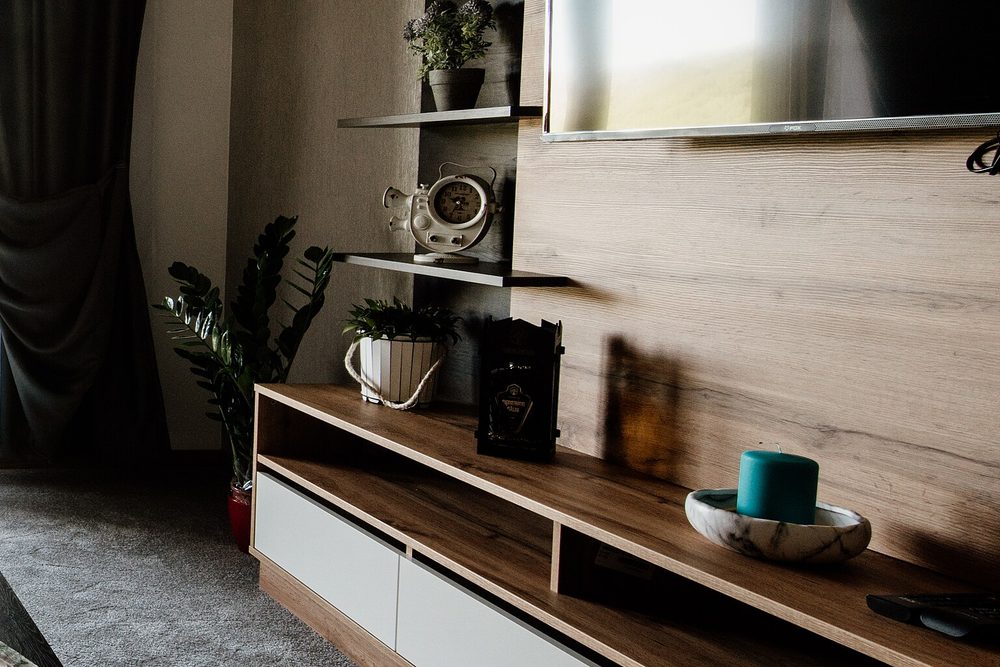
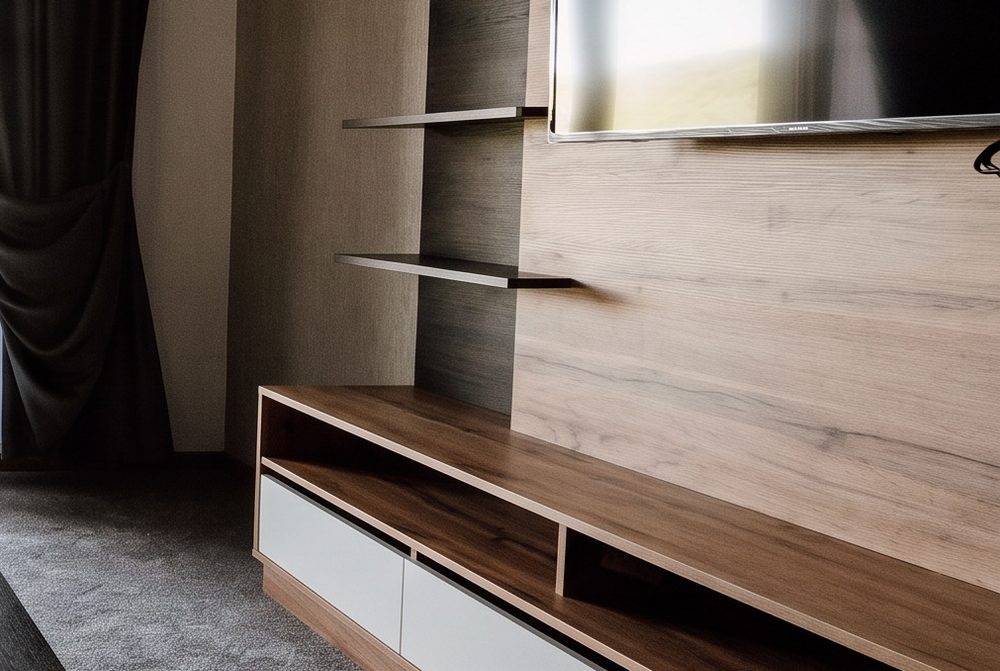
That is the realistic picture of AI decluttering in 2026. It gets most of the clutter and a few things it should not. Use it after a real tidy-up, for what you could not move, and compare before you publish. To try it on your own photo, see Declutter.
What goes wrong
Every removal model has to guess what was behind the object. These are the guesses to look for. Open the original and the edit at the same size and flick between them.
The room is redrawn
Some models do not remove the furniture. They replace it.
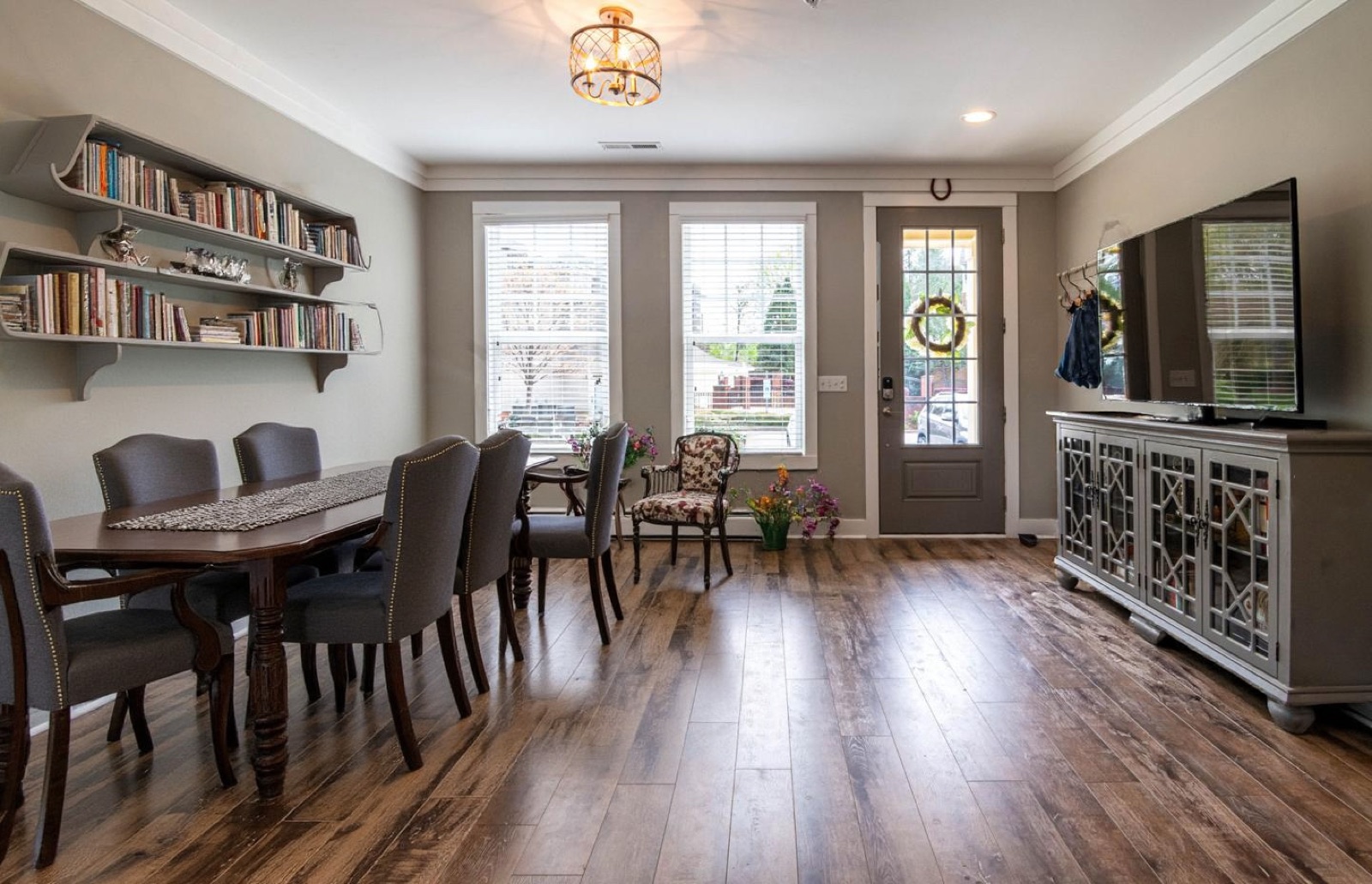
Models that redraw the whole photo can also move everything else. When we gave the two models Duskly runs this room with no selection at all, both brightened the whole room and changed about 85% of the frame, not just the furniture.
Floors, walls and fixtures that were never there
Where furniture stood, the model has to make up the floor and the wall. Sometimes it makes up more than that.
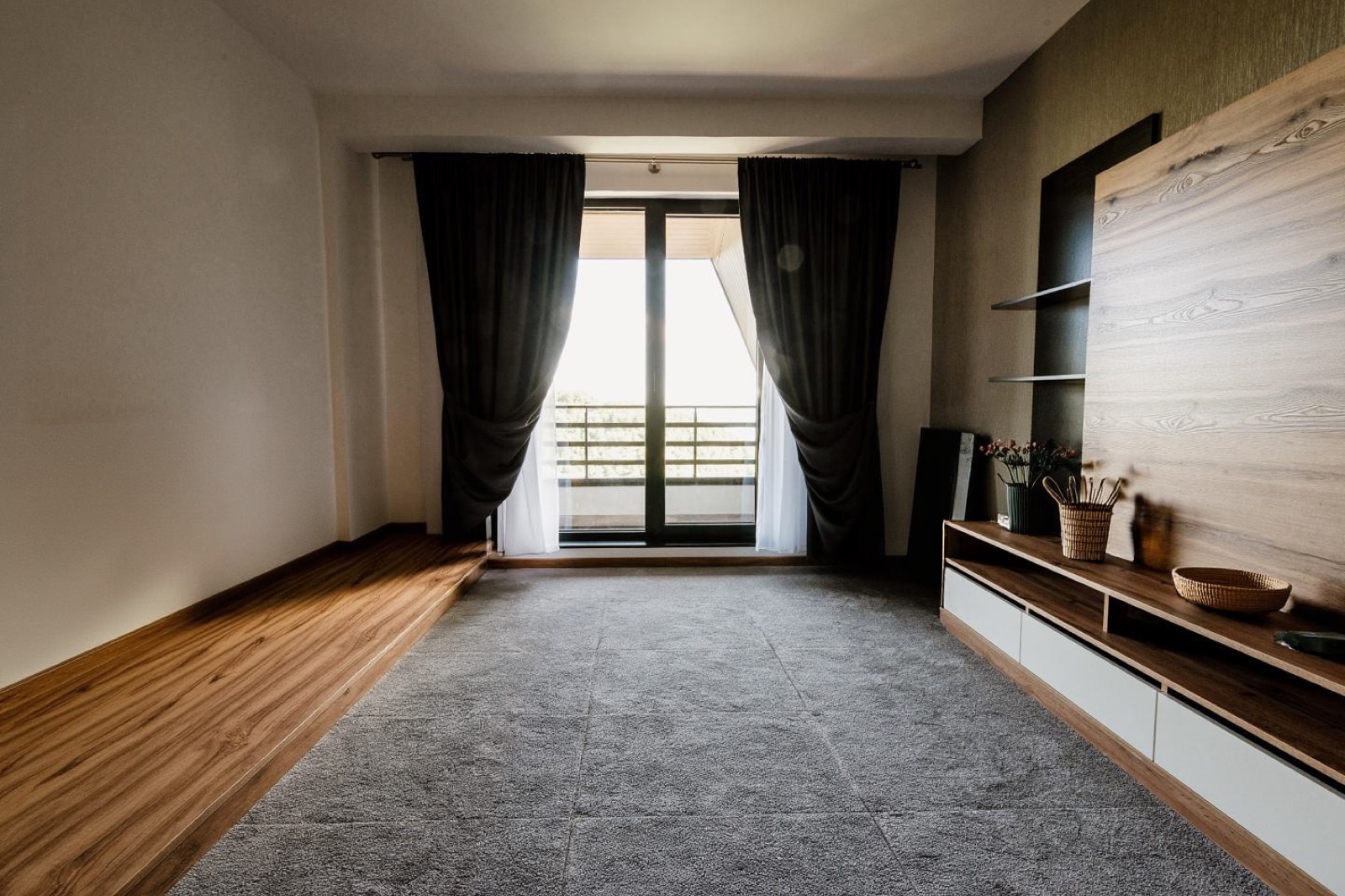
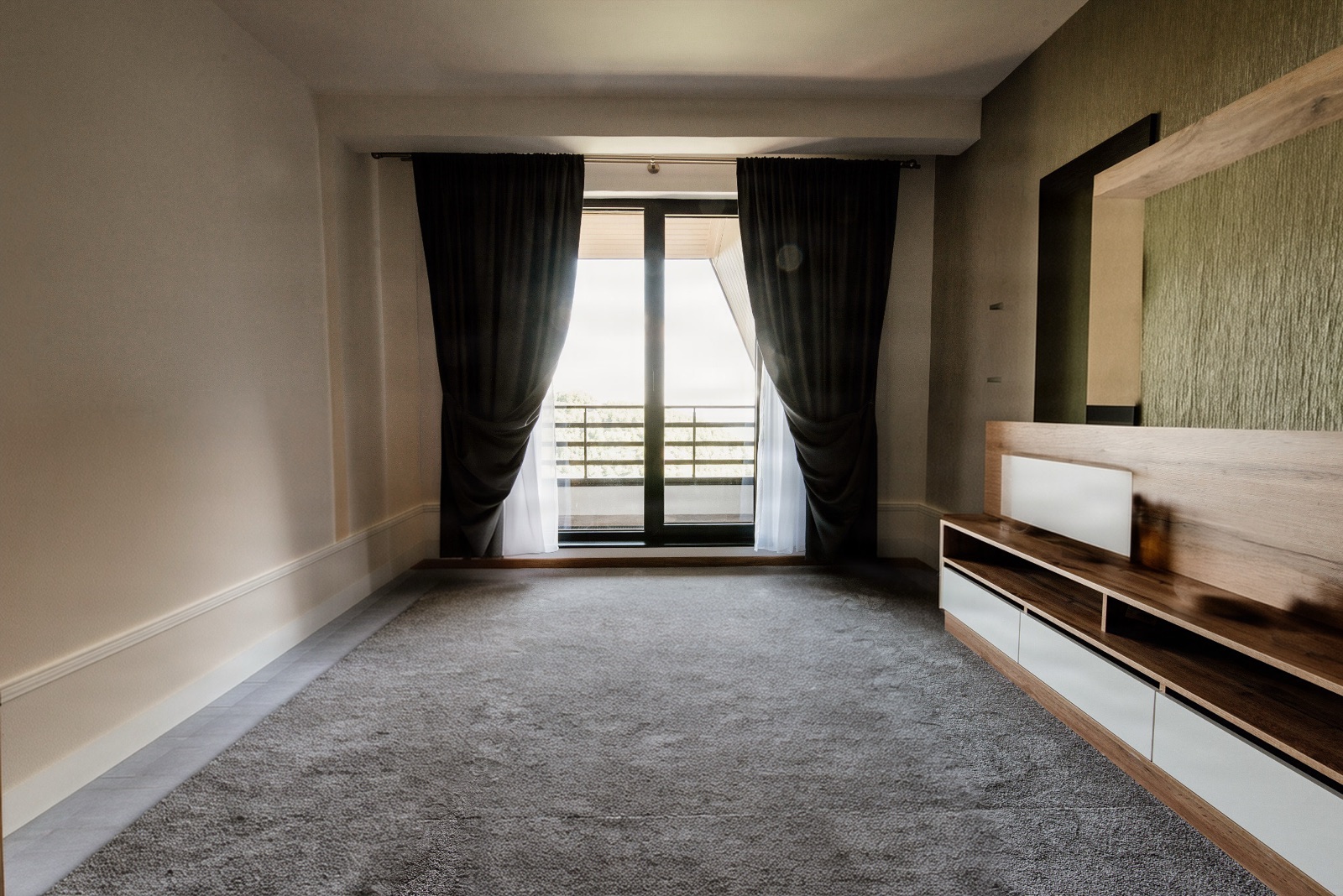
The radiator and outlets in the emptied room near the top are the same mistake, from a model Duskly runs, and Duskly’s instruction tells it “Do not guess new doors, outlets or hidden fixtures.” An instruction is not a guarantee. If the photo shows a radiator, a buyer can expect one at the viewing.
Shadows and outlines left behind
A selection that hugs the object leaves its shadow and its edges outside, and the model keeps them, or turns them into something new.
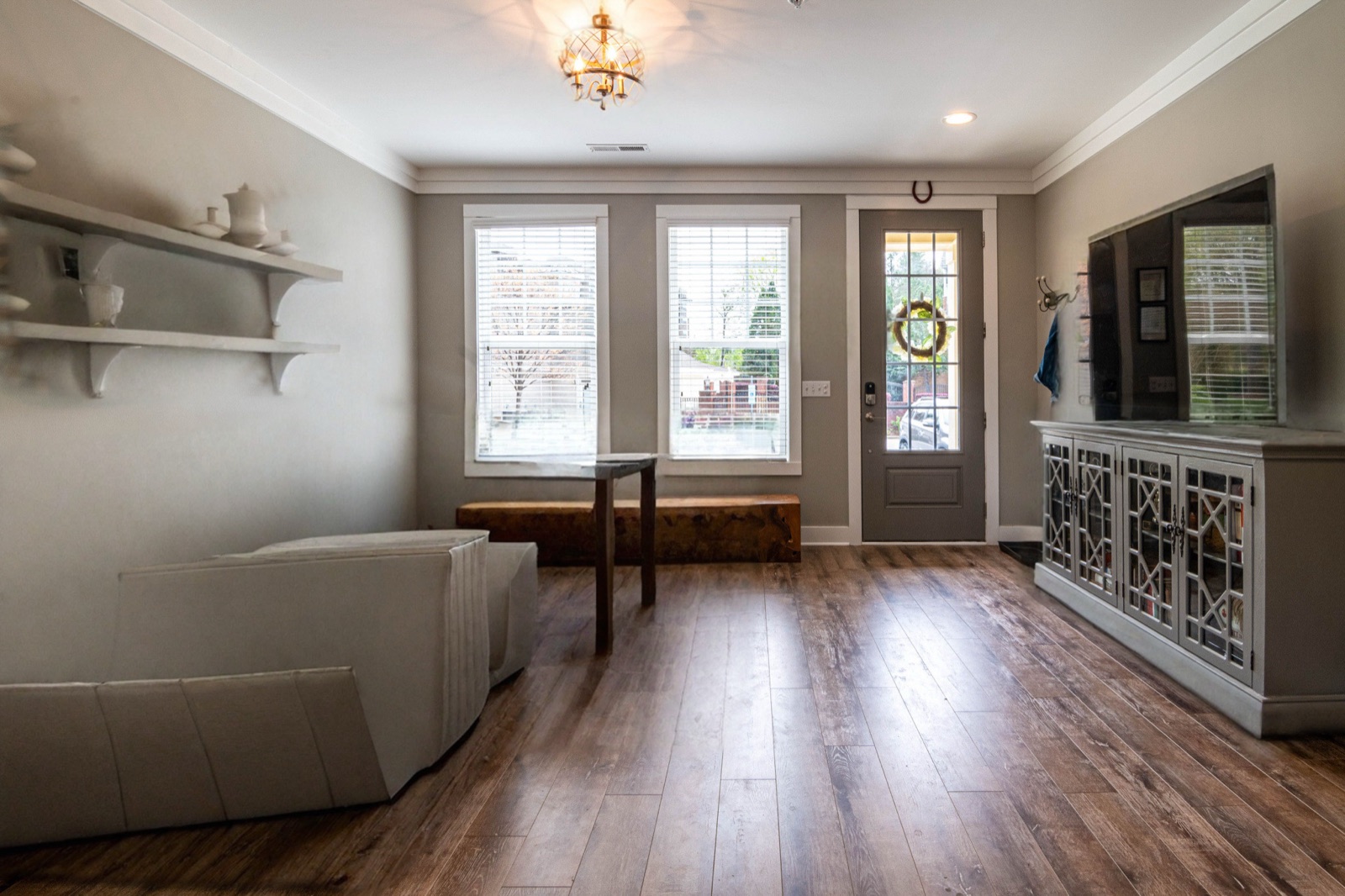
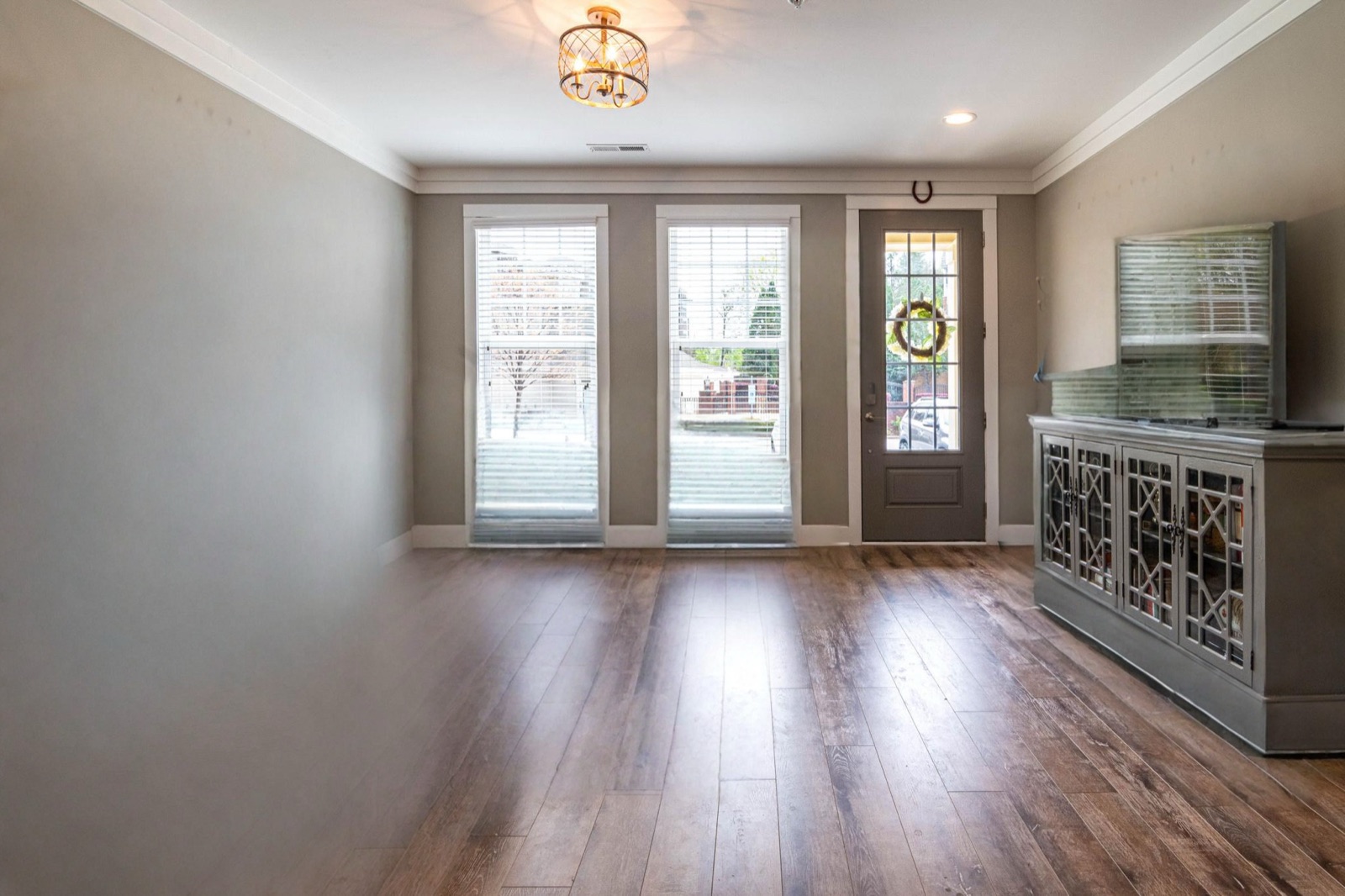
A patch that does not match the room is the other giveaway. Tools that paste a filled area back into your photo can leave the outline of what was removed:
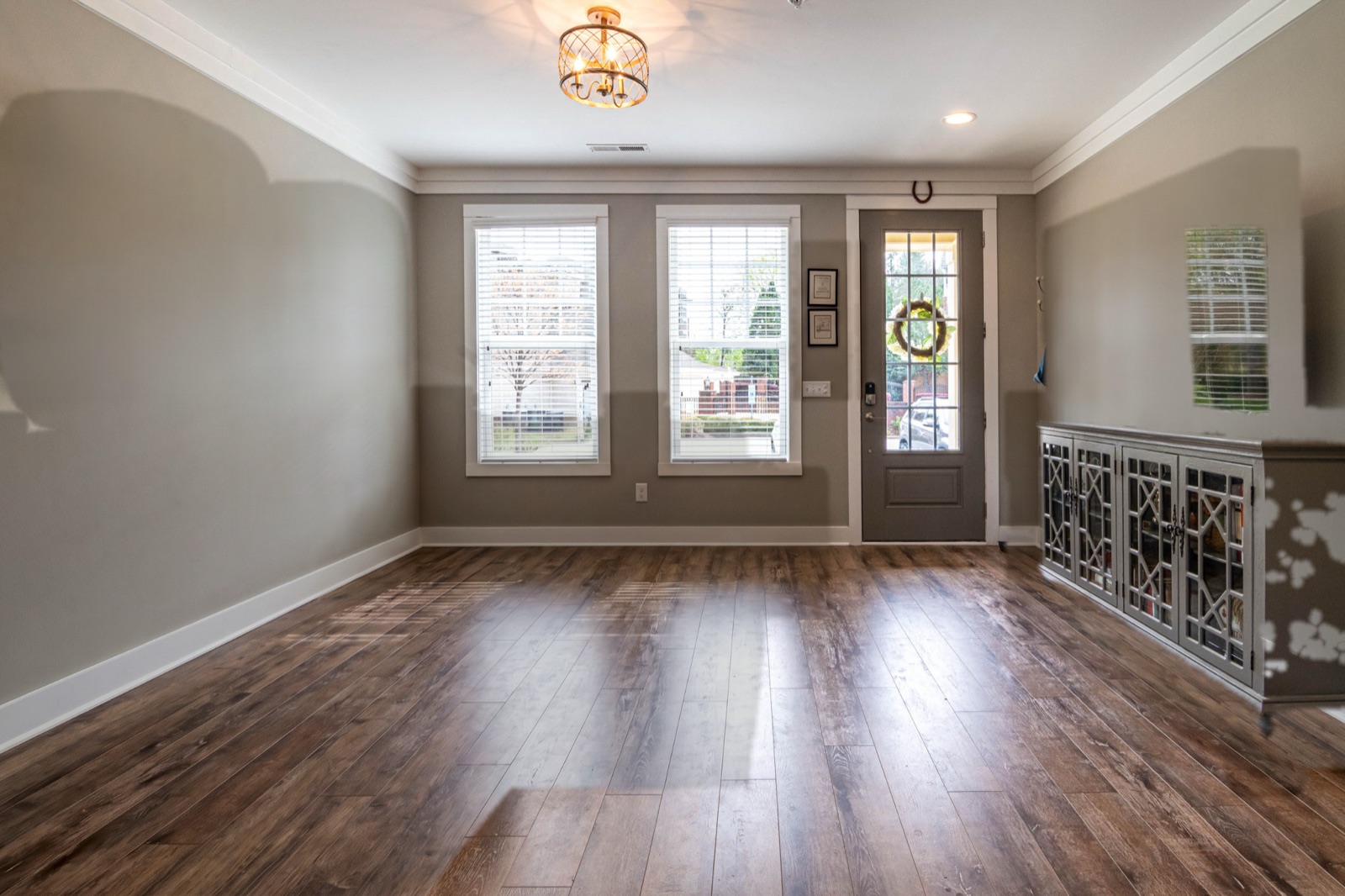
Duskly grows its automatic selection a little past the objects, by 0.6% of the photo’s longest side, to take in contact shadows, and its selection editor asks you to “Include the object and its contact shadow.”
Windows and views changed
Look at the windows in the right-hand photo of the eraser pair above. In the original, both windows sit on the wall above the sofa back. After the removal, both run down to the floor, with a made-up view in the lower half. Windows and the view through them are part of the property. Bay East’s Rule 11.5.1, which uses California’s definition of a digitally altered image, lists “streetlights, utility poles, views through windows, and neighboring properties” among the elements it covers. Source: Bay East digitally altered MLS photo rule. Our guide to what counts as altered quotes the full definition.
Fixtures removed with the clutter
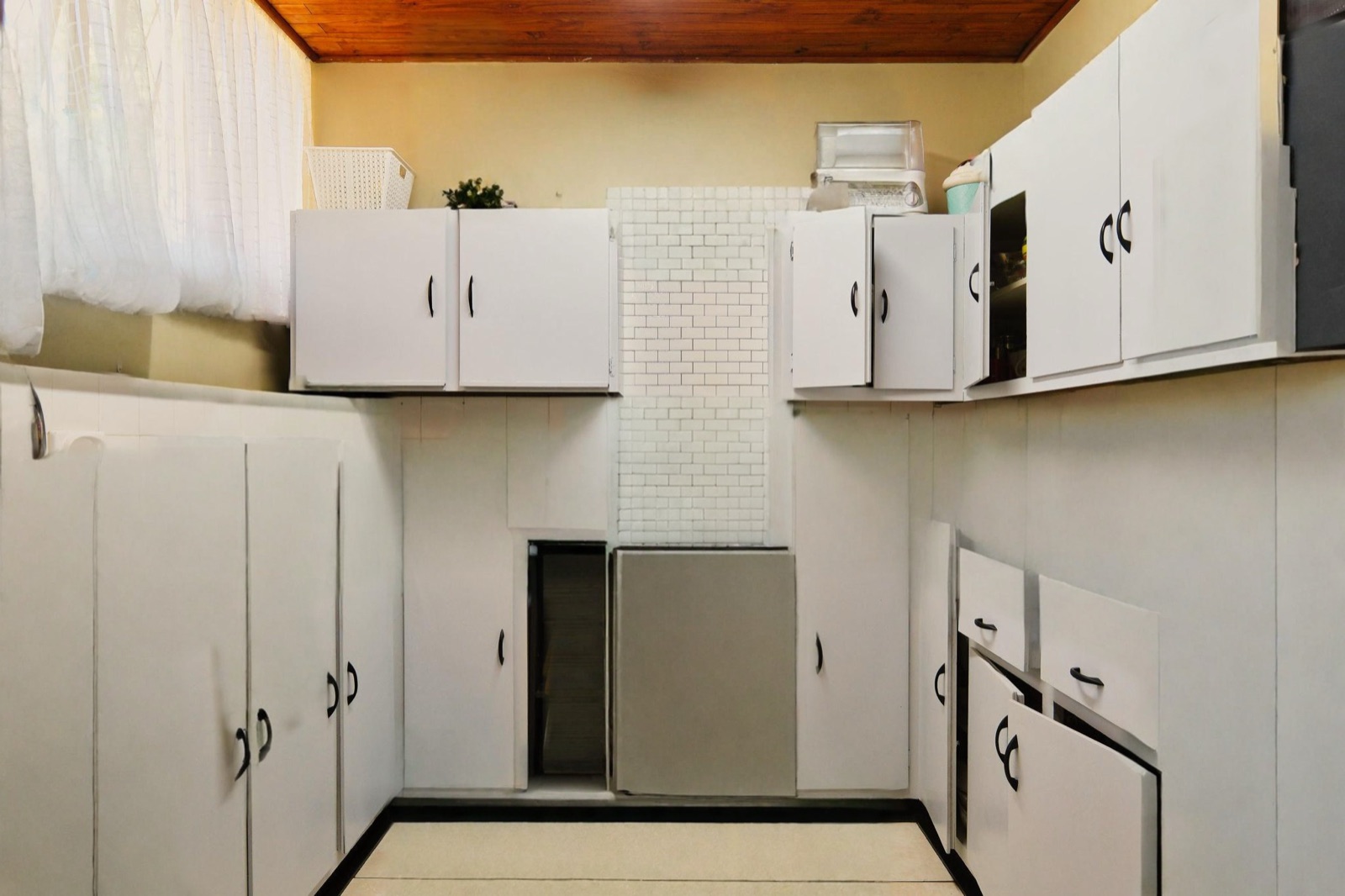
A selection can grow into things that belong to the house, and the model removes them too.
What can’t you remove from a listing photo?
Anything that is sold with the house, anything wrong with it, and anything around it that the owner does not control: fixtures, built-ins, appliances that are sold with it, walls, damage and defects, power lines, roads and neighbours. Furniture and clutter can go, with a disclosure. The house and its condition have to stay as they are.
CRMLS Rule 11.5.2 says subscribers “may not add to a listing record any image or photo that has been altered to add, remove, or modify any (i) real property elements including but not limited to flooring, walls, windows, structural elements, cabinetry, paint color, hardscape, landscape, façade, fixtures, or floor plans unless the listed property will be improved to match the altered photo at time of close as part of the listed price, or (ii) elements outside of, or visible from, the property, including, but not limited to, streetlights, utility poles, views through windows, and neighboring properties.” So a fixture or a cabinet can leave the photo only if it will really be gone by closing, as part of the price. A pole, a view or a neighbour’s house cannot leave it at all. Source: CRMLS Rules and Policy Changes, effective 1 January 2026, Rule 11.5.2. Its guidance page says the photos “must accurately represent the property and its condition as of the sale date” (CRMLS digitally altered image guidance).
Canopy MLS: “Modifying photo(s)/rendering(s), or virtual tours to remove or conceal visual elements not within a property owner’s control or to hide material defects is strictly prohibited. Example: Removing power lines, water towers and/or nearby highways; removing flaws”. Source: Canopy MLS support article.
NWMLS: “Do not manipulate images in a way that misrepresents what is for sale. Examples: removing the power lines, adding a lawn, adding a driveway, or removing any property defects.” Source: NWMLS, Real Estate Photography 101.
In practice, before you select anything:
- Ask what is sold with the house. If an item is in the sale, it stays in the photo. A mounted TV, fitted blinds, light fittings and built-in shelves all need that check.
- Leave stains, cracks and damage in. Fix them before the shoot, or show them as they are.
- Keep the outside outside. Power lines, a neighbour’s house and the road stay, whatever the tool offers.
- Check the selection, not just the result. If the selection covers a stove, a radiator or a window, take it out before you render.
Other MLSs draw the line in their own words. Our guide to what counts as altered sorts 25 common edits against California’s law and 10 MLS rulebooks, quoted.
Disclose it
An emptied or decluttered photo is a digitally altered photo, so label it and put the original next to it: our AB 723 guide covers the statement and the link to the original, and watermark or caption? has where each MLS wants the label.
How Duskly helps
Add the photo to a listing and choose Declutter or Occupied to vacant. Before anything is rendered, Duskly proposes a selection. It looks for each kind of object the tool removes. For declutter that is bottles, food packets, dishes, cups, cookware, utensils, towels, paper, books, cables, countertop appliances, fridge magnets, vases, plants and personal items. For emptying a room it is sofas, chairs, tables, beds, rugs, freestanding cabinets, TVs, framed art, lamps, cushions and personal items. It grows the selection a little to take in contact shadows, then takes windows, door frames, ceiling lights, built-in cabinets, radiators, outlets, stoves, sinks, taps, fridges, washing machines and dishwashers back out. You can paint more in or protect an area. Duskly will not render a selection that covers less than 0.2% of the photo, which means it found nothing to remove, or more than 45%.
The model that does the removal does not take a mask. It gets your photo, a black-and-white map of the selection, and an instruction to remove only what is inside it and keep everything else. It redraws the whole photo, so before you see the result Duskly compares it with your photo and rejects it if the area outside the selection changed visibly, if the frame moved or changed shape, or if nothing inside the selection changed. If a render is rejected, Duskly tries again, up to three attempts in all. If every attempt is rejected, you can try again, switch model or adjust the selection.
What the checks cannot do: they cannot tell whether every object is gone, or whether what fills the gap, a floor, an outlet or a radiator, is really there. The two decluttered renders above fail them anyway. What fills the gap is still yours to check. Every paid render comes with the untouched original and disclosure wording, such as “This image has been digitally altered to remove furnishings.”
How we made this: the renders come from our lab runs of 16, 17 and 19 September 2026 on stock photos, plus one composite our lab made (the outline example). The models Duskly runs for removal are Google’s Nano Banana 2 and Nano Banana Pro; the others are the Bria Eraser, Bria GenFill and FLUX.1 Pro Fill, which Duskly does not run. Renders are shown as the models returned them, apart from resizing, conversion to JPEG and the two close-up crops. Duskly’s current removal checks were re-run on the two decluttered renders on 25 October 2026; the emptied room was made before Duskly used selections and was not re-run. Photos: Modern living room with stylish furniture and a view of the outdoors in a cozy apartment setting by Shixart1985, CC BY 2.0, edited as described; Brown Sofa on the Living Room by Curtis Adams and Interior of a Messy Kitchen by Alexander F Ungerer, via Pexels. Every rule quoted was re-read at its source on 25 October 2026. Rules change; if one of these has, tell us and we will correct the page. This is a reading of published rules, not legal advice.