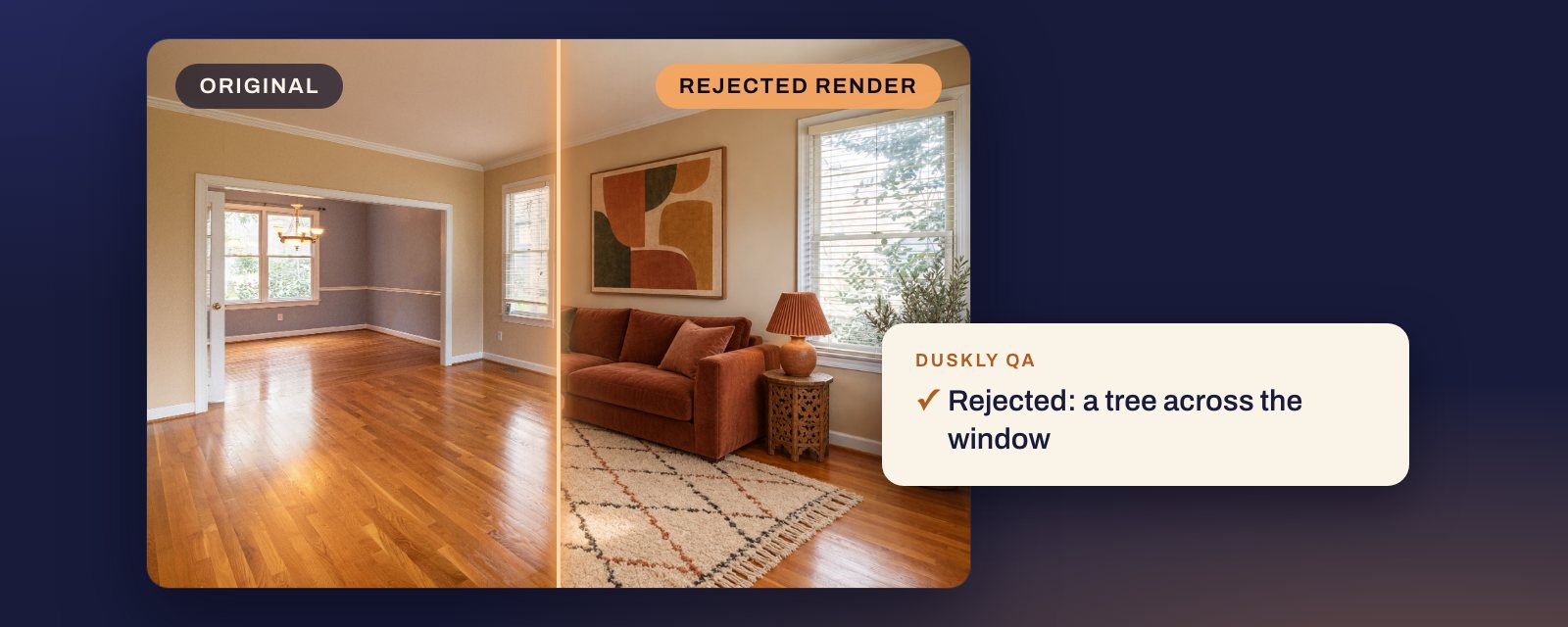
Short answer: look at the render next to the original, never on its own. Bad virtual staging is rarely ugly furniture. It is the room itself changing: a doorway walled over, a door or radiator that was never there, a rebuilt window, blue walls that lost their blue, a camera that moved. MLS rules allow staging because furniture is not sold with the house. They do not allow a changed house that the buyer will not get, label or no label. The 10 checks below take a few minutes a photo and work on a render from any tool.
Every example here is a real render from our lab, made from a stock photo and shown next to the photo it was made from. Some were thrown out by Duskly’s automatic checks. Others passed them and were caught by a person looking. Each caption says which.
Why a bad render is an MLS problem
Staging adds things that leave with the seller. A render that changes what stays is a different kind of edit. CRMLS Rule 11.5.2, in force since 1 January 2026:
Pursuant to this section and CRMLS Rules 11.5(c) and 12.10 regarding Truth in Advertising, Subscribers may not add to a listing record any image or photo that has been altered to add, remove, or modify any (i) real property elements including but not limited to flooring, walls, windows, structural elements, cabinetry, paint color, hardscape, landscape, façade, fixtures, or floor plans unless the listed property will be improved to match the altered photo at time of close as part of the listed price, or (ii) elements outside of, or visible from, the property, including, but not limited to, streetlights, utility poles, views through windows, and neighboring properties.
So a changed wall, floor or window is allowed at CRMLS only when the home will be finished that way by closing, as part of the price. A staging render makes no such promise. A changed view through a window has no exception at all. Source: CRMLS Rules and Policy Changes, effective 1 January 2026, Rule 11.5.2.
Stellar MLS, Article 04.04, lists what staging may not do. The first rule that catches AI renders:
B. No permanent fixtures of the interior or exterior of the property shall be attached, removed, altered or added to photos.
Source: Stellar MLS Rules, Article 04.04, last updated 27 September 2026. A breach there means the photos come down and a Level I automatic fine. Fines at other MLSs are in our guide is virtual staging legal?
How to look
Open the original and the render at the same size and flick between them, in two browser tabs or two layers. Most of the problems below jump out when you flick and hide when you look at the render alone. Then go down the list.
1. The framing moved
Corners, door edges and window frames near the edge of the photo should sit in the same places. A render that zooms in crops part of the room away. One that widens the view shows wall and floor the camera never saw, which makes the room look bigger than it is. Check all four edges of the frame.
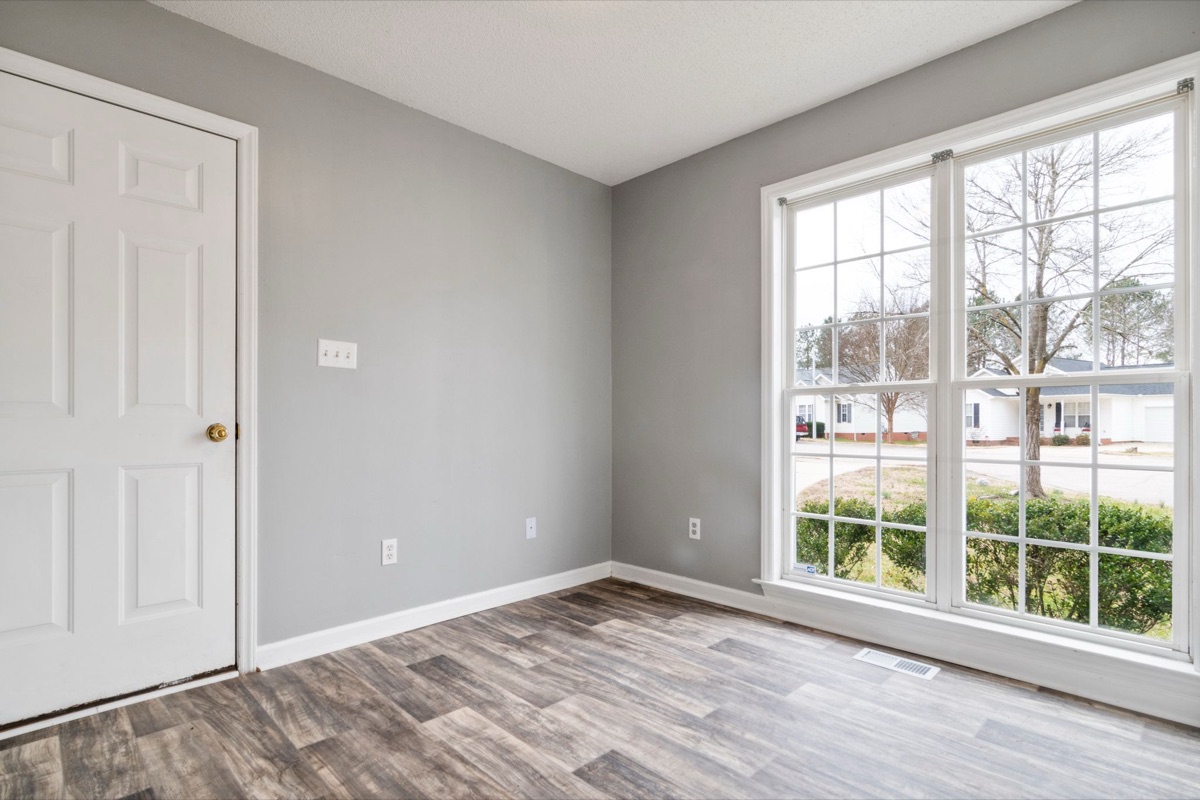
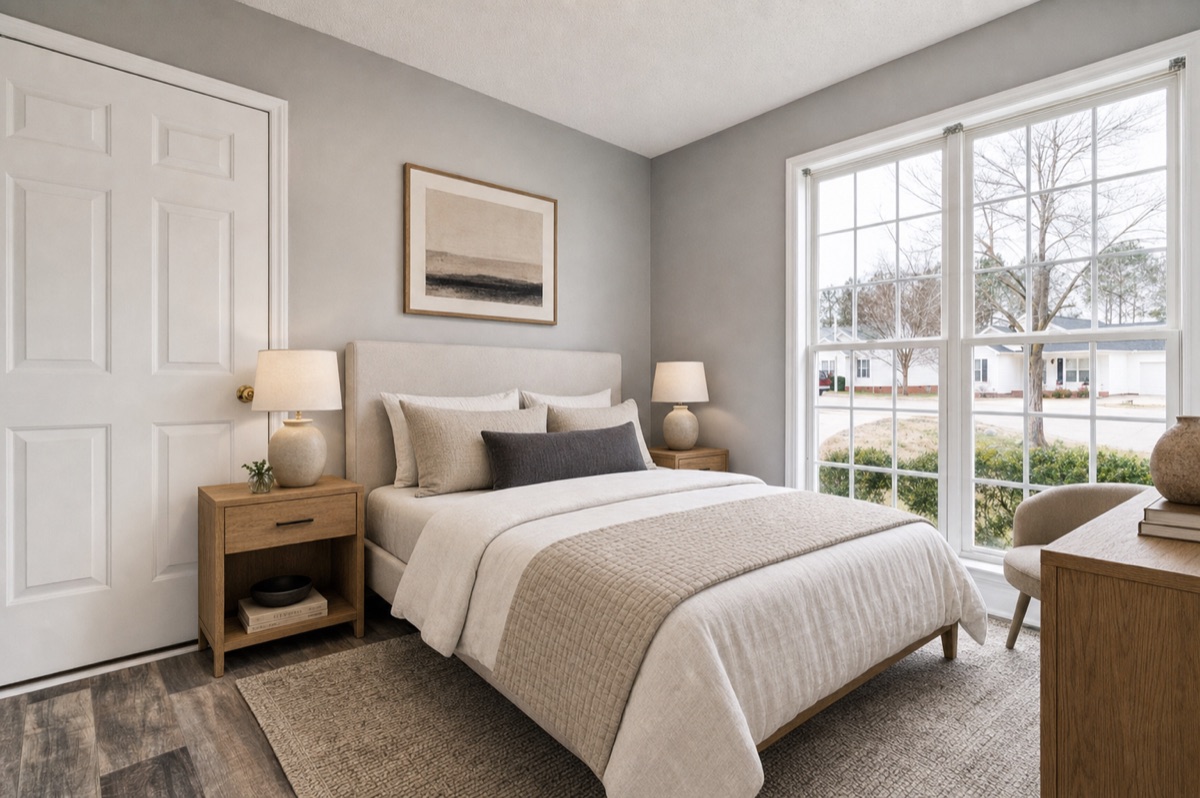
2. A door, window or opening appeared or disappeared
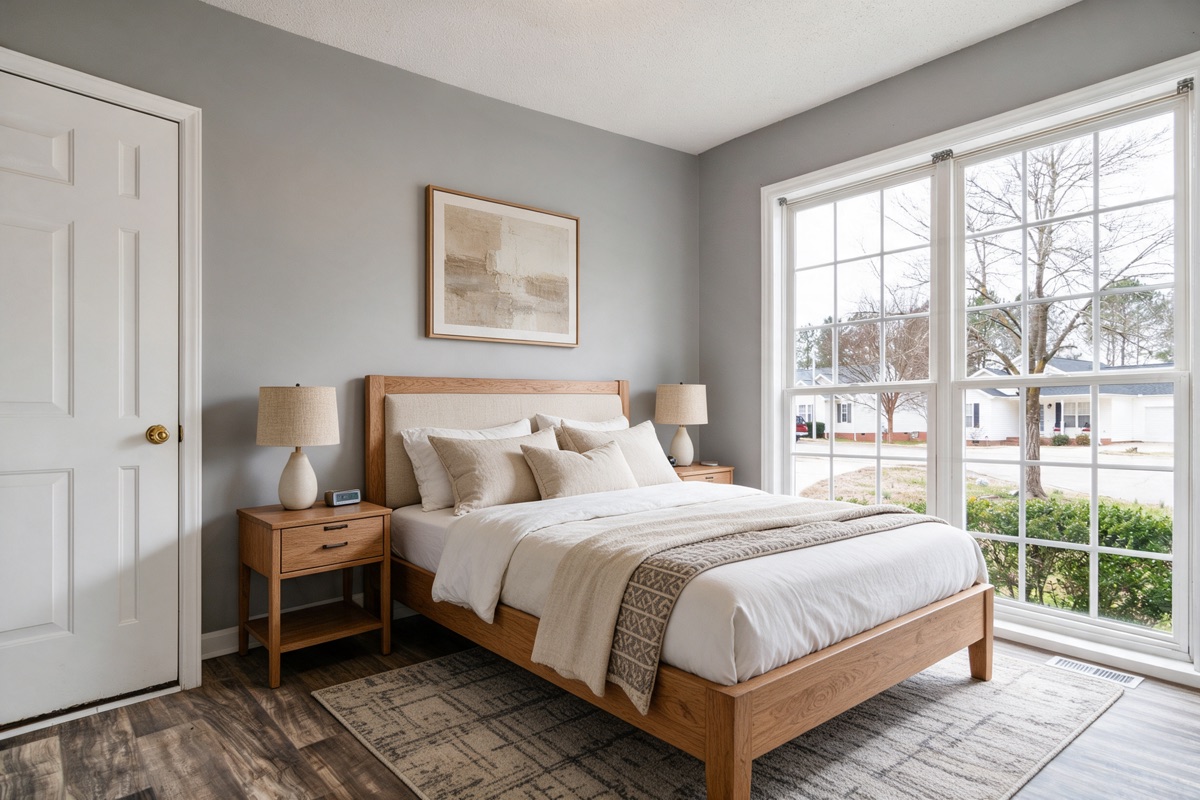
Count the doors, doorways, windows, radiators and vents in the original, then count them in the render. AI models add architecture that looks like it belongs, and they fill openings with wall when the furniture needs somewhere to go.
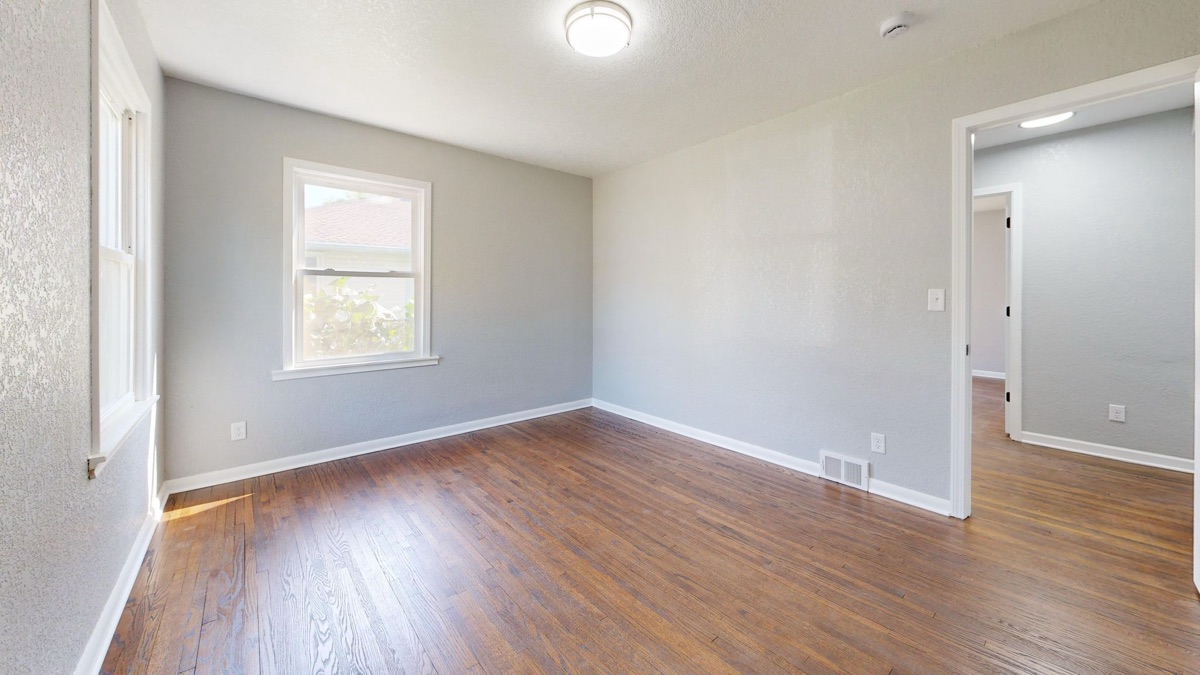
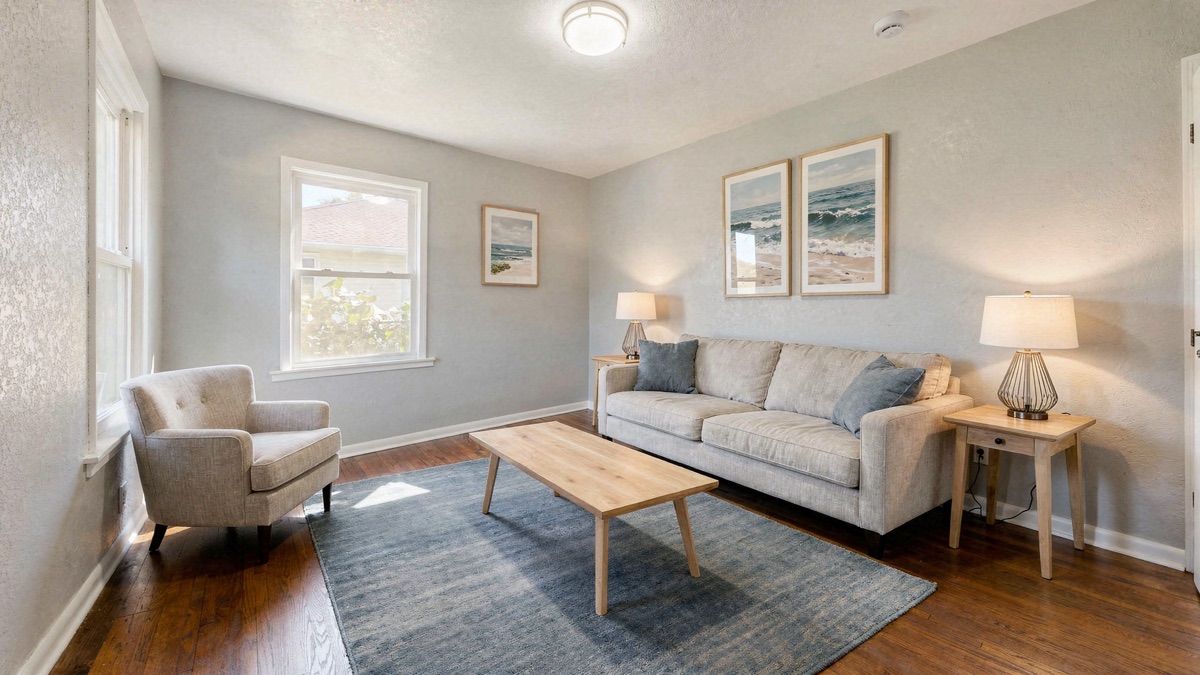
That one was caught because walling over a doorway removes a lot of lines from the photo. A new door painted onto a far wall adds very few, and can pass.
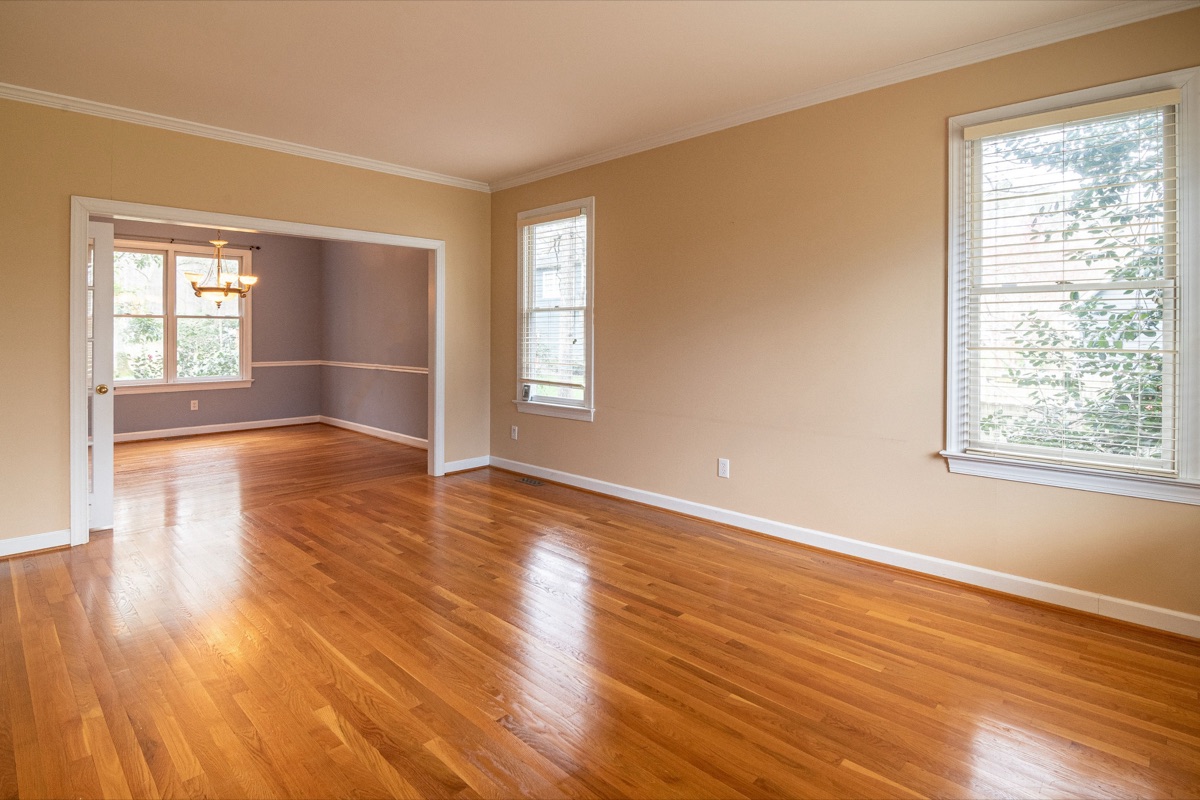
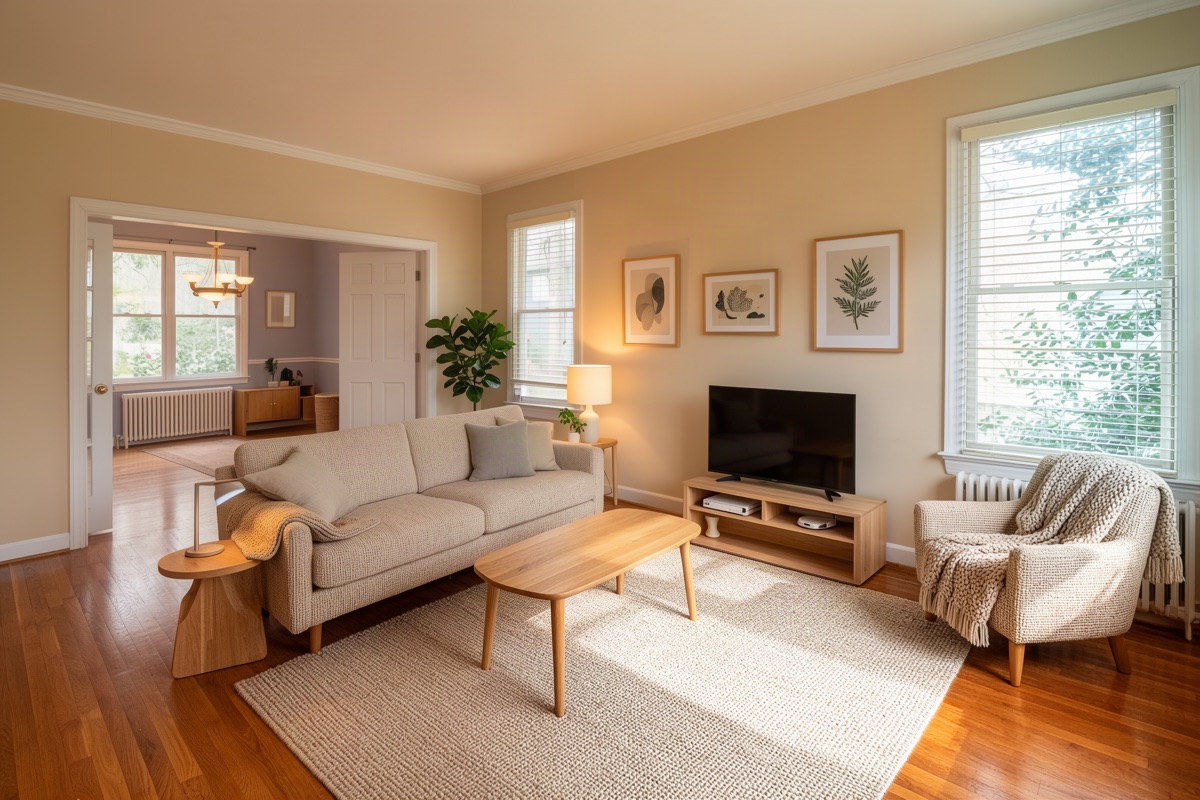
Under Rule 11.5.2, windows, structural elements and fixtures are on CRMLS’s list, and Stellar’s rule B bars adding a permanent fixture. A radiator is also a promise about how the house is heated.
3. The window or the view changed
Look at each window frame, its grid, its sill, and what you see through it: the same trees, the same houses, the same sky. Curtains and blinds the render adds are decor. A different window, or a different view, is not.
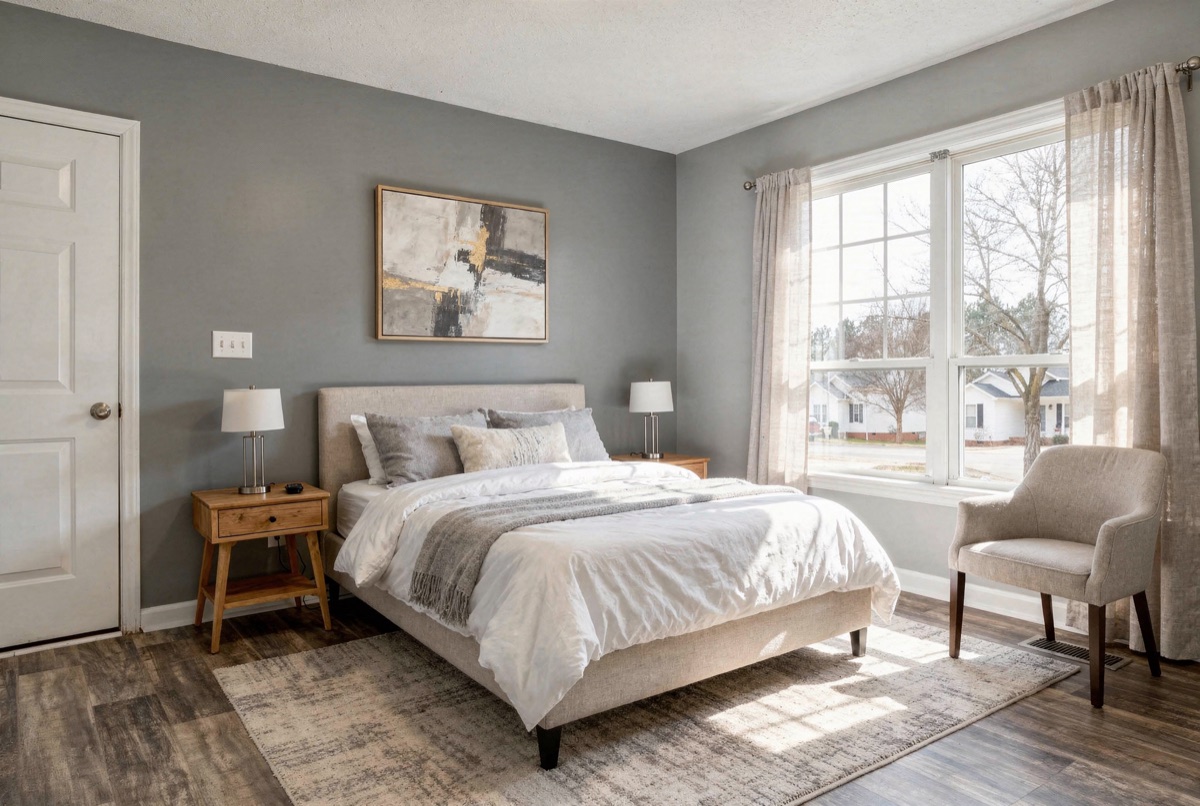
CRMLS lists “views through windows” among the elements that may not be changed, with no exception. Stellar’s rule C bars adding what is not there:
C. Modifying photo(s)/rendering(s) to include visual elements not within a property owner’s control is strictly prohibited. (example: editing in a view of the gulf/ocean, lighting and/or popular landmarks that are not physically possible from the specified location in the real world.)
4. Fixtures moved: switches, vents, the kitchen island
Small fixtures move without anyone noticing: light switches, outlets, floor vents, thermostats. In a kitchen, check the island: same length, same place, same gap to the counters.
Duskly checks the kitchen island on every staging render. It finds the island in the photo and in the render and rejects the render when more than 15% of its outline moved, or when furniture covers more than 15% of the aisle between it and the counters. We do not have an island example we can publish here.
5. The walls or the floor changed colour
This is the one to check yourself on every render. Duskly’s staging checks do not look at wall paint or flooring. Pick a patch of bare wall and bare floor that no furniture covers, and compare it with the same patch in the original. An eyedropper in any photo editor gives you numbers.
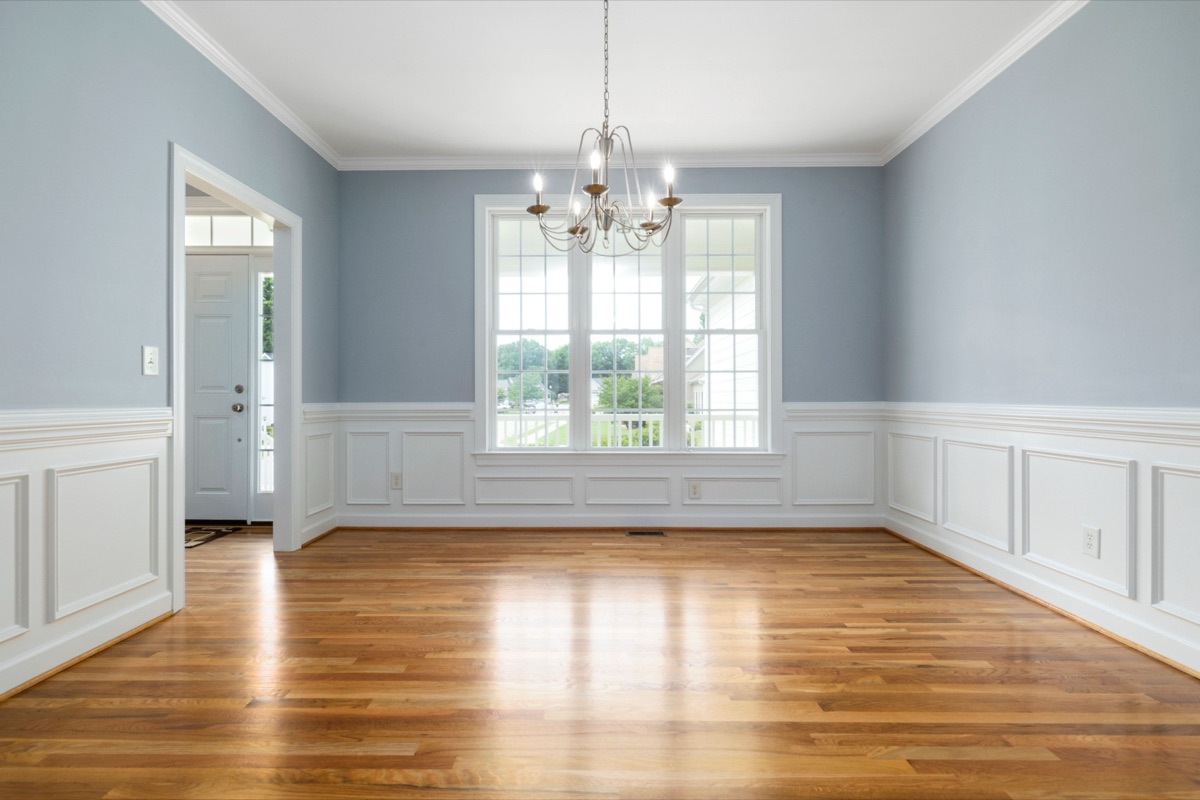
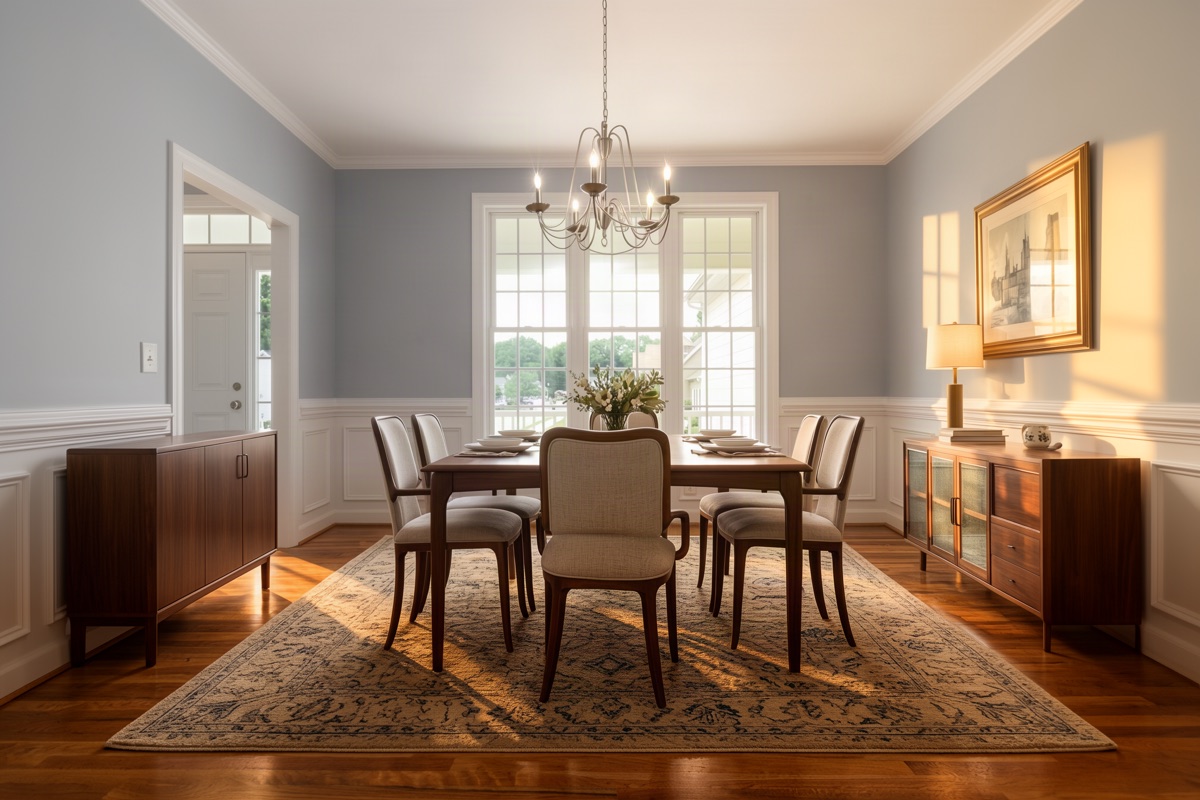
Paint colour and flooring are both named in CRMLS Rule 11.5.2. Changing them is allowed there only if the home will be painted or refloored to match by closing.
6. Furniture at the wrong scale, or floating
Use something you know the size of. Most US interior doors are 80 inches tall and most kitchen counters about 36 inches high. Against them, a sofa seat sits about 18 inches off the floor and a dining table top about 30. If the furniture looks small next to the door, the room will look bigger than it is. Then look under every leg for a contact shadow. Furniture with no shadow floats, and legs that pass through a rug are a giveaway.
Duskly does not measure furniture scale. Stellar MLS bars the trick it enables:
F. Modifying photo(s) / rendering(s) to distort the dimensions of a room or space is strictly prohibited. (example: placing small furniture to make a room appear larger than it actually is.)
7. The light changed
Light changes paint. A render that turns a grey morning into a warm evening, or adds sun patches the original does not have, changes how every wall and floor looks. Check that the light still comes from the windows in the photo, at the same strength, and that no wall gets sun from a window that is not there.
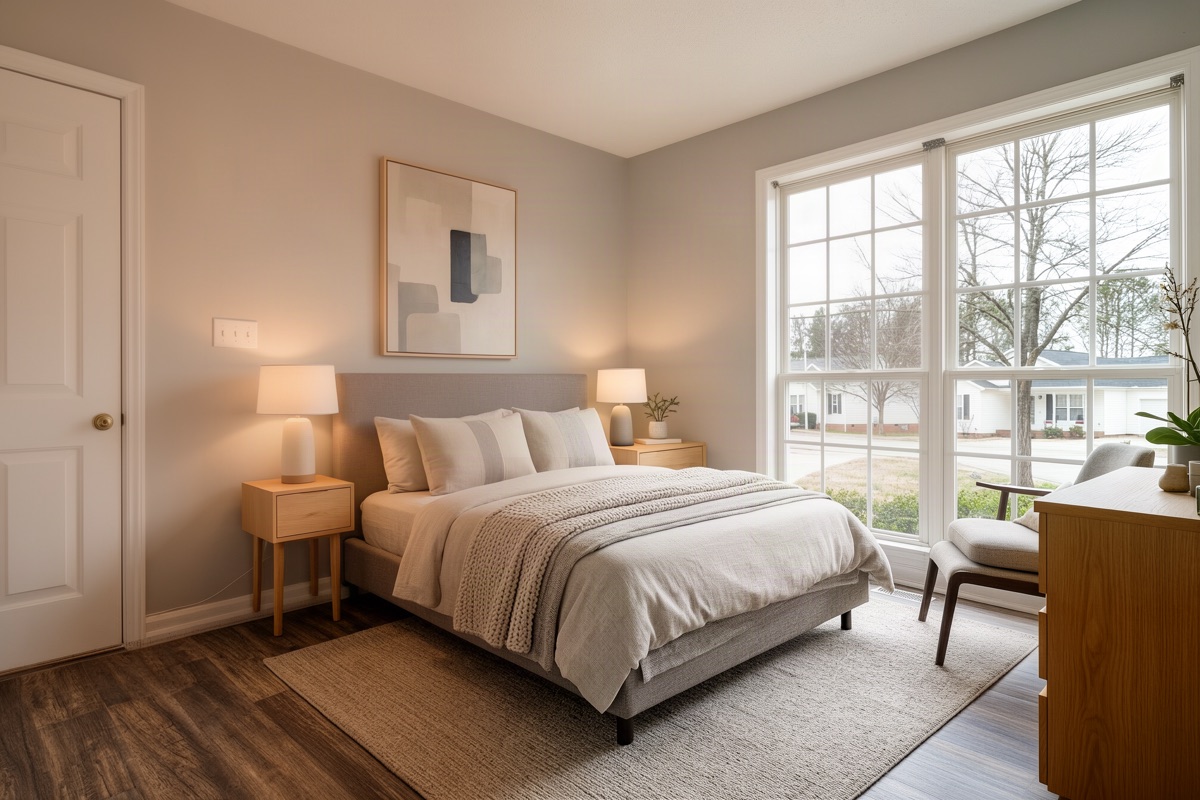
The dining room under check 5 has the same problem: hard gold sun patches across the right wall and floor, in a photo shot in soft, even light. Duskly’s exposure checks only reject the extremes: a render that blows out more than 6% of the frame to pure white, turns more than 35% of it pure black, or pushes more than 20% of it to extreme saturation. Stellar’s Article 04.04 puts the standard plainly: “Photos must always present a “True Picture” of the property.”
8. Furniture blocks a door, window or vent
A chair across a door or a TV in front of a window hides part of the house and stages a room you could not walk through. A rug over a floor vent hides the vent.
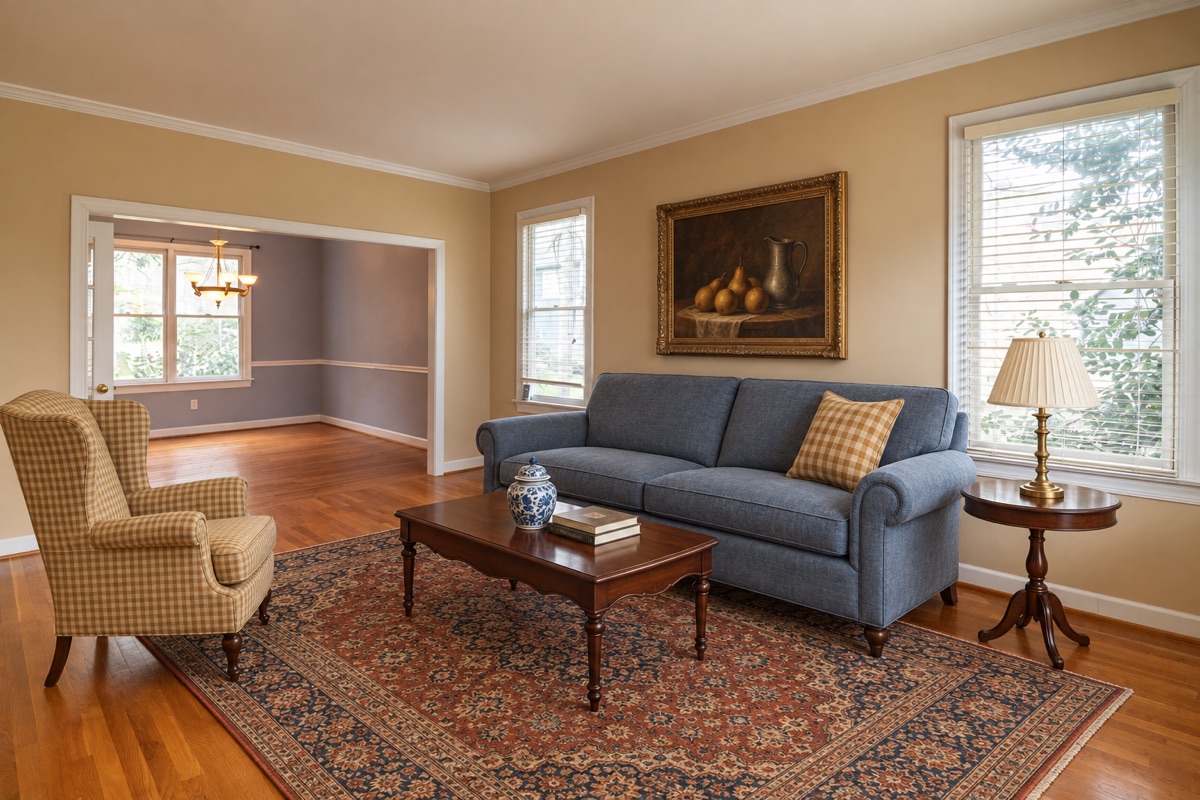
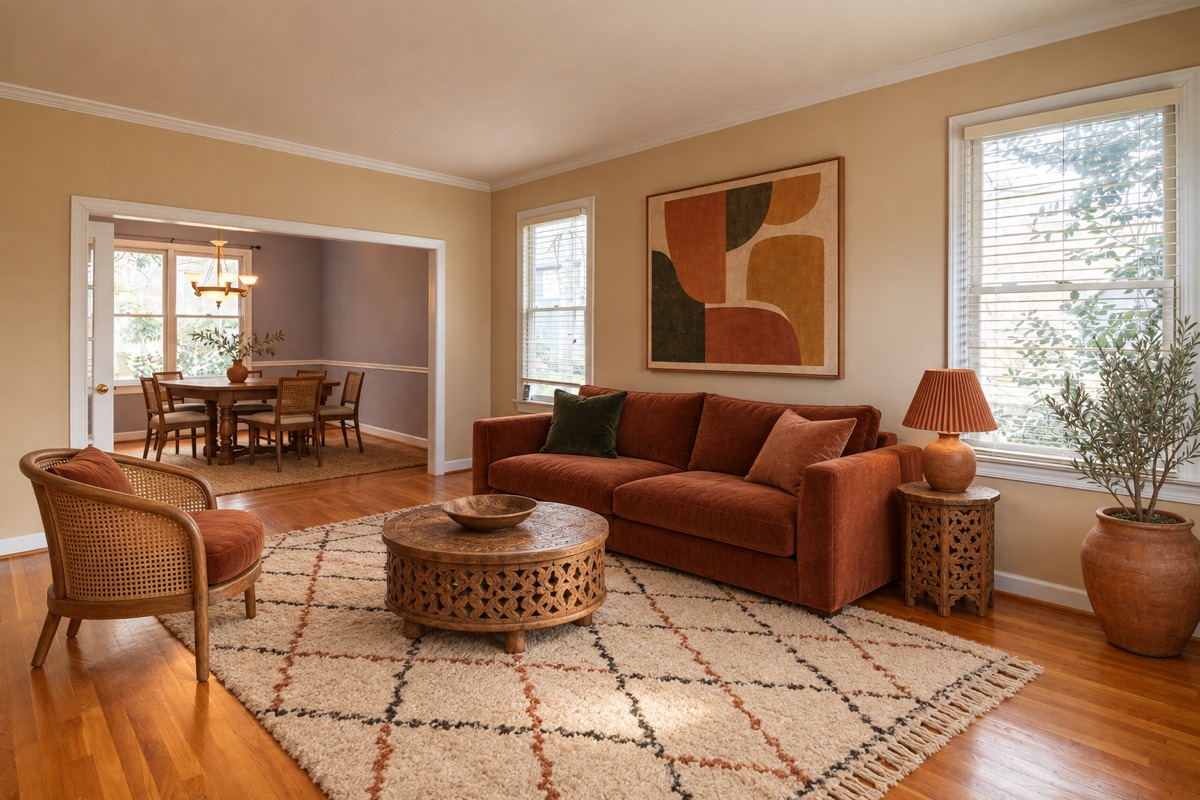
Duskly finds every door, doorway and window in the photo and measures how much of each the render covered. A door fails above 6%, a window above 12%. Vents are not part of that check, so look for them yourself. Neither rule quoted above names a blocked door, but a staged room that only works because the door is hidden misleads a buyer about the layout.
9. The wrong room, or the wrong kind of room
Stage a room as what the listing calls it: a bedroom as a bedroom, not as an office that hides how small it is. And look through every doorway: a render often furnishes the next room too, which turns a photo of one staged room into a photo of two.
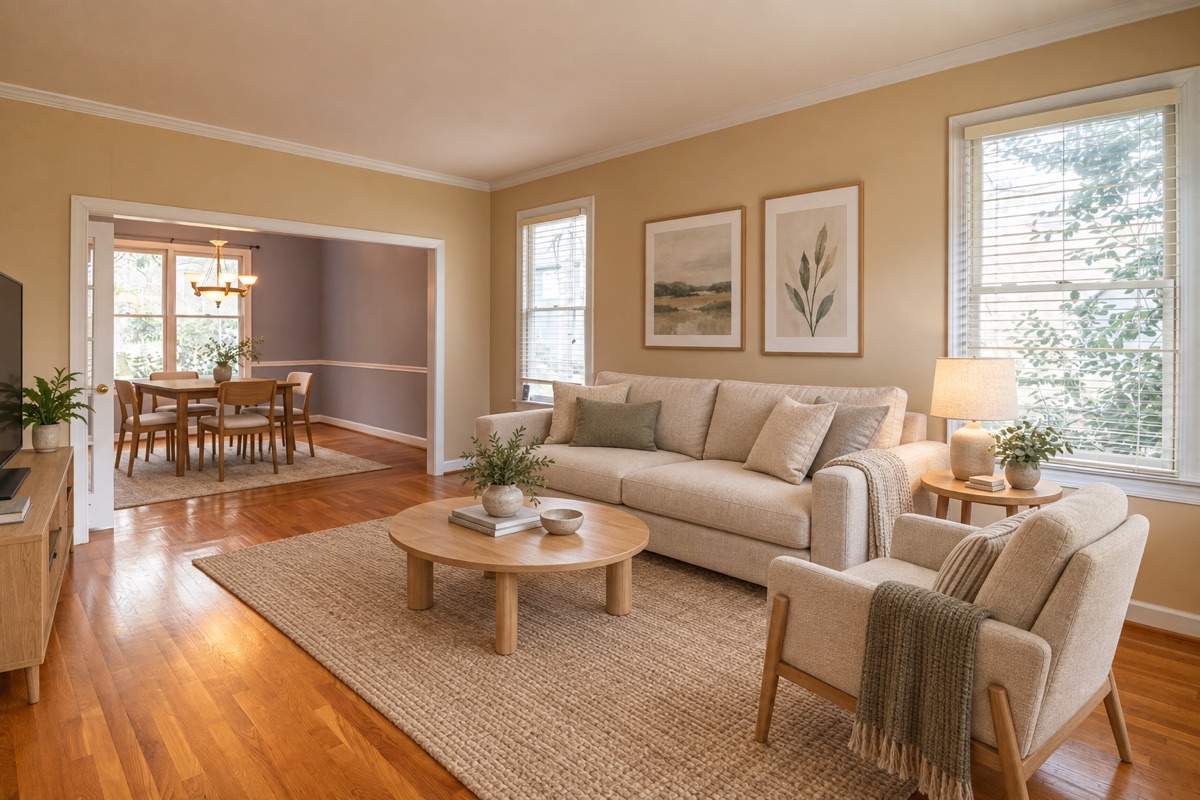
Duskly does not check the rooms seen through a doorway, and its own instruction lets it add a few pieces of furniture there in the same style. Whatever made the render, the next room should keep its walls, floor, doors and windows, and if you did not want it furnished, run it again.
10. Straight lines bent or shifted
Run your eye along door frames, crown moulding, skirting boards and window grids. They should be straight, vertical where they were vertical, and in the same place. AI renders bend lines near furniture and slide the edges of openings.
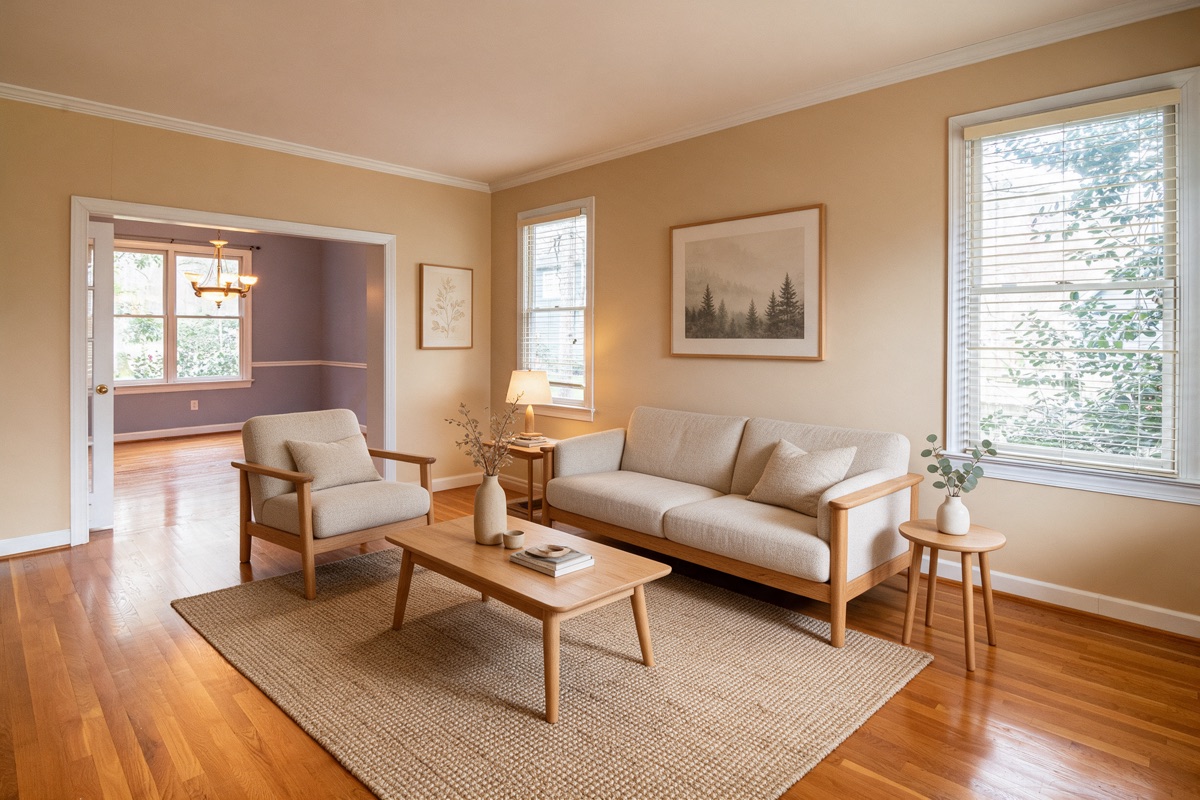
A narrower doorway changes a wall’s dimensions, which is a change to the walls and structure that Rule 11.5.2 covers.
When a render fails a check
Do not fix it by editing the render. Painting the old wall colour back over a new one, or cloning a vent back in, makes a third image that is neither the photo nor the render. Run the staging again, or pick another of the renders you got. Then disclose it the way your MLS asks: our label guide covers where the words go, and what counts as a digitally altered photo covers which other edits need them.
How Duskly helps
Duskly checks every staging render against your photo before you see it, and throws out one that fails:
- Framing: the shape of the photo changed by more than 1%, or the view zoomed in or out by more than 2%.
- The room’s edges: the room’s lines match the original at less than 0.40, both across the whole frame and on the ceiling, upper walls and frame edges alone, where furniture rarely goes.
- Doors and windows: furniture covers more than 6% of a door or more than 12% of a window.
- Kitchen island: more than 15% of its outline moved, or more than 15% of the aisle beside it is covered.
- Exposure: a large share of the frame blown to white, crushed to black or pushed to extreme saturation.
Before the first attempt the model is told where each door and doorway is. Duskly makes two renders; if both are rejected, it runs another, up to three attempts in all, and the next attempt is told which door, window or island to keep clear. What these checks do not cover, as the examples above show: wall paint, flooring, a new door or radiator in a place that had none, vents, furniture scale, the direction of the light, and rooms seen through a doorway. So look at every render next to its original before it goes on the MLS, whatever made it. Every paid Duskly render comes with the original and disclosure wording, and the disclosure generator is free for staging done anywhere. Try virtual staging.
How we made this: the renders come from our September 2026 lab tests of several image models, run on stock photos, plus two attempts from Duskly’s own pipeline (check 8). They are shown as the models returned them, apart from resizing. Duskly’s framing and edge checks were re-run on each pair on 24 October 2026. Photos by Curtis Adams (living room, dining room, bedroom) and Peter Vang (small living room) via Pexels. Every rule quoted was re-read at its source on 24 October 2026. Rules change; if one of these has, tell us and we will correct the page. This is a reading of published rules, not legal advice.