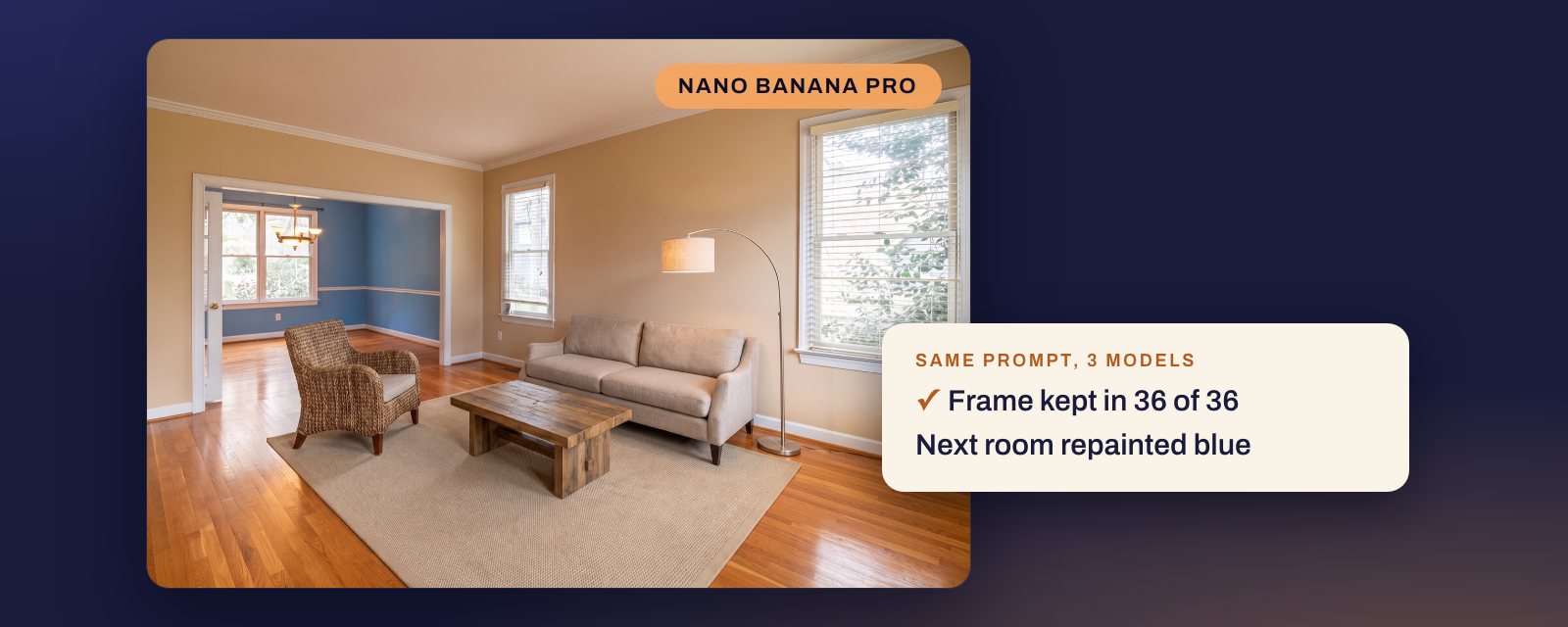
Short answer: ChatGPT and Gemini can, Claude cannot. We gave OpenAI’s and Google’s image models, through their APIs, the same six empty rooms and the same prompt, twice each. Every render kept the camera and the frame, and most of the furniture looked right. But 5 of the 36 renders changed the house itself: Nano Banana Pro repainted a wall in the next room blue, and Nano Banana Pro and OpenAI’s model each took the cabinet doors off a kitchen island, twice. Only Nano Banana 2.1 kept every room. Look at every render next to the original before you use it, label it, and publish the original with it. Claude does not make images at all, but it can write the prompt and give a render a second look.
How we tested
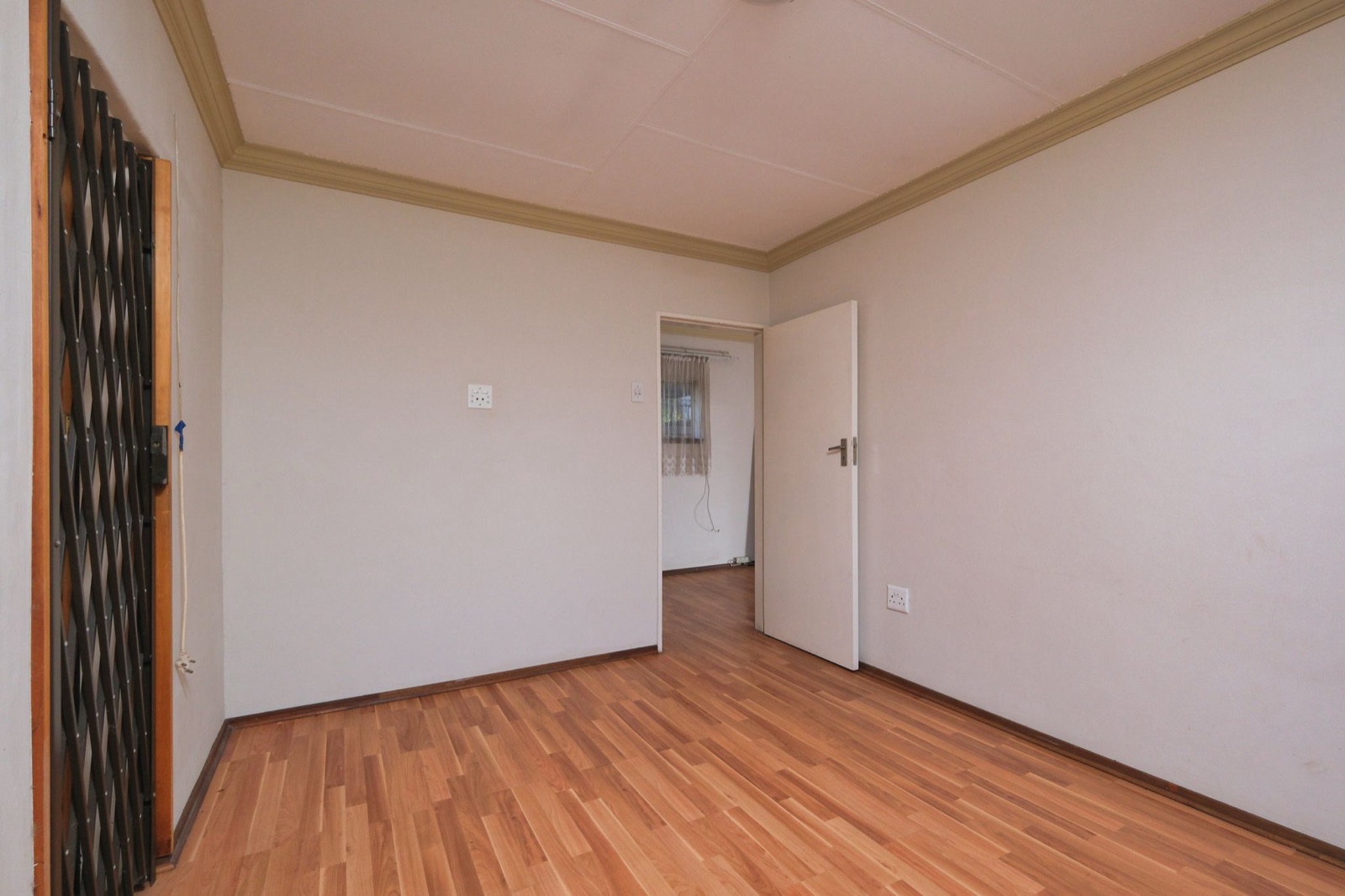
We used six empty rooms from stock photos: a living room that opens onto a dining room, a dining room, a bedroom, a small home office, a sitting room with two windows and a kitchen with an island. Each went through three image models, twice, with one prompt: Google’s on 2 November 2026 and OpenAI’s on 8 November, after its new version came out. That is 36 renders.
- GPT Image 2.6 Flare, OpenAI’s image model. OpenAI released Images 2.6 on 4 November 2026. Its announcement says “We’re introducing Images 2.6 in ChatGPT, Codex, and the API” and “In the API, we offer GPT‑Image‑2.6 Flare and Sunburst for developers to choose from” (OpenAI, Introducing Images 2.6). We also ran the previous version, 2.5 Flare, on 2 November, and say below where it differed.
- Nano Banana 2.1, which Google describes as “Our best image generation and editing model” on its Gemini image page. The page says free Gemini users get Nano Banana 2 and that “Google AI Pro, Plus, Ultra users have access to our best image model, Nano Banana 2.1”. We did not test Nano Banana 2.
- Nano Banana Pro, which the same page offers as a way to regenerate an image. Google’s developer docs call it “The premium choice for complex visual tasks”.
We called the models through their APIs, not the apps: Flare through fal, Nano Banana 2.1 through OpenRouter and Nano Banana Pro through Replicate, at high quality, sending each photo at 2,048 pixels wide and asking for its own proportions (Flare returned 2,048 pixels, Google’s models 2,400 to 2,752). The ChatGPT and Gemini apps add their own instructions and settings, so a render there may differ from ours.
Then we scored each render twice. First with Duskly’s own geometry check, the code that runs on every Duskly edit: did the frame change shape, did the view zoom in or out, and are the room’s lines (ceiling, upper walls, window and door heads) still where they were. Then by eye, next to the original, and with a colour reading on bare patches of wall, ceiling and the room through the doorway.
Can AI do virtual staging?
Yes, for an empty room, and well enough that the furniture is rarely the problem. All 36 renders passed Duskly’s geometry check. None zoomed, reframed or moved a wall past the check’s limits, which some models we tried in September did (our bad virtual staging guide shows them). The problems we found were the kind a geometry check cannot see: a colour, a cabinet front, a crowded doorway.
| Model | Kept the room | What changed |
|---|---|---|
| GPT Image 2.6 Flare (OpenAI) | 10 of 12 | Island cabinet door removed twice; smaller slips such as a wall socket hidden behind a painting |
| Nano Banana 2.1 (Google) | 12 of 12 | Nothing we could find |
| Nano Banana Pro (Google) | 9 of 12 | Next room repainted once, island cabinet doors removed twice |
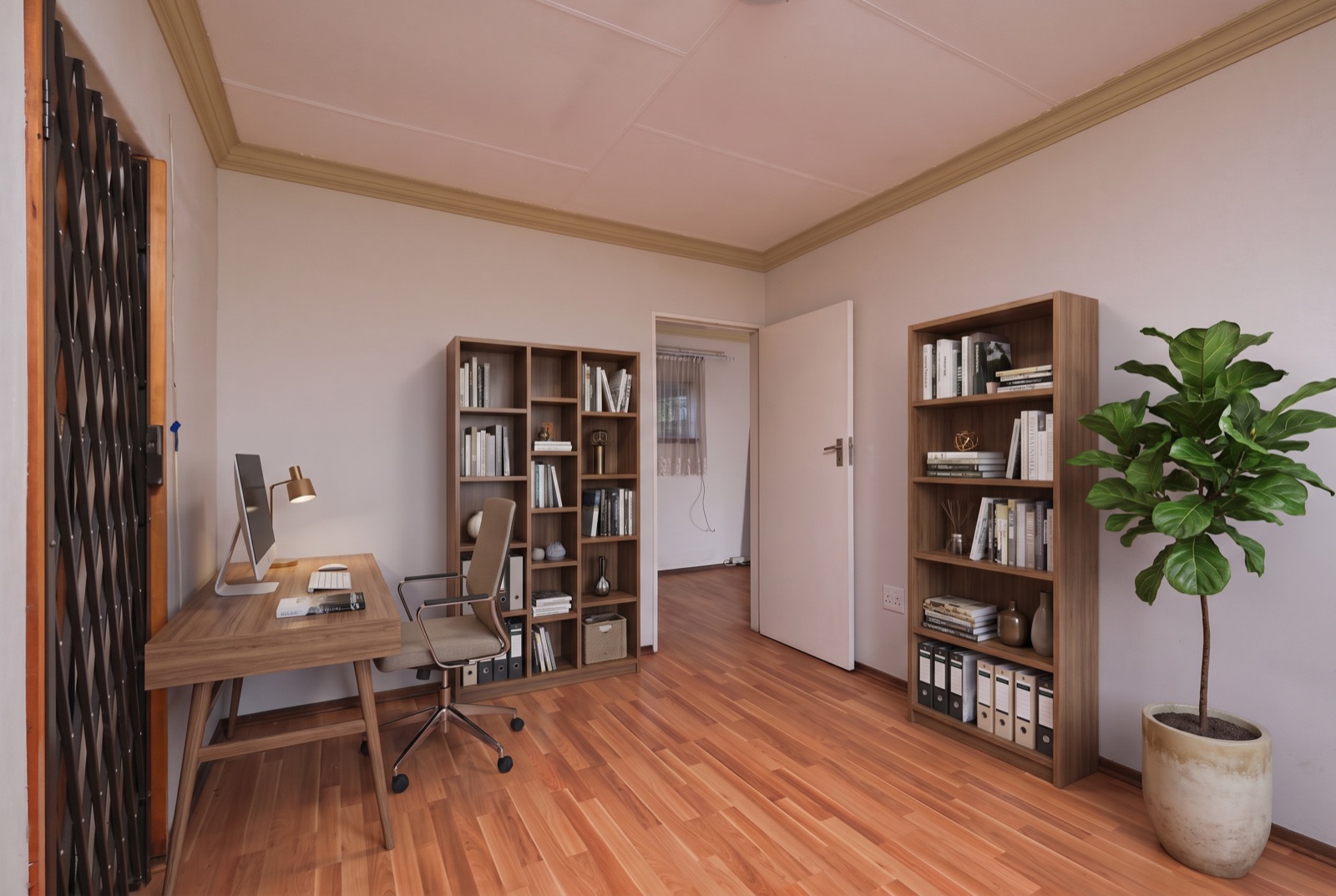
Here is one room from each, next to the original. All three passed, and all three are believable rooms.
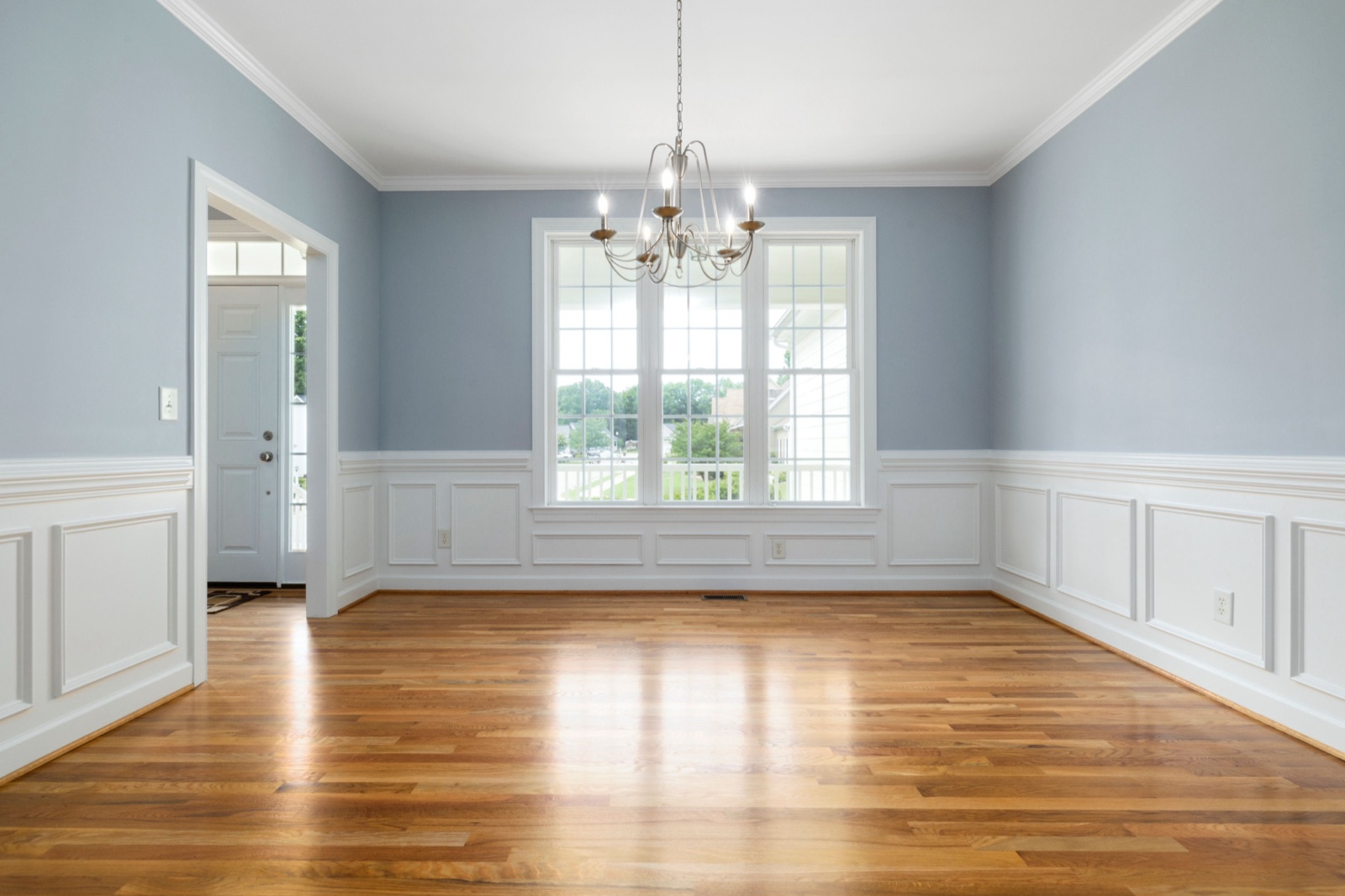
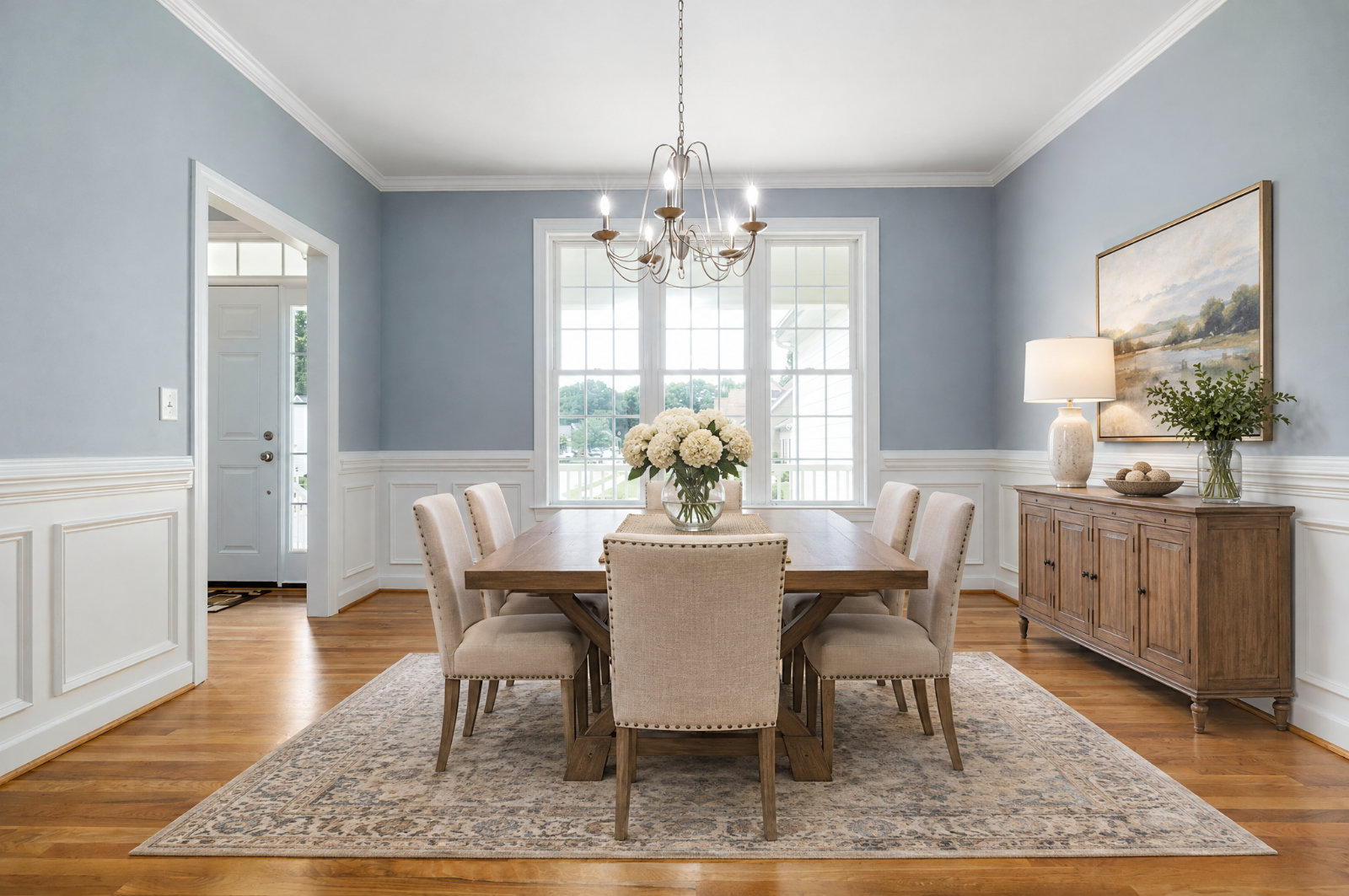
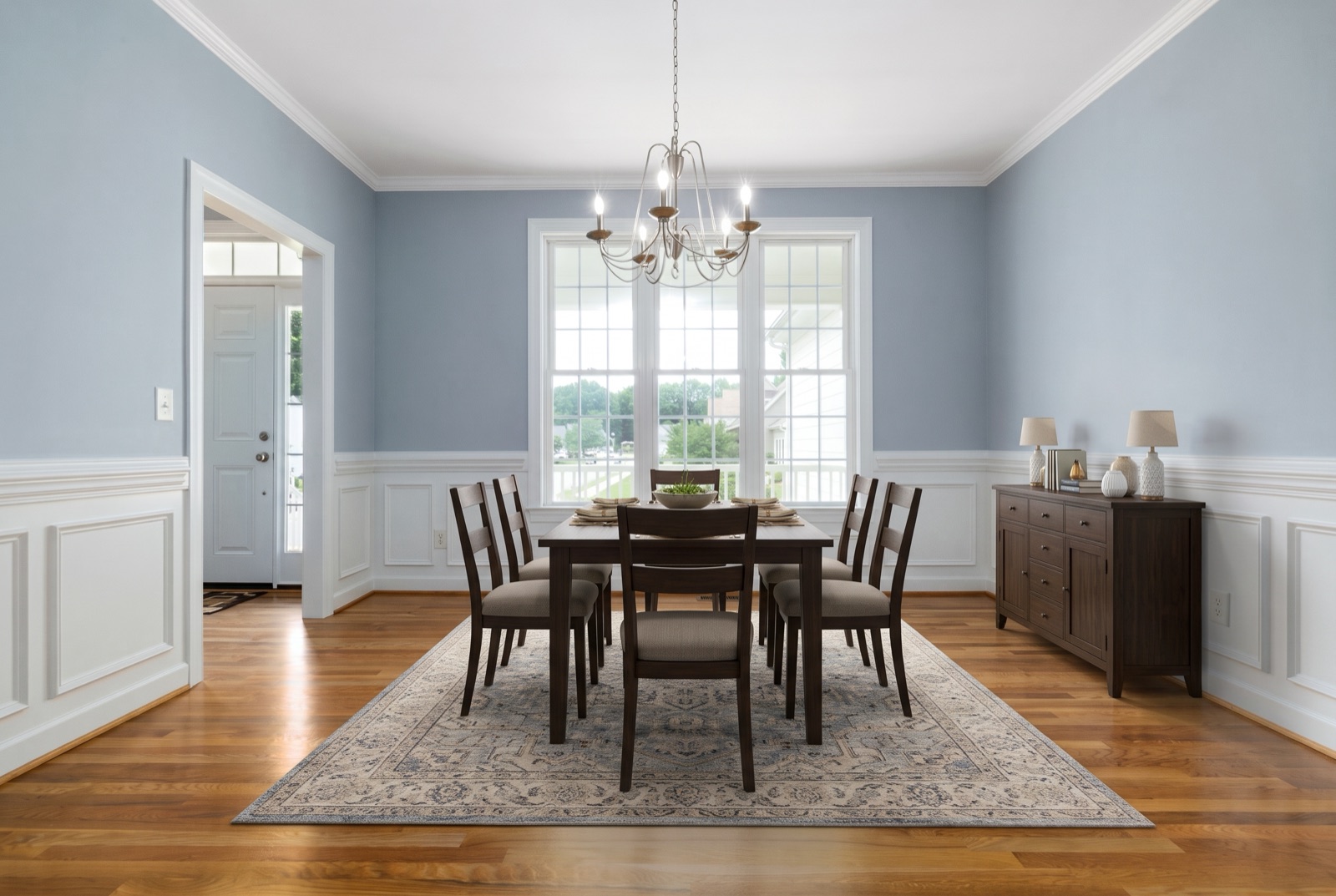
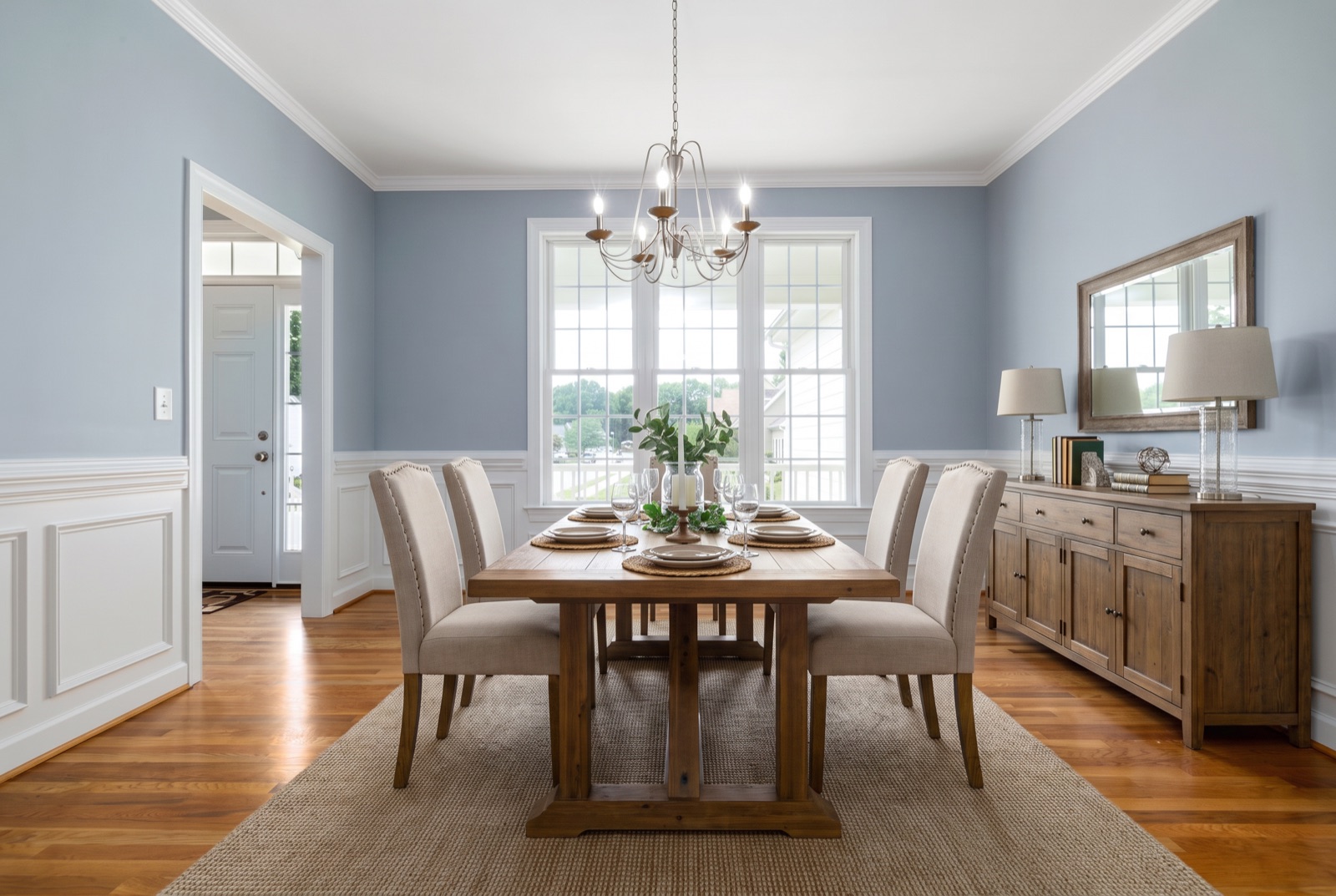
Two smaller things to watch for, from all of them. They turn on the lamps they add: in one Nano Banana 2.1 living room, the wall beside its new floor lamp read 17 levels brighter (out of 255) than in the photo. And they decide the layout themselves, so each run of the same prompt gave a different room. Some layouts we would not use, such as a floor lamp standing in front of a window.
Can ChatGPT do virtual staging?
Yes, but check it closely. GPT Image 2.6 Flare staged all six rooms in both runs, and in both kitchen renders it changed the island: where its left cabinet door and handles were, the floor now shows between the stools, as if the island had a seating overhang. That is the same change Nano Banana Pro made, shown below. It also made smaller slips you only see up close. In both office renders it hung a painting over a wall socket left of the doorway, and in both kitchen renders it redrew the switch and socket on the backsplash so they no longer match the photo. And it brightened some rooms, though the prompt asked for the same daylight: the sitting room’s bare walls came back about 20 levels lighter in both runs, and one kitchen backsplash 18 lighter. Elsewhere, where no art or lamp sat over our reading, the walls, ceilings and, in the three rooms where we could read it, the next room stayed within 10 levels of the original, and no doorway was fully blocked. It hung art in five of the six rooms, which is decor, not the house. The previous version, 2.5 Flare, did the same to the island in one kitchen render and redrew one plate, but hung its office art beside that socket rather than over it.
Can Gemini do virtual staging?
Yes. Nano Banana 2.1 was the only model that kept every room in our test. Its colour readings stayed within 9 levels, apart from the wall lit by the lamp it added and one patch hidden behind a plant it put on the kitchen counter, and in both kitchen renders the island kept its doors and drawer. Nano Banana Pro is the one to watch: it made three of the five changes we found, including the only repaint.
All five changes passed Duskly’s geometry check, because none of them moves a line the check measures. That is why we look as well as measure.
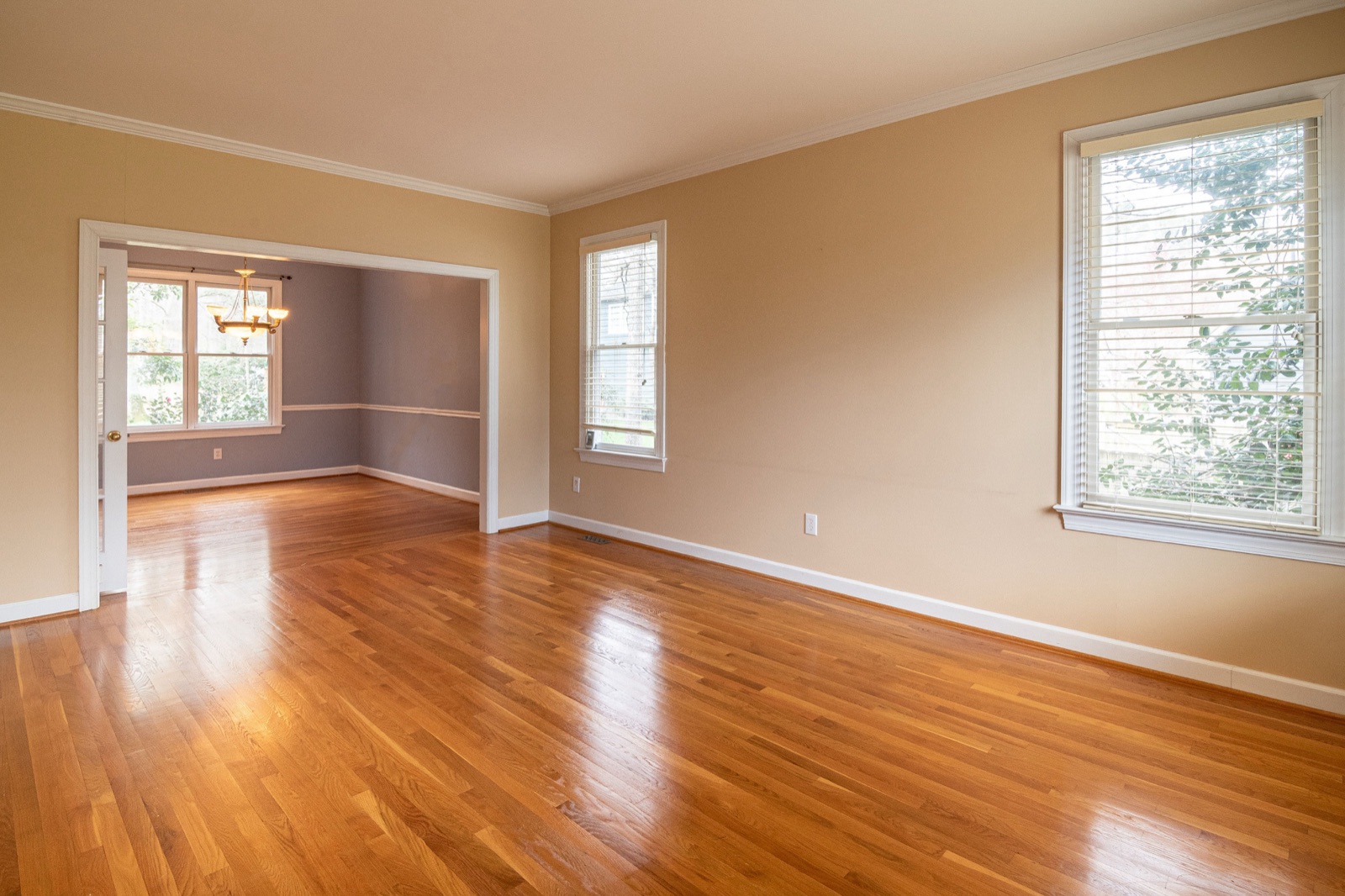
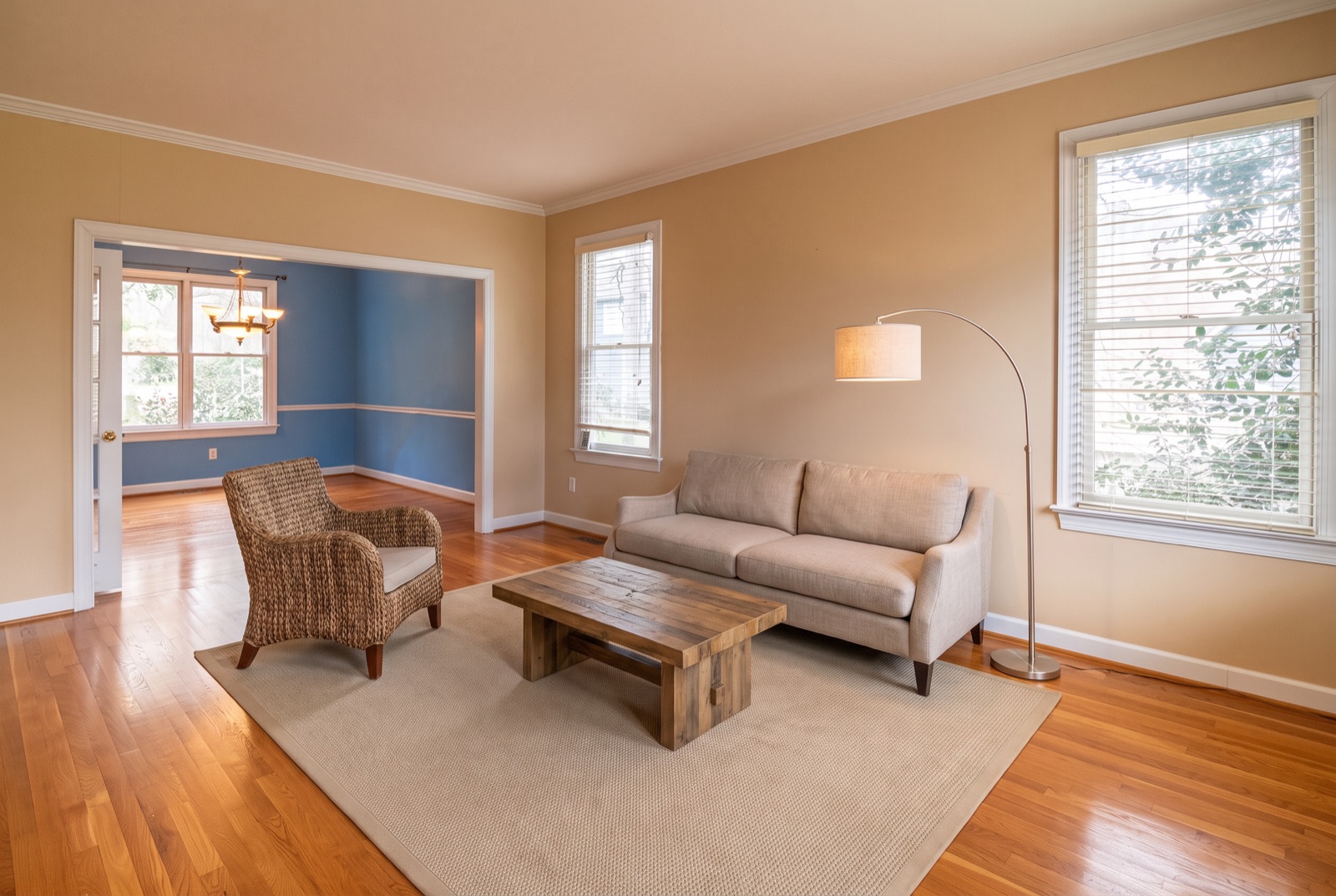
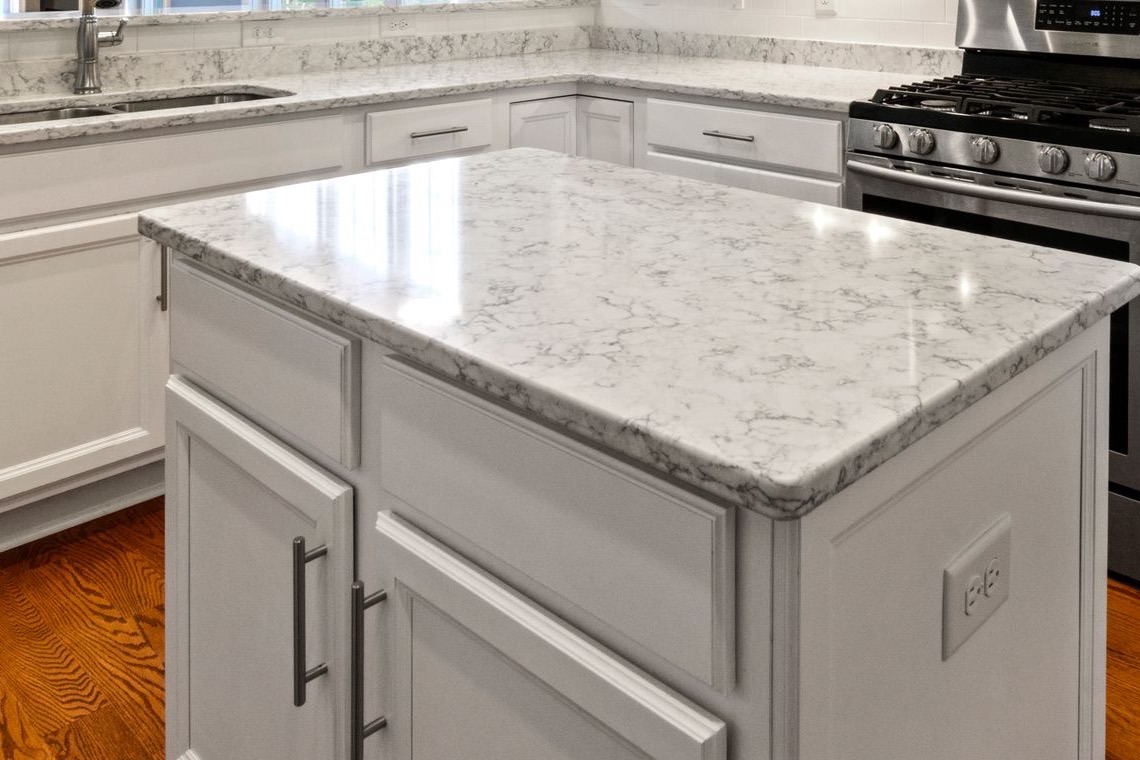
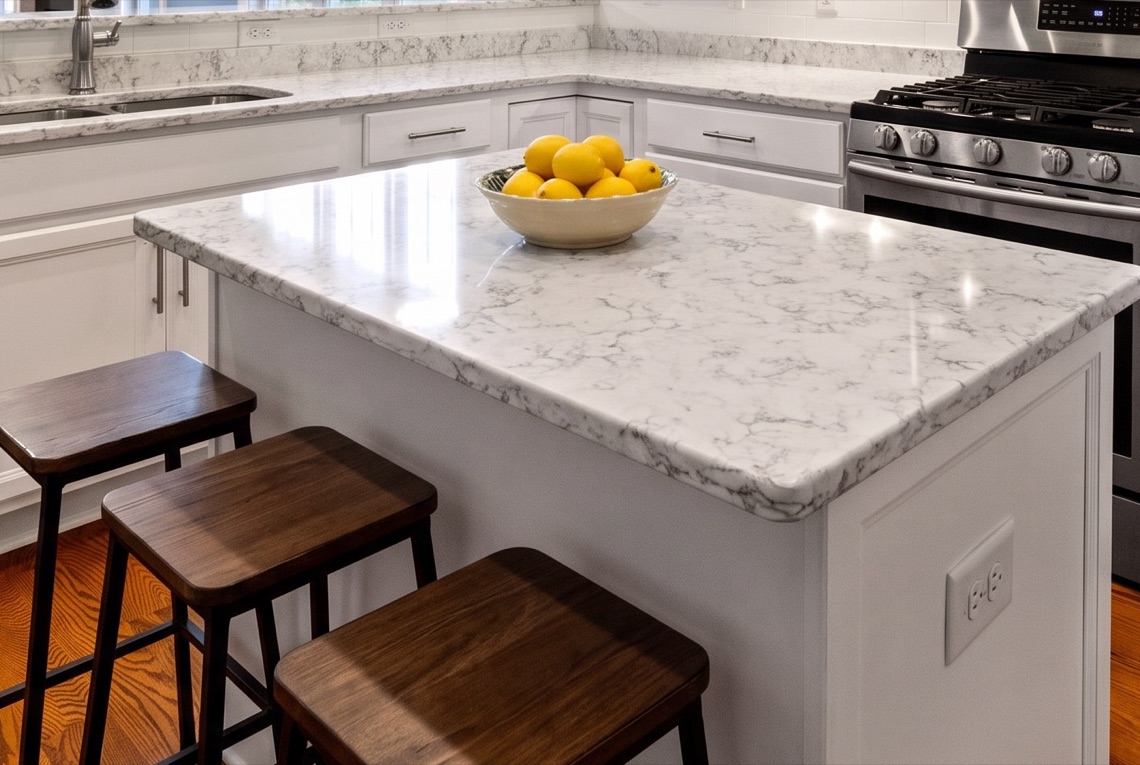
Both are changes to the house, and CRMLS forbids them. Its Rule 11.5.2 bars images altered to “add, remove, or modify any (i) real property elements including but not limited to flooring, walls, windows, structural elements, cabinetry, paint color, hardscape, landscape, façade, fixtures, or floor plans unless the listed property will be improved to match the altered photo at time of close as part of the listed price” (CRMLS 2026 rule changes, Rule 11.5.2). A label does not fix that there. Other MLSs draw the line differently; see the disclosure section below.
Nano Banana Pro also pushed a desk hard up against the gated doorway in one office render, its corner over the door frame, though the prompt asked to keep every door clear. That changes no part of the house, but it shows a layout that crowds the way in.
One more thing to know about the Gemini app: Google says it “uses an invisible SynthID watermark, as well as a visible watermark to show they are AI-generated” (Gemini image page). Our API renders came back without a visible mark.
Can Claude virtually stage a listing photo?
No. Claude does not make or edit images. Anthropic’s documentation answers the question directly:
No, Claude is an image understanding model only. It can interpret and analyze images, but it cannot generate, produce, edit, manipulate, or create images.
Source: Claude vision documentation, “Can Claude generate or edit images?”.
Claude can still help in three ways.
Write the prompt. Describe the room and the buyer and ask for a prompt for an image tool. Ask it to put what must stay the same first.
Review a render. We gave Claude Opus 5.5 the original and a render and asked it to list every change to the room, ignoring the furniture. On the Nano Banana Pro living room it found the repaint: “Original: the walls above and below the chair rail are a muted grey-lavender. Staged: they are a saturated medium blue.” On a clean render from the same model it reported the living room walls as “a warmer, more saturated peach/salmon tone”, while our colour reading on that wall moved 4 levels out of 255. So it is a useful second pair of eyes, but it can overstate a tiny shift. Anthropic’s own limits say Claude’s locations are approximate and that it “cannot determine whether an image is AI-generated”.
Drive an image tool. Through MCP, an open-source standard for connecting AI applications to tools, “AI applications like Claude or ChatGPT can connect to data sources (e.g. local files, databases), tools (e.g. search engines, calculators) and workflows” (modelcontextprotocol.io). Connect an image tool and Claude can send it the photo and the prompt, but the picture is made by that tool’s model, not by Claude. Duskly’s own MCP server works in Claude too. It answers disclosure questions and writes the wording; it does not edit photos.
What prompt should you use for virtual staging?
Say what must not change before you say what to add. Early words carry more weight with these models. This is the prompt we used for every render, with the room and the pieces changed for each room:
Keep the photo exactly as it is. Same camera position, framing and crop. Same walls and wall colour, ceiling, floor, trim, doors, doorways, windows and the view through them, outlets, switches, vents and light fixtures. Same daylight and exposure. Do not move, resize, add or remove any part of the building, and do not zoom, widen, crop or straighten the photo.
Then virtually stage this empty [room] for a real estate listing by adding [pieces]. Use real furniture at normal human scale, standing on the floor with soft contact shadows. Keep every door, doorway and window clear. Leave any room seen through a doorway as it is. Change nothing else.
For the living room, [room] was “living room” and [pieces] was “a sofa, an armchair, a coffee table, a rug and a floor lamp”. What we would change after this test:
- Name the fixed things that matter in that room. Our prompt named doors, windows and the next room, and one model still changed the next room. It did not name cabinets, and two of the three models removed them. In a kitchen, say “keep the island, its cabinet doors, drawers and handles exactly as they are”.
- Keep the list of pieces short. Every piece is something the model has to fit around doors and windows.
- Run it twice and pick. The same prompt gave a different layout every time.
- Ask for one change at a time. If you then ask the app to make the room brighter or warmer, that is a second edit to the whole photo, walls and floor included.
Then check the render next to the original: the bad virtual staging guide lists ten things to look for.
Do you have to disclose staging made with ChatGPT or Gemini?
Yes. The tool makes no difference. San Diego MLS, answer 8 of its AB 723 FAQ: “Images created or modified using artificial intelligence, including AI virtual staging, are considered digitally altered and must be disclosed and accompanied by the original image.” Answer 7 adds that “Labeling alone is not sufficient.” Source: SDMLS AB 723 FAQ. A render that changes the house, like the blue wall or the missing cabinet doors above, is a separate question, and MLSs split on it. In our study of 21 MLS rulebooks, 7 ban changing the house itself, even with a label, and 7 allow it as long as it is labelled (What 21 MLS rulebooks say about AI-edited listing photos). Is virtual staging legal? quotes those rules, our label guide says where the label goes at 11 MLSs, and the free disclosure generator writes the wording.
How Duskly helps
Duskly’s staging runs on a large image model too, so the difference is not a secret model. It is what happens around it. Duskly checks every render against your photo before you see it: the geometry check used in this test, plus checks that furniture keeps doors and windows clear and that a kitchen island stays where it was. A render that fails is thrown out before you see it. No check catches everything, so every paid render comes with the untouched original and disclosure wording, ready to post side by side. Stage a room.
How we made this: 36 renders made on 2 and 8 November 2026 through each model’s API, shown as the models returned them apart from resizing, cropping where a caption says so, and conversion to JPEG. The 36 renders cost about $3.30 in API fees at each host’s listed or metered price, between 5 and 15 cents each. Duskly’s geometry check (geometry-diff.ts, virtual staging thresholds) and its exposure check were run on every render; the colour readings are mean RGB values on fixed patches of each photo. Claude was called through OpenRouter. Photos by Curtis Adams (living room, dining room, kitchen), Peter Vang (bedroom) and Alexander F Ungerer (office) via Pexels, and Empty apartment room with corner windows by aismallard, CC BY-SA 3.0 (the sitting room, tested but not shown). Model names and every source quoted were re-read on 7 November 2026, and OpenAI’s Images 2.6 announcement on 8 November. Models change quickly; if one of these has, tell us and we will rerun the test.